
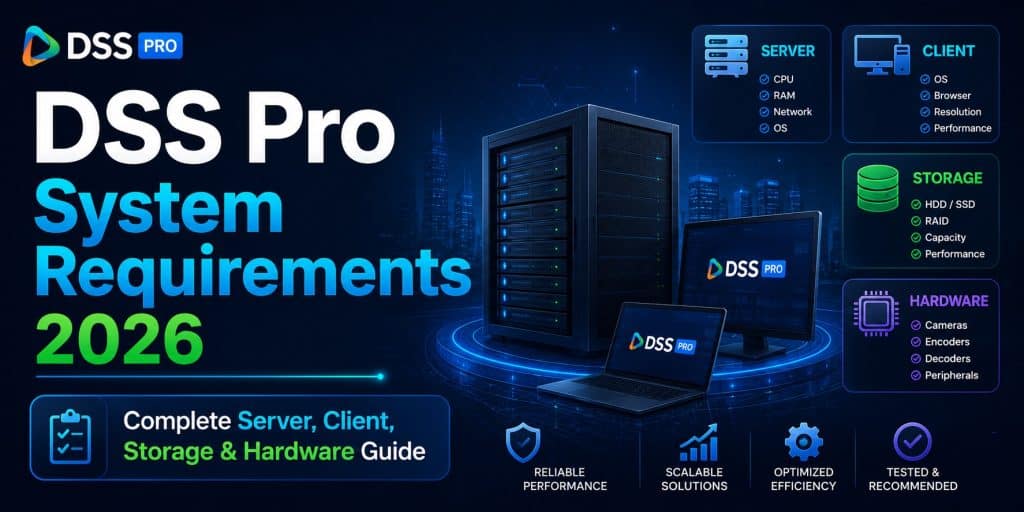
DSS Pro System Requirements 2026 — Complete Server, Client, Storage & Hardware Guide
Deploying a modern enterprise video management system is no longer as simple as installing software on a random Windows PC. Today’s surveillance infrastructures include thousands of cameras, AI analytics, access control, ANPR systems, facial recognition, video intercoms, central storage, mobile clients, and multi-site monitoring. All of these components place serious demands on hardware resources.
That is exactly why understanding the correct system requirements for Dahua DSS Pro in 2026 is critical.
A poorly designed DSS Pro server can lead to:
- Video lag
- Database instability
- Playback delays
- Event loss
- AI processing bottlenecks
- Failed recording tasks
- High CPU usage
- Network congestion
- Storage failures
On the other hand, a properly planned DSS Pro deployment can scale smoothly from small office installations to enterprise-grade surveillance systems with thousands of channels.
In this guide, we will explain:
- DSS Pro server requirements
- Client PC requirements
- CPU recommendations
- RAM sizing
- GPU requirements
- Storage planning
- Database considerations
- Network requirements
- Virtualization support
- AI workload planning
- Recommended hardware for different project sizes
- Real-world deployment examples
If you are new to DSS Pro installation and deployment, you can also read the complete setup guide here:
What Is DSS Pro?
DSS Professional is Dahua’s enterprise-grade VMS (Video Management Software) platform designed for centralized management of:
- IP cameras
- NVRs
- Access control
- Video intercom systems
- Alarm systems
- POS systems
- ANPR/LPR
- Facial recognition
- Parking management
- AI analytics
- Video walls
Unlike lightweight VMS platforms, DSS Pro is intended for medium and large deployments. That means hardware planning becomes extremely important.
According to Dahua documentation, DSS Pro can scale to up to 20,000 channels and multiple petabytes of storage in distributed deployments.
Why System Requirements Matter So Much
Many installers underestimate DSS Pro hardware requirements.
The software itself may install on modest hardware, but enterprise workloads quickly overwhelm underpowered systems.
Typical resource-intensive DSS Pro operations include:
- Multi-channel live view
- Simultaneous playback
- AI metadata indexing
- Face database management
- ANPR processing
- Video decoding
- Central storage management
- Event handling
- Map rendering
- Multi-user access
- Video wall output
The larger the deployment becomes, the more important server-grade hardware becomes.
DSS Pro Supported Operating Systems (2026)
Based on current DSS Pro documentation and deployment recommendations, supported operating systems include:
Server Operating Systems
- Windows Server 2019 Standard (64-bit)
- Windows 10 Pro 64-bit
- Windows 11 Pro 64-bit
Older DSS Pro versions also supported:
- Windows Server 2016
- Windows Server 2012
- Windows Server 2008
However, for 2026 deployments, Windows Server 2019 or Windows Server 2022 are strongly recommended for enterprise stability and long-term support.
Client Operating Systems
DSS PC Client supports:
- Windows 10 64-bit
- Windows 11 64-bit
Modern deployments should avoid older 32-bit systems entirely.
Mobile Client Requirements
DSS mobile applications support:
- Android 8.0 or later
- iOS 12 or later
Newer DSS Agile versions may require more recent mobile OS releases for optimal performance.
💬 Need a license or have questions? → Message us on Telegram — free consultation, usually reply within a few hours.
DSS Pro Server Hardware Requirements
Server hardware is the most important part of any DSS Pro deployment.
Let’s break it down by component.
CPU Requirements
The processor determines how well DSS Pro handles:
- Device management
- Database operations
- AI indexing
- Event processing
- Stream handling
- User sessions
Minimum CPU Requirements
For very small deployments:
- Intel Xeon E-series
- Intel Core i5 9th Gen or newer
- 4-core processors minimum
Examples:
- Intel Xeon E-2224
- Intel Core i5-9400
These configurations are suitable only for smaller installations with limited concurrent users.
Recommended CPU Requirements
For medium and large deployments:
- Intel Xeon Silver series
- AMD EPYC
- Modern multi-core server CPUs
Dahua documentation commonly references:
- Intel Xeon Silver 4114
- 10-core enterprise processors
as recommended hardware for DSS Pro enterprise environments.
Why Multi-Core CPUs Matter
DSS Pro performs many simultaneous tasks:
- Database indexing
- Stream management
- AI analytics
- Event recording
- Playback services
- User authentication
More CPU cores dramatically improve:
- Multi-user performance
- Stability under load
- AI responsiveness
- Playback smoothness
RAM Requirements
Memory requirements depend heavily on:
- Channel count
- AI functions
- User count
- Playback activity
- Central storage operations
Minimum RAM
Small deployments:
- 8 GB RAM minimum
Suitable for:
- Small offices
- Limited cameras
- Basic monitoring
Recommended RAM
For professional deployments:
- 16 GB RAM minimum
- 32 GB preferred for medium deployments
- 64 GB+ for enterprise systems
More RAM improves:
- Database caching
- Live view responsiveness
- Multi-user access
- Metadata indexing
AI and Facial Recognition Workloads
AI-related features significantly increase RAM usage:
- Facial recognition
- ANPR
- Video metadata
- Smart search
- DeepXplore functions
Large AI deployments may require:
- 64 GB
- 128 GB
- or more RAM
depending on workload scale.
Storage Requirements
Storage planning is one of the most misunderstood parts of DSS Pro deployment.
There are actually multiple storage layers involved.
💬 Need a license or have questions? → Message us on Telegram — free consultation, usually reply within a few hours.
1. System Disk
The system disk stores:
- DSS software
- Database
- Logs
- Temporary files
- Metadata
- AI indexes
Dahua documentation commonly recommends:
- 1 TB enterprise-class HDD or SSD
- 200–500 GB free space for DSS
Why SSDs Are Strongly Recommended in 2026
Although older documentation references HDDs, modern deployments should absolutely use SSDs or NVMe storage for the system partition.
Benefits include:
- Faster database performance
- Better metadata indexing
- Improved search speed
- Faster startup times
- Reduced lag
Recommended setup:
- NVMe SSD for OS and database
- Separate storage pool for recordings
2. Recording Storage
Video recordings consume the largest amount of storage.
Storage requirements depend on:
- Number of cameras
- Resolution
- Bitrate
- Frame rate
- Retention period
- Codec (H.264/H.265)
Example Storage Consumption
64 Cameras
- 4MP
- H.265
- 15 FPS
- 30-day retention
May require:
- 80–150 TB usable storage
depending on motion recording settings.
Enterprise Storage Recommendations
For medium and large DSS Pro deployments:
- RAID arrays
- Enterprise HDDs
- NAS systems
- SAN storage
- Central storage clusters
are strongly recommended.
Recommended HDD Types
Use enterprise surveillance drives such as:
- Seagate SkyHawk AI
- Western Digital Purple Pro
- Enterprise SAS drives
Avoid consumer desktop drives in enterprise deployments.
GPU Requirements
Many installers ignore GPU planning.
This is a huge mistake.
Why DSS Pro Uses GPUs
GPU acceleration helps with:
- Video decoding
- Multi-channel live view
- Video wall rendering
- AI analytics
- High-resolution playback
Minimum GPU Requirements
Older DSS Pro documentation references:
- Intel HD Graphics 4400
- NVIDIA GT 730
for basic client workloads.
These are no longer sufficient for serious 2026 deployments.
Recommended GPU Requirements for 2026
For professional environments:
- NVIDIA GTX 1050 or newer
- NVIDIA RTX series preferred
- Intel UHD Graphics for lightweight clients
DSS Pro performance documentation references:
- GTX 1050
- RTX 3060
for higher decoding performance.
Video Wall Workstations
Video wall clients require much stronger GPUs.
Recommended:
- NVIDIA RTX 3060
- RTX 4060
- RTX A-series
- Multiple display outputs
Video wall systems often become GPU-limited before CPU-limited.
Network Requirements
Surveillance systems generate enormous network traffic.
Ethernet Requirements
Minimum:
- 1 Gbps Ethernet
Recommended:
- Multiple 1 Gbps ports
- 10 Gbps uplinks for enterprise deployments
Why 10GbE Matters in 2026
Large DSS Pro deployments can easily exceed 1 Gbps traffic.
Especially with:
- 4K cameras
- Central storage
- AI metadata
- Multi-site streaming
- Video walls
10GbE is strongly recommended for:
- Recording servers
- Storage servers
- Core switches
- AI analytics nodes
DSS Pro Client PC Requirements
The DSS client workstation handles:
- Live monitoring
- Playback
- Map rendering
- Event management
- Video walls
Client requirements vary dramatically depending on workload.
Basic Monitoring Client
Suitable for:
- Reception desks
- Small offices
- Light monitoring
Recommended:
- Intel Core i5
- 8 GB RAM
- Integrated graphics
- SSD storage
Professional Monitoring Station
Suitable for:
- Security operation centers
- Multi-monitor viewing
- Playback-heavy workflows
Recommended:
- Intel Core i7
- 16–32 GB RAM
- NVIDIA RTX GPU
- NVMe SSD
Video Wall Client
Suitable for:
- Large control rooms
- SOC environments
- Multi-screen operations
Recommended:
- Xeon or Core i9
- 32–64 GB RAM
- RTX 3060/4070 or better
- Multiple monitor outputs
Database Performance Considerations
DSS Pro relies heavily on database performance.
Databases store:
- Users
- Events
- AI metadata
- Logs
- Device information
- Access records
- ANPR records
Large deployments can generate millions of records.
Dahua documentation references:
- 20 million event records
- 20 million face recognition records
in enterprise deployments.
💬 Need a license or have questions? → Message us on Telegram — free consultation, usually reply within a few hours.
SSD Database Storage Is Essential
Never place the DSS database on slow HDDs in enterprise deployments.
Recommended:
- NVMe SSD
- RAID 1 SSD mirror
- Dedicated database storage
This dramatically improves:
- Search speed
- Playback response
- Event lookup
- AI indexing
DSS Pro Virtualization Support
Virtualization has become increasingly common in enterprise deployments.
DSS Pro supports virtualization platforms including:
- VMware ESXi
according to Dahua documentation.
Benefits of Virtualization
Virtualized DSS environments provide:
- Easier backup
- Snapshot recovery
- Flexible scaling
- High availability
- Simplified maintenance
Important Virtualization Considerations
When virtualizing DSS Pro:
- Reserve CPU cores
- Reserve RAM
- Use SSD/NVMe storage
- Avoid overcommitting resources
- Ensure GPU passthrough if needed
AI and Analytics Hardware Planning
AI features dramatically increase hardware requirements.
These include:
- Facial recognition
- ANPR
- Video metadata
- Smart search
- Deep learning analytics
GPU Acceleration for AI
Modern AI deployments benefit heavily from NVIDIA GPUs.
Recommended:
- RTX series
- CUDA-capable GPUs
- Large VRAM capacity
Face Database Scaling
Dahua documentation references support for:
- 300,000 faces
- 600,000 cards
- 50,000 watchlist entries
in recommended enterprise configurations.
Large face databases require:
- High RAM
- Fast SSD storage
- Strong CPUs
Parking Management Hardware Requirements
Parking systems create additional workload due to:
- ANPR processing
- Vehicle databases
- Barrier control
- Parking analytics
Enterprise parking systems should use:
- Dedicated AI servers
- SSD databases
- Strong GPUs
- High-speed networking
Multi-Site DSS Pro Deployments
DSS Pro supports multi-site centralized architectures.
These deployments often include:
- Multiple sub-servers
- Central management
- Distributed storage
- Failover systems
Enterprise Scalability
Dahua documentation references scalability up to:
- 20,000 channels
- 4 PB storage capacity
through distributed architecture.
Real-World Recommended Hardware Configurations (2026)
Small Deployment (Up to 64 Cameras)
Recommended Hardware
- Intel Core i5/i7
- 16 GB RAM
- 1 TB NVMe SSD
- 20–50 TB RAID storage
- 1 Gbps networking
Suitable for:
- Offices
- Small retail
- Clinics
- Schools
Medium Deployment (64–300 Cameras)
Recommended Hardware
- Xeon Silver or AMD EPYC
- 32–64 GB RAM
- NVMe RAID 1
- 100–300 TB storage
- NVIDIA RTX GPU
- 10GbE networking
Suitable for:
- Warehouses
- Factories
- Hotels
- Multi-branch retail
Enterprise Deployment (300–2000+ Cameras)
Recommended Hardware
- Dual Xeon or EPYC servers
- 128 GB+ RAM
- Enterprise NVMe arrays
- SAN/NAS architecture
- RTX AI acceleration
- 10/25GbE networking
- Redundant power supplies
Suitable for:
- Smart cities
- Airports
- Universities
- Oil & gas
- Government projects
Common DSS Pro Hardware Mistakes
Using Consumer PCs as Servers
This is one of the biggest deployment mistakes.
Consumer PCs lack:
- ECC memory
- Redundant power
- Enterprise cooling
- RAID reliability
Using HDDs for Databases
This causes:
- Slow playback
- Search lag
- Metadata delays
- Event indexing issues
Always use SSDs for DSS databases.
Ignoring GPU Requirements
Without proper GPU acceleration:
- Live view becomes laggy
- Playback stutters
- Video walls perform poorly
Underestimating Storage Growth
Many deployments fail to calculate:
- AI metadata growth
- Long retention periods
- Multi-stream recording
- Future camera expansion
Ignoring Network Bottlenecks
Even powerful servers fail if:
- Switches are overloaded
- Uplinks are saturated
- Storage traffic is congested
DSS Pro 2026 Best Practices
For modern deployments:
Use Server-Grade Hardware
Prefer:
- Xeon
- EPYC
- ECC RAM
- RAID arrays
Separate Workloads
Use dedicated systems for:
- Database
- Storage
- AI analytics
- Video wall clients
Use NVMe Storage
Especially for:
- Databases
- Metadata
- System partitions
Plan for Expansion
Always leave room for:
- More cameras
- AI features
- Additional users
- Longer retention
Dahua DSS Pro Server Sizing Calculator
Before you read the best practices, you can use the calculation tool below to estimate the server specifications required for your project. Enter the number of cameras, resolution, retention time, and AI parameters.
For more accurate calculations or expert advice, contact us on Telegram.
Final Thoughts
DSS Pro is a powerful enterprise VMS platform, but achieving stable performance requires proper hardware planning.
In 2026, modern surveillance systems involve much more than simply recording video. DSS Pro environments may include:
- AI analytics
- Facial recognition
- ANPR
- Parking systems
- Access control
- Multi-site monitoring
- Massive databases
- Central storage clusters
All of these features place heavy demands on:
- CPU
- RAM
- GPU
- Storage
- Networking
For small deployments, modest hardware may be sufficient.
For enterprise environments, however, server-grade infrastructure becomes essential.
The best DSS Pro deployments are designed with:
- Scalability
- Redundancy
- Fast storage
- Proper networking
- AI acceleration
- Future expansion
in mind from the beginning.
If you are preparing a new deployment, installation, or upgrade, you can also read the complete DSS Pro installation and configuration guide here:
Get a license — free consultation
Pricing depends on version and number of users. Message us on Telegram and we’ll reply with an exact quote — no commitment required.
|
✓
20+ years experience
Software engineers with a long track record
|
⚡
Delivered within 24h
Your license is sent within one business day
|
↩
Money-back guarantee
If the license doesn’t work, we refund in full
|
Usually reply within a few hours — free consultation, no upfront payment




