
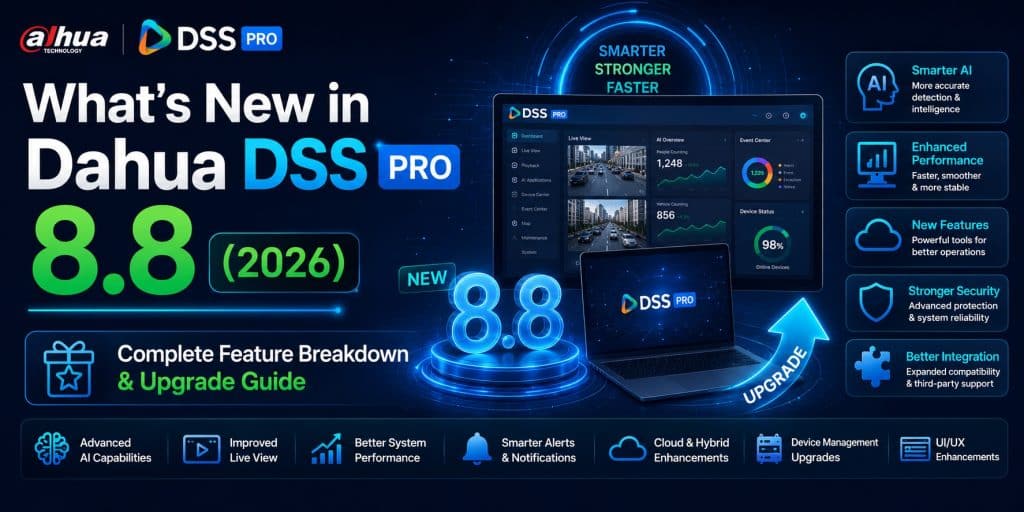
Dahua DSS Pro 8.8: What’s New — Full Feature Breakdown & Release Notes Guide
Dahua released DSS Professional V8.8.0 (build V8.008.0000000.0) in April 2026, and it is one of the most substantial updates the platform has received in several release cycles. The changelog spans 21 functional modules, introduces a brand-new web client, a completely redesigned video wall interface, native cloud storage integration, a full parking fee management system, and significantly hardened security controls — among dozens of other additions and improvements.
This guide walks through every meaningful change in DSS Pro 8.8 based on the official Dahua release notes, organized by module so integrators, system administrators, and project planners can quickly identify what impacts their deployments. If you are evaluating an upgrade, planning a new installation, or simply researching what version 8.8 delivers, this is the complete reference.
For server hardware sizing on DSS Pro 8.8 deployments, use the DSS Pro Server Sizing Calculator to get an accurate specification based on your camera mix and retention requirements.
Release at a Glance
| Product | DSS Professional |
| Version | V8.008.0000000.0 |
| Release Date | April 2026 |
| Package Name | General_DSS-Professional_Server_Win64_IS_V8.008.0000000.0.R.20260326.exe |
| Reference Server | 2× Intel Xeon Silver 4509Y 2.6 GHz 8-Core, 32 GB RAM, 6× 1 Gbps NIC |
| Min. Install Disk | 500 GB (independent disk) |
| Supported OS (Server) | Windows Server 2019, 2022, 2025 (physical & VM); Windows 11 |
| Supported OS (Client) | Windows 10, 11, Server 2019, 2022, 2025 (physical & VM) |
| TLS | TLS 1.2 and TLS 1.3 only (older protocols dropped) |
1. Security & User Management: The Biggest Hardening Update Yet
DSS Pro 8.8 delivers a comprehensive overhaul of authentication and access controls — reflecting the increasing security requirements of enterprise and government deployments.
Two-Factor Authentication (2FA)
2FA is now natively supported for all DSS client logins. When enabled per user, logging in requires the account password plus either a verification code sent to the registered email address, or a time-based OTP from Microsoft Authenticator or Google Authenticator. This is configured per user in the user management console, with the system-level toggle under System Parameters > Security Config.
Importantly, Dahua recommends disabling 2FA for users of sub-nodes in multi-site or cascade deployments to avoid repeated authentication prompts on every login — a practical consideration for large federated environments.
Enhanced Password Policy
Password security has been substantially tightened in 8.8:
- All users must change their password on first login — no more shared default credentials persisting in production
- The system enforces password history: the new password cannot match any of the last 5 passwords used
- If a user fails login twice consecutively, a random verification code (CAPTCHA) is required for all subsequent attempts
- After 5 consecutive failed login attempts, the account is automatically locked
Login Binding by IP, MAC, or IP+MAC
When adding or editing a user account, administrators can now bind the account to a specific IP address, MAC address, or both. This prevents credential theft from being useful unless the attacker is also on the authorized machine — a meaningful control for admin accounts and operator workstations.
Resource Operation Permissions: Playback & Download Control
A new permission category — Resource Operation — allows administrators to control whether specific users can access recording playback and whether they can download recording streams. This closes a gap that existed in previous versions where any user with camera view access could also freely download recordings. For regulated environments where evidence chain-of-custody matters, this is a critical addition.
Batch Self-Service User Creation
DSS 8.8 supports adding self-service users in batches, enabling rapid generation of app accounts at scale. User-to-server allocation is also now configurable in batch, facilitating efficient resource distribution in large multi-server deployments.
2. Brand-New Web Client
Version 8.8 introduces a completely rebuilt web client — one of the most significant usability changes in this release. The new web client provides access to core platform functions without requiring the DSS PC client installation, including:
- Monitoring Center (live view and playback)
- Event Center
- DeepXplore (target search and analytics)
- Access Control management
- Parking Lot management
- Mobile Surveillance
- Maintenance Center
- Intelligent Analysis
The web client requires CA certificate setup on first login — a mandatory step before live view, playback, and image display will function correctly. Dahua provides an on-screen prompt to guide users through downloading and installing the root certificate. Skipping this step will cause these services to malfunction, so it is important to include this in deployment checklists for 8.8 rollouts.
A full comparison of web client vs. PC client feature parity is documented in Dahua’s System Performance and Comparison List.
3. Video Wall: Complete Redesign
The video wall module receives a brand-new layout in DSS 8.8, along with a fundamental new capability: public and private video wall tasks and plans.
- Public tasks/plans: Visible and accessible to all authorized users — appropriate for shared control room configurations
- Private tasks/plans: Visible only to the user who created them — enabling individual operators to maintain their own wall configurations without interfering with shared setups
The Local Settings shortcut key configuration now includes video wall operation shortcuts under the PC Keyboard option, enabling operators to efficiently manage many windows and resize alarm display windows without using the mouse — a practical improvement for high-density video wall environments.
🧮 Check our DSS Pro 8.8 License Price Calculator — find the right plan and get an instant price estimate.
4. Monitoring Center Improvements
Video Playback Overhaul
The playback interface receives three significant improvements in 8.8:
- Playback speed adjustment while paused: Operators can now set the desired playback speed before resuming — useful for frame-by-frame forensic review at custom speeds
- Timeline zooming: The timeline now supports zoom in/out via the +/– buttons or mouse wheel. Quickly releasing the mouse while scrolling accelerates timeline scrolling, enabling fast navigation across long recording periods
- Thumbnail search: Thumbnail search span extended to a maximum of one week (up from shorter windows in prior versions). Clicking a thumbnail immediately jumps to that recording moment. A dedicated thumbnails button above the timeline provides quick access to thumbnail search mode
Advanced Playback Search
Within the playback window, 8.8 adds support for searching by tripwire, area, thumbnail, and Smart Motion Detection (SMD). Stream type can now be switched via right-click menu during playback. Recording type filtering is also now available — operators can filter to view only motion recordings, manual recordings, scheduled recordings, or other specific types within the timeline view.
AI Overlay Enhancements
Live view AI overlay now supports four overlay types: rule overlay, area overlay, bounding box overlay, and SMD bounding box overlay — giving operators granular control over what AI-derived visual information is displayed on the live stream.
AcuPick: Fallback Behavior
When no AcuPick Central Intelligence Comparison license is present, or when Central Intelligent Server is not enabled in System Parameters, DSS 8.8 automatically falls back to using the AcuPick object recognition function built into individual devices (NVRs, IVSS units). This ensures AcuPick-based searches remain functional without requiring a central server license in smaller deployments.
Solar Device Battery Visibility
Solar-powered cameras and devices are now identified on the map by a dedicated device icon. Operators can view battery status information — remaining charge, generation, consumption — directly from the map interface without navigating to device management.
Water Level Monitoring on Map
Hydrological monitoring point data is now surfaced on the map in real time. Operators can view the latest reported water level values and open live video feeds of monitoring point cameras directly from the map — enabling remote monitoring of flood-risk or environmental monitoring points without leaving the Monitoring Center.
Visual Tracking Icon Sizing
For visual tracking deployments, icon size now supports two modes: Absolute (fixed size regardless of video frame size) and Relative (icon scales proportionally with the video frame). This improves tracking overlay legibility across different display configurations and window sizes.
💬 Need a license or have questions? → Message us on Telegram — free consultation, usually reply within a few hours.
5. Event Management
Configurable Alarm Conditions
Alarms in 8.8 can now be configured with specific conditions — an alarm is only generated when the event source fires AND the defined conditions are simultaneously met. This enables more precise alarm filtering, reducing false positives in complex environments where generic event triggering would produce unacceptable noise.
New Event Types
DSS Pro 8.8 adds support for the following new event categories:
- User login and logout events (audit trail at the VMS level)
- 4G camera battery anomaly alarms
- Mobile surveillance events
- Fire alarm control panel events
- High water level alarms
- Low water level alarms
- Floating debris detection events
Fire Alarm Panel Integration
Real-time events from fire alarm control panel sub-nodes and zones are now viewable in the Event Center, with full search and export capability for historical event records. This bridges fire safety and video surveillance management into a unified operational view.
6. Device Management
Milestone VMS Integration via ONVIF
DSS Pro 8.8 supports adding a Milestone platform as an encoder device through the ONVIF protocol, provided the Milestone ONVIF Bridge has been configured on the Milestone side. Once added, DSS Pro can perform live view and video playback of Milestone-managed camera feeds — enabling multi-VMS environments to consolidate monitoring without full migration.
Firefighting Device Support
Firefighting devices can now be added to DSS Pro via the Dahua protocol. Upon successful addition, the platform automatically retrieves the device model, zone configuration, and node layout of the fire alarm control panel — eliminating manual configuration of fire system topology.
SIP Configuration for Video Intercom and Access Control
SIP parameters (SIP number, SIP password, and related settings) for video intercom devices and access control recognition terminals can now be modified directly from the DSS platform, without requiring separate device-side configuration.
IP Speaker Audio Plans
IP speakers can now have audio play plans configured from the DSS platform. The speaker automatically plays the defined audio file according to the schedule and trigger configuration — useful for scheduled announcements, alarm audio response, and perimeter warning systems.
7. Storage: Cloud Integration
DSS Pro 8.8 introduces native cloud storage integration as a deployment option. When cloud storage is selected, the platform gains distributed server-equivalent business capabilities including:
- Video recording to cloud storage
- ANPR capture storage
- Access control event storage
- Intelligent analysis data storage
- Evidence file uploading
Cloud storage is configured by specifying the cloud storage server IP address and port in the DSS platform settings. This option is selected during platform deployment and extends DSS Pro’s storage architecture to cloud-backed infrastructure for organizations with hybrid or cloud-first storage strategies.
8. Parking Lot: Full Fee Management System
The Parking Lot module receives a major functional expansion in 8.8 with the introduction of a complete parking fee management system — one of the most significant new business modules in this release.
Fee Rule Configuration
Administrators can configure distinct fee rules for four vehicle categories:
- Unregistered vehicles
- Registered vehicles
- Abnormal vehicles
- Discounted vehicles
Charging rules can be configured by parking duration, designated time periods, or number of times parked. Currency symbol is configurable. A fee test function allows operators to verify rule calculations before going live.
Manual Charge & Centralized Billing
Two collection workflows are supported:
- Manual charge: Booth staff collect fees at exit. If the ticket plate matches the recognized plate, the vehicle passes after payment. Discrepancies trigger an abnormal rule workflow with optional manual amount entry.
- Centralized billing: Unpaid records — including vehicles without recognized license plates — can be searched and collected in bulk from a central billing interface.
Records and Handover Reporting
Parking fee records are searchable and exportable by parking lot, fee status, and plate number. Handover records track operator shift activity — number of charges processed and total amounts collected during each operator’s duty period.
9. Access Control Improvements
Short Password Access
Access control devices now support short password unlock. When enabled, a person can open a door by entering a short PIN rather than a full password — configurable per person during profile setup.
Accurate Card Number Search
Access records now support precise search filtering by exact card number — previously only partial match or other attribute searches were available.
Bulk Exit Management
For Analysis of People Entering and Exiting, DSS 8.8 supports batch removal of people who entered but did not exit — up to 10,000 records at a time. This is critical for maintaining accurate occupancy counts in access-controlled areas without manual record-by-record correction.
Access Control Panel Operations
The access control panel page now supports bulk operations across all or selected devices, including normally open, normally closed, restore, and more. Device filtering by status is available on the panel page and in device status views.
Visitor Management Enhancements
Visitor appointment customization is significantly expanded: custom fields for the appointment page, custom email templates, and custom WhatsApp message templates are all now configurable. The appointment workflow itself is improved with platform-side appointment creation, visitor self-service appointment, and host-initiated visitor invitations. Appointment approval flow has also been updated.
💬 Need a license or have questions? → Message us on Telegram — free consultation, usually reply within a few hours.
10. Person & Vehicle Information
Domain User Synchronization
DSS 8.8 supports importing domain users (Active Directory / LDAP) directly into the platform — creating corresponding personnel records and keeping them synchronized with the directory, via both manual and automatic synchronization modes.
Vehicle-Person Linking
A vehicle can now be linked to up to 10 people, with two relationship types: Owner (the vehicle belongs to this person) and Linked Person (the vehicle is associated — e.g., family members sharing a vehicle). This enables more granular access control and vehicle-based tracking scenarios.
Bluetooth Card Access
The platform now supports generating Bluetooth card numbers for door access verification — enabling mobile credential scenarios where physical card issuance is not required.
OnePass App Account Automation
When adding a person, enabling the Generate App Account option in the OnePass App area automatically creates an account. The account credentials and initial password are sent to the person’s email address on first app login — eliminating manual account creation for large user populations.
Search by Email
Person records can now be searched by email address — a useful addition for organizations where email is the primary user identifier rather than employee ID or name.
11. Mobile Surveillance
The Mobile Surveillance module (for vehicle-mounted cameras and MDVR/MNVR/MXVR devices) receives a comprehensive expansion in 8.8:
- Fleet management: Vehicles can be organized into fleets, with fleet-level monitoring and reporting
- Geofence: Draw custom areas on the map and configure alarm rules for vehicles entering or exiting — violations generate geofence events with corresponding alarms in the Driving Monitoring view
- Driving monitoring: Vehicle operation status tracking by trip, including driving duration and mileage, with per-trip detail view and tracking
- Trip records: Searchable by vehicle or region; event records associated with mobile surveillance are also searchable and exportable
- Data statistics: Driving event statistics, duration and mileage statistics, and vehicle running status analysis by vehicle or fleet — all exportable
12. DeepXplore (WizSeek) Improvements
The WizSeek intelligent search function within DeepXplore receives three notable updates:
- Fast arming: Arming tasks can now be initiated directly from the WizSeek page without navigating away
- Export archives: Personnel and vehicle search result archives can now be exported
- Search progress display: A progress indicator is now shown during active searches — valuable for large-scale searches across many devices where previously there was no feedback on search status
A new Schedule Analysis function is added to DeepXplore, enabling real-time search of human (face, body) and vehicle (motor, non-motor) data with location and movement trajectory management. Schedule Analysis results are viewable directly within the DeepXplore module.
🧮 Check our DSS Pro 8.8 License Price Calculator — find the right plan and get an instant price estimate.
13. System Parameters & Integration
WhatsApp Integration
DSS Pro 8.8 adds WhatsApp as a native notification and communication channel. Via WhatsApp Integration Config, administrators can configure API integration, automated message sending, and custom message templates — enabling alarm notifications and visitor invitations to be delivered via WhatsApp alongside existing email and SMS channels.
Email: Gmail & Outlook OAuth 2.0
The Email Server configuration now supports OAuth 2.0 authentication for both Outlook and Gmail — eliminating the need for app-specific passwords and aligning with modern email security standards. Email language is configurable, with the platform’s built-in templates sent in the defined language (English by default).
Regional Date & Number Format
Date and number formats can now be set per country or region in System Parameters > General — a long-requested localization improvement for international deployments where default US date formats cause confusion in day-to-day operations.
Certificate Management
Certificate issuance is now supported from System Parameters > Security Config, centralizing certificate management within the platform administration interface.
Data Records Configuration
New data record types are configurable in System Parameters: fire alarm control panel records, water level records, vehicle trip records, and attendance application records — extending the platform’s data retention management to cover all new modules introduced in 8.8.
14. Backup and Restore
DSS Pro 8.8 introduces a dedicated function data backup and restore system — separate from database-level backups. Both automatic scheduled backup and manual backup of function data are supported. Restore from backup files stored on the server is available from the Backup and Restore interface.
Note: The official FAQ documents a known issue where abnormal server power-off during a backup or restore operation can cause database malfunction. Always ensure clean system state before initiating backup/restore operations.
15. Maintenance Center
Two additions to the Maintenance Center in 8.8:
- Disk Storage Records: A new function for tracking disk storage utilization history — useful for capacity planning and identifying unusual storage consumption patterns
- 4G Camera Maintenance: Power statistics for 4G cameras are now viewable for the past 30 days, including remaining battery, power generation, and consumption. Battery exception alarms are also now generated when 4G camera battery status falls outside defined thresholds
💬 Need a license or have questions? → Message us on Telegram — free consultation, usually reply within a few hours.
16. Attendance Module
DSS Pro 8.8 includes a full-featured attendance management module — new to the platform for organizations that use DSS Pro’s access control infrastructure for employee time and attendance:
- Configure attendance parameters, attendance points, app check-in/check-out points, and point relationships
- Calendar management, overtime rules, out-of-office leave, shift management, attendance schedules, and scheduled reporting
- Attendance statistical overview dashboard
- Attendance record search with daily detail view
- Person statistical reports, group statistical reports, and attendance group statistical reports
- Customizable statistical reports
- Attendance rectification (manual correction of records)
- Mobile app attendance check-in/check-out support
17. Fixed Bugs in DSS Pro 8.8
The following bugs are confirmed fixed in V8.8.0:
- In the alarm linkage pop-up window, double-clicking an image to enlarge it caused the client to be unable to unlock after screen lock was triggered
- Alarm linkage snapshots in the Event Center did not display rule overlay lines
- When disk was full, the cover frame of linkage recordings viewed from event details for the first time could display incorrectly
- The platform and radar used different methods to calculate map orientation angle, creating a 90° discrepancy
- In DeepXplore > Target Search > Records > Multiple, searching card swiping records without limiting access points caused lift control records to be absent from exported files, and the event type field to appear empty when lift control device export was selected
OS Compatibility: DSS Pro 8.8
| Operating System | Type | Role | Result |
|---|---|---|---|
| Windows Server 2019 Standard (64-bit) | Physical & Virtual | Server | ✅ Pass |
| Windows Server 2022 (64-bit) | Physical | Server | ✅ Pass |
| Windows Server 2025 Standard (64-bit) | Physical & Virtual | Server | ✅ Pass |
| Windows 11 21H2 Pro (64-bit) | Physical | Server | ✅ Pass |
| Windows 11 Version 24H2 | Physical & Virtual | Server & Client | ✅ Pass |
| Windows 10 20H2 Pro (32-bit & 64-bit) | Physical & Virtual | Client | ✅ Pass |
| Windows Server 2019 Standard (64-bit) | Physical | Client | ✅ Pass |
| Windows Server 2025 Standard (64-bit) | Physical & Virtual | Client | ✅ Pass |
DSS Pro 8.8 officially validates support for Windows Server 2025 for the first time — both as a server host and as a client OS — including virtual machine deployments.
Upgrade Considerations
Before upgrading to DSS Pro 8.8, review the following based on the official FAQ documentation:
- V7 licenses: DSS V7 licenses can be used after upgrading to V8 — license compatibility is maintained across this upgrade path
- Menu changes after upgrade: Some menus may not appear immediately after upgrading. If menus disappear, verify user role permissions are correctly configured in the new version, as role-permission mappings may have changed
- Data changes after upgrade: DSS performs data migration during the upgrade process. Review Dahua’s data change documentation before upgrading production systems
- Three-way bridge connections: If you use Bridge in a three-way docking configuration, the Bridge may not come back online automatically after upgrade — check Bridge configuration and connectivity post-upgrade
- Client update process: Do not double-click update.exe in the client installation directory to update the platform — use the correct server-side update procedure. Direct client update.exe execution will fail
- Antivirus software: Antivirus software on the DSS server may quarantine the Rose service process. Whitelist DSS installation directories in your AV solution before installation or upgrade
- 2FA in cascaded deployments: Disable 2FA for users of sub-sites and sub-platforms in multi-site or cascade configurations to avoid repeated authentication on every client login
- Web client CA certificate: After upgrading, all users accessing DSS through the new web client must complete the CA certificate installation process before live view and playback will function
Frequently Asked Questions: DSS Pro 8.8
Can I use my existing DSS V7 license after upgrading to V8.8?
Yes. Dahua confirms that DSS V7 licenses remain valid after upgrading to V8, including V8.8. License reactivation may be required in some cases — consult your Dahua reseller if activation issues occur post-upgrade.
Is Windows Server 2025 officially supported in DSS Pro 8.8?
Yes. Windows Server 2025 Standard (64-bit) is officially validated in DSS Pro 8.8 for both physical and virtual machine deployments, as both a server host and client OS. This is a new addition in this release.
What are the minimum server requirements for DSS Pro 8.8?
Dahua’s reference configuration is 2× Intel Xeon Silver 4509Y 2.6 GHz 8-Core processors, 32 GB RAM, 6× 1 Gbps Ethernet ports, 7200 RPM enterprise-class HDDs, and at least 500 GB dedicated disk space for the DSS installation directory. For per-project sizing based on camera count, resolution, and retention, use the DSS Pro Server Sizing Calculator.
Does DSS Pro 8.8 support two-factor authentication for all users?
2FA can be enabled per user. It must first be enabled at the system level in System Parameters > Security Config, then configured per user in User Management. Supported second factors are email verification code and TOTP via Microsoft Authenticator or Google Authenticator.
Is the new web client a full replacement for the PC client?
Not yet. The web client covers the core operational modules (monitoring, events, DeepXplore, access control, parking, mobile surveillance, maintenance, intelligent analysis) but does not reach full feature parity with the PC client. Dahua publishes a comparison list detailing which features are available in each client type.
What happened to TLS 1.0 and TLS 1.1 support?
DSS Pro 8.8 supports only TLS 1.2 and TLS 1.3. Older TLS versions are no longer supported. Ensure all devices, integrations, and client machines that communicate with the DSS platform support TLS 1.2 at minimum before upgrading.
Where can I download DSS Pro 8.8 and obtain a license?
The official DSS Pro 8.8 package is available through Dahua’s official support and download portal. For licensing assistance, download support, and competitive pricing on DSS Professional licenses, contact us via Telegram @DoCrackMe.
Conclusion
DSS Pro 8.8 is a release that advances the platform across nearly every dimension simultaneously. The security hardening — 2FA, password history enforcement, login binding, TLS 1.3 — makes 8.8 a near-mandatory upgrade for any deployment with compliance or cyber-insurance requirements. The new web client removes the friction of PC client installation for casual users and remote access scenarios. The video wall redesign and playback improvements directly benefit day-to-day operations. And the expanded business modules — parking fees, hydrological monitoring, fleet management, attendance, WhatsApp integration — position DSS Pro 8.8 as a platform for managing far more of a site’s operational functions beyond pure video surveillance.
For integrators planning 8.8 deployments from scratch, start with accurate server sizing: the DSS Pro Server Sizing Calculator and the DSS Pro Server Sizing Guide provide the complete foundation. For licensing and download inquiries, reach the team via Telegram @DoCrackMe.




