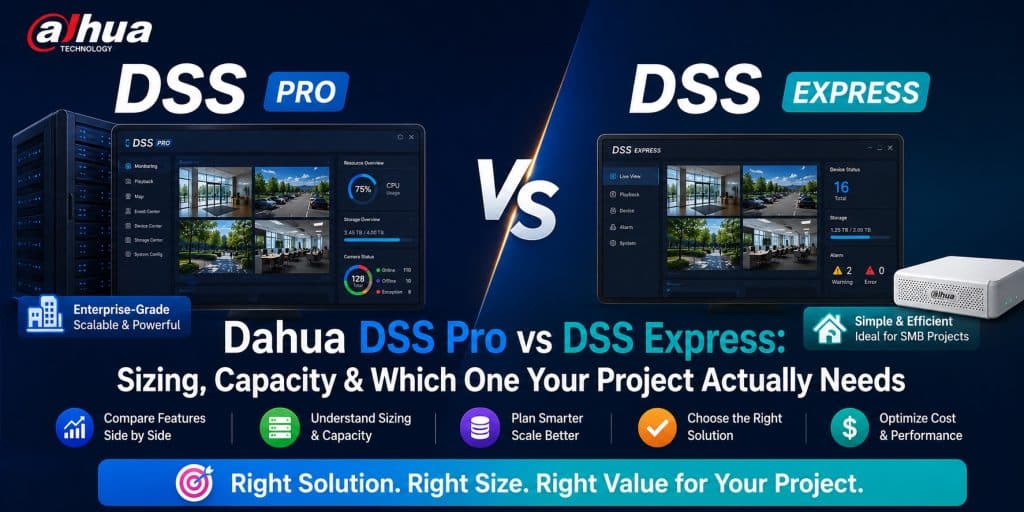
The Core Distinction: Scale and Architecture
Before diving into feature-by-feature comparisons, it is essential to understand the architectural difference between the two platforms, because it drives every other decision downstream.
DSS Express: Single-Server, Simplified Architecture
DSS Express is a single-server VMS solution. All services — management, recording, streaming, event processing — run on one machine. Configuration is done entirely through a local client application. The platform is optimized for fast deployment, minimal IT involvement, and low infrastructure cost. It is the right tool for small-to-medium installations where simplicity and speed of deployment matter more than scalability.
DSS Pro: Distributed, Enterprise-Grade Architecture
DSS Pro is a distributed VMS platform. Its architecture separates core services into independent modules: a Central Management Server (CMS) handles configuration, user management, and system logic; Storage Servers (SS) handle video recording independently of the CMS; Streaming Servers (STS) optimize bandwidth for remote viewing; and optional Failover Servers provide redundancy. Each component can run on dedicated hardware and can be scaled independently as the project grows. DSS Pro is the right tool for medium-to-large installations where scalability, redundancy, and enterprise feature depth are required.
Camera Capacity Comparison
Camera capacity is the most immediate sizing constraint for any VMS selection decision.
| Metric | DSS Express | DSS Pro |
|---|---|---|
| Max cameras per server | Up to 128 | Up to 10,000+ (distributed) |
| Max cameras per CMS | N/A (single server) | Up to 3,000 per CMS node |
| Multi-server federation | ❌ | ✅ (Cascade CMS) |
| Recommended sweet spot | 4–64 cameras | 64–10,000+ cameras |
| License model | Per-channel (device license) | Per-channel (device license) |
The camera capacity ceiling on DSS Express is hard. Once you hit 128 channels, you cannot simply add more hardware and keep the same platform — you must migrate to DSS Pro. For projects where growth beyond 64–80 cameras is plausible within a 3–5 year window, starting on DSS Pro avoids a painful mid-lifecycle migration.
For precise camera-to-server ratio planning on the DSS Pro platform, the Dahua DSS Pro Server Sizing Calculator provides an accurate calculation based on your specific camera resolution mix, frame rate, and retention requirements.
Server Sizing Requirements: DSS Express
DSS Express is intentionally designed to run on modest hardware. Its single-server architecture means you need one well-specified machine rather than multiple servers, which reduces both hardware cost and deployment complexity.
Minimum Requirements (up to 32 cameras, 1080p, H.264)
- CPU: Intel Core i5 or Xeon E3, 4 cores / 8 threads, 3.0 GHz+
- RAM: 8 GB DDR4
- OS Disk: 120 GB SSD
- Storage: SATA HDD RAID array (capacity per retention calculation)
- NIC: 1 Gbps
- OS: Windows Server 2016/2019 or Windows 10 Pro (64-bit)
Recommended Requirements (64–128 cameras, mixed resolution, H.265)
- CPU: Intel Xeon E-2200 series or Core i7-10th gen+, 6–8 cores
- RAM: 16–32 GB DDR4 ECC
- OS Disk: 240 GB SSD
- Storage: Enterprise SATA/SAS HDD array, hardware RAID 5 or 6
- NIC: Dual 1 Gbps or single 2.5 Gbps
- OS: Windows Server 2019 or 2022 (64-bit)
Key limitation: Because recording and management share the same server in DSS Express, a spike in recording load (e.g., mass motion detection events triggering simultaneous recording from 80+ cameras) can degrade the management interface responsiveness. In high-activity environments, this shared-resource constraint is a real operational limitation.
💬 Need a license or have questions? → Message us on Telegram — free consultation, usually reply within a few hours.
Server Sizing Requirements: DSS Pro
DSS Pro server sizing is more involved because you are sizing multiple distinct components. Each component has different resource demands and can be scaled independently.
Central Management Server (CMS)
The CMS is the brain of a DSS Pro deployment. It handles configuration, user authentication, event processing, alarm management, and client session management. It does not handle video storage or streaming — those are offloaded to dedicated servers.
- Small deployment (up to 200 cameras): Intel Xeon E-2200, 8 cores, 16 GB RAM, 240 GB SSD OS drive
- Medium deployment (200–1,000 cameras): Dual Intel Xeon Silver 4200 series, 32–64 GB RAM, 480 GB SSD RAID 1 for OS
- Large deployment (1,000–3,000 cameras): Dual Intel Xeon Gold 5200 series, 64–128 GB RAM, enterprise SSD RAID 1 for OS, dedicated database server recommended
Storage Server (SS)
The Storage Server handles all video recording. Storage servers are purely I/O bound — CPU and RAM requirements are moderate, but disk throughput and capacity are critical. Multiple storage servers can be deployed to distribute recording load.
- CPU: Intel Xeon E-2100 or better, 4–6 cores sufficient
- RAM: 16–32 GB (higher RAM improves I/O caching)
- Storage: 12–24 bay enterprise HDD chassis; hardware RAID 5 or 6 with hot spare
- NIC: Dual 1 Gbps minimum; 10 Gbps recommended for 200+ camera storage servers
Storage capacity calculation per storage server depends on camera count, resolution, frame rate, compression codec, and retention days. Use the DSS Pro Server Sizing Calculator to generate accurate per-storage-server capacity requirements for your specific camera mix.
Streaming Server (STS)
The Streaming Server is optional but strongly recommended for deployments where remote viewing over WAN connections is required. It transcodes and buffers streams to optimize bandwidth consumption for remote clients, reducing the load on cameras and storage servers.
- CPU: High clock speed preferred over core count for transcoding — Intel Xeon E-2200 or Core i7/i9
- RAM: 16 GB minimum, 32 GB recommended
- NIC: Dual 1 Gbps; public-facing NIC for WAN access
Failover Server
The Failover Server (FS) is a DSS Pro Enterprise feature that provides hot-standby redundancy for the CMS. In the event of a CMS hardware failure, the Failover Server automatically takes over management functions with minimal service interruption. Hardware requirements mirror the primary CMS.
Feature Comparison: Where DSS Pro Pulls Ahead
| Feature | DSS Express | DSS Pro |
|---|---|---|
| Live view & playback | ✅ | ✅ |
| Motion detection recording | ✅ | ✅ |
| Smart AI event handling (IVS) | ✅ (basic) | ✅ (advanced) |
| E-map / GIS integration | ✅ (basic) | ✅ (advanced, multi-layer) |
| Multi-user concurrent access | Limited | ✅ Enterprise-grade |
| Role-based access control | Basic | Granular, department-level |
| Redundant recording | ❌ | ✅ (dual-record to 2 storage servers) |
| CMS failover / HA | ❌ | ✅ |
| Cascade CMS (multi-site federation) | ❌ | ✅ |
| Third-party integration (SDK/API) | Limited | ✅ Full SDK |
| ANPR / Face recognition module | ❌ | ✅ |
| Visitor management integration | ❌ | ✅ |
| Dedicated mobile app | ✅ (basic) | ✅ (DSS Mobile Pro) |
| Video wall controller | ❌ | ✅ |
| Decoding station support | ❌ | ✅ |
Storage Architecture: Critical Differences
How video data is stored and protected is one of the most consequential differences between the two platforms.
DSS Express Storage
In DSS Express, storage is directly attached to the single server. Video is written to local disks (or a locally connected RAID array). There is no native mechanism for distributed storage, storage redundancy across multiple servers, or automatic failover to a secondary recording destination if disk failure occurs beyond what the local RAID provides. For small sites where a brief recording gap during disk failure is acceptable, this is fine. For critical infrastructure, it is a significant limitation.
DSS Pro Storage
DSS Pro separates storage into dedicated Storage Server nodes. This enables:
- Horizontal scaling: Add more Storage Servers as camera count grows without touching the CMS
- Dual recording: Configure critical cameras to record simultaneously to two separate Storage Servers — if one fails, recording continues uninterrupted on the second
- Independent maintenance: Storage Servers can be taken offline for maintenance, disk replacement, or upgrades without affecting system management functions
- Storage load balancing: Cameras are distributed across Storage Servers to balance I/O load and maximize disk longevity
For any project where continuous recording is a contractual or regulatory requirement — retail loss prevention, critical infrastructure, government — the DSS Pro distributed storage architecture is not optional; it is essential.
💬 Need a license or have questions? → Message us on Telegram — free consultation, usually reply within a few hours.
Network Requirements
Network sizing is often underestimated during VMS planning. Both DSS Express and DSS Pro generate significant network traffic between cameras, servers, and clients.
Camera-to-Server Bandwidth
The primary bandwidth load is camera streams flowing to the recording server. A rough guideline:
- 1080p H.265 camera at 15 fps ≈ 1–2 Mbps per camera
- 4MP H.265 camera at 15 fps ≈ 2–4 Mbps per camera
- 4K H.265 camera at 15 fps ≈ 8–12 Mbps per camera
For a 100-camera DSS Pro deployment with mixed 1080p and 4MP cameras, the camera-to-storage-server bandwidth may reach 250–400 Mbps sustained — requiring a dedicated gigabit network segment, preferably on a VLAN isolated from general office traffic.
DSS Pro Server-to-Server Bandwidth
In a distributed DSS Pro deployment, CMS-to-Storage-Server communication, CMS-to-Streaming-Server communication, and client session management all consume additional bandwidth on the server LAN. A dedicated 1 Gbps server backbone VLAN is the minimum recommendation for deployments above 200 cameras.
Redundancy & High Availability
This is where the two platforms diverge most sharply, and where the choice has the highest operational consequences.
DSS Express: No Native HA
DSS Express has no native high-availability mechanism. If the server goes offline, all management functions and recording stop. Recovery requires manual intervention to bring the server back online. For retail stores, small offices, or low-criticality sites, this is an acceptable risk. For hospitals, transportation hubs, or critical infrastructure, it is not.
DSS Pro: Multiple Redundancy Layers
- CMS Failover Server: Hot-standby CMS takes over automatically if the primary CMS fails — management continuity is maintained
- Dual Recording: Critical cameras write simultaneously to two Storage Servers
- Storage Server RAID: Each Storage Server can use hardware RAID for local disk redundancy
- NIC Teaming: Server NICs can be teamed for link redundancy at the network level
For a detailed breakdown of DSS Pro redundancy configuration and the hardware implications on server sizing, refer to the DSS Pro Server Sizing Guide.
Licensing Model
Both platforms use a channel-based licensing model — you purchase device licenses for each IP camera or encoder channel you want to connect. Neither platform charges per-user or per-server license fees (the software itself has a base license; channel licenses are additive).
The practical difference is that DSS Pro’s modular architecture means you may need to license optional modules separately — ANPR, face recognition, visitor management, and video wall controller are typically add-on modules with their own licensing costs on top of the base channel licenses.
DSS Express includes its full feature set in the base channel license with no optional module add-ons — there are simply fewer features to add.
Migration Path: DSS Express to DSS Pro
For projects that start on DSS Express and eventually outgrow it, migration to DSS Pro is possible but not seamless. The key considerations:
- Camera configuration must be reconfigured in DSS Pro — there is no automated import tool for camera settings between the two platforms
- Historical recordings stored on the DSS Express server are not automatically migrated to DSS Pro Storage Servers
- Client applications change — DSS Pro uses a different client application than DSS Express, requiring retraining for operators
- Licensing is separate — DSS Express channel licenses are not transferable to DSS Pro
This migration overhead is a strong argument for sizing your platform selection generously at the beginning. If there is any meaningful probability of exceeding 64 cameras within the project lifecycle, starting on DSS Pro eliminates migration cost and downtime later.
Decision Framework: Which Platform for Your Project?
| Project Characteristic | Choose DSS Express | Choose DSS Pro |
|---|---|---|
| Camera count | Under 64 cameras | 64+ cameras (or growth expected) |
| Site type | Single site | Multi-site or large campus |
| Redundancy requirement | Not required | Required |
| Concurrent operators | 1–5 | 5+ simultaneous users |
| AI modules (ANPR, face) | Not needed | Required |
| Third-party integration | Not required | Required (access control, PSIM, etc.) |
| IT team | Minimal IT resources | Dedicated IT or system integrator |
| Budget sensitivity | Cost-constrained | TCO-focused, performance-first |
💬 Need a license or have questions? → Message us on Telegram — free consultation, usually reply within a few hours.
Frequently Asked Questions
Can DSS Express and DSS Pro manage cameras from the same project simultaneously?
No. Each project runs on one platform. You cannot have DSS Express managing some cameras and DSS Pro managing others in a unified view without a migration to DSS Pro.
Is DSS Pro significantly more expensive to deploy than DSS Express?
The software licensing cost per channel is similar. The difference is in infrastructure cost — DSS Pro requires multiple servers (CMS + Storage Server at minimum), whereas DSS Express needs only one. For large projects, the DSS Pro storage architecture actually becomes more cost-efficient because storage capacity can be expanded by adding Storage Servers rather than replacing the entire system.
What is the maximum storage capacity per DSS Pro Storage Server?
This depends on the hardware — DSS Pro Storage Servers support up to 48 HDDs in high-density configurations. Maximum usable capacity per server exceeds 1 PB in modern high-density chassis, though typical deployments use 12–24 drive bays. The DSS Pro Server Sizing Calculator calculates the exact storage volume needed based on your retention and camera mix.
Does DSS Express support H.265+ compression?
Yes. Both DSS Express and DSS Pro support H.265 and Dahua’s H.265+ (smart codec) to reduce storage consumption on compatible Dahua cameras.
Can DSS Pro be deployed on virtual machines?
CMS and Streaming Server components can run on VMware or Hyper-V virtual machines. Storage Servers are recommended on physical hardware with direct-attached storage for optimal I/O performance — VM disk abstraction introduces latency that can affect recording reliability under high camera loads.
What is the minimum project size where DSS Pro is worth the extra infrastructure cost?
As a general guideline, DSS Pro becomes economically justified at around 50–64 cameras. Below that threshold, the additional hardware cost for dedicated CMS and Storage Server infrastructure typically exceeds the value delivered. Above 64 cameras — or at any camera count where redundancy or AI modules are required — DSS Pro is the clear choice.
Conclusion
DSS Express and DSS Pro are not competing products — they are complementary platforms targeting different deployment scales and operational requirements. DSS Express is an excellent, cost-effective solution for small sites up to 64 cameras where simplicity and fast deployment are the priority. DSS Pro is the enterprise platform for everything above that threshold, or for any project where redundancy, AI modules, multi-site federation, or third-party integration is required.
The most common sizing mistake in Dahua VMS deployments is starting a 40-camera project on DSS Express without accounting for the planned expansion to 100 cameras two years later — and then facing a full platform migration at the worst possible time. Size for where your project will be, not just where it is today.
For accurate server specification based on your actual camera mix, use the Dahua DSS Pro Server Sizing Calculator to generate a configuration tailored to your deployment. For questions about licensing and obtaining DSS Pro for your project, contact us via Telegram @DoCrackMe.
Get a license — free consultation
Pricing depends on version and number of users. Message us on Telegram and we’ll reply with an exact quote — no commitment required.
|
✓
20+ years experience
Software engineers with a long track record
|
⚡
Delivered within 24h
Your license is sent within one business day
|
↩
Money-back guarantee
If the license doesn’t work, we refund in full
|
Usually reply within a few hours — free consultation, no upfront payment