
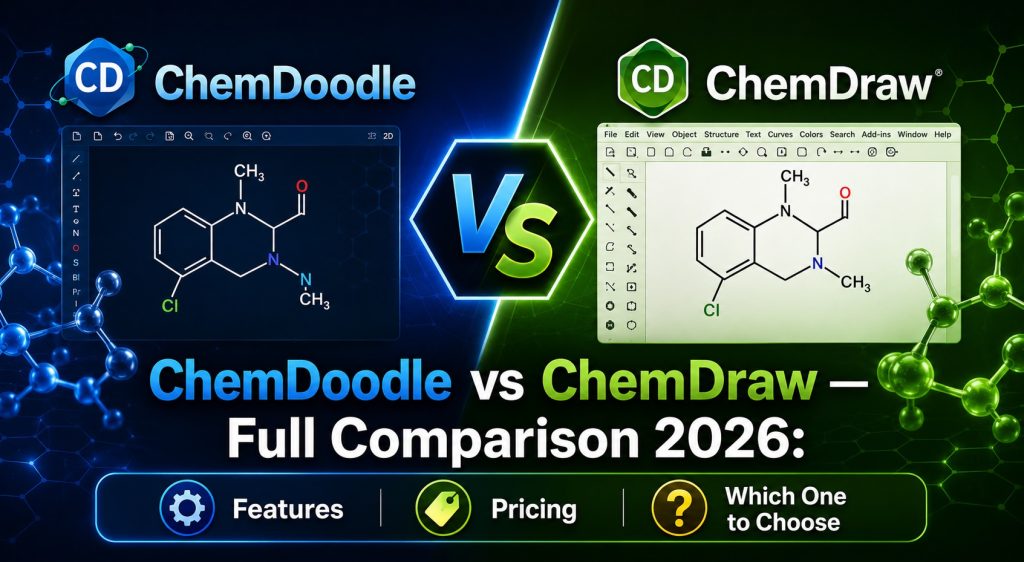
Brief Introduction to Each Tool
ChemDraw — The Long-Standing Industry Standard
ChemDraw has been in the market since 1985 and is developed by Revvity Signals (formerly PerkinElmer). For decades it has been the de facto standard for chemical communication in peer-reviewed journals, the pharmaceutical industry, and leading academic institutions worldwide. ChemDraw is part of the larger ChemOffice suite, which also includes Chem3D, ChemFinder, and ChemDraw for Excel. In recent years the product has increasingly moved toward the cloud-based Signals platform and tighter integration with the SciFinder research database ecosystem.
ChemDoodle — The Modern, Accessible Challenger
ChemDoodle is developed by iChemLabs and comes in two primary desktop applications: ChemDoodle 2D for two-dimensional structure drawing, reactions, and mechanisms; and ChemDoodle 3D for three-dimensional molecular visualization and modeling. The latest release, version 12.10, arrived in February 2026 with a redesigned template system, a fully updated LibreOffice plugin, finer drawing controls, and a series of meaningful bug fixes. For the complete breakdown of what is new, read our ChemDoodle 12.10 review.
Quick Comparison Table
| Feature | ChemDoodle 12.10 | ChemDraw (2026) |
|---|---|---|
| Starting price | From $29 | Hundreds of dollars/year |
| Perpetual license | Yes (Lifetime) | No — subscription only since 2025 |
| Windows | Yes | Yes |
| macOS | Yes (Intel + Apple Silicon) | Yes |
| Linux | Yes | No |
| Mobile | iOS and Android | Limited |
| Free trial | 14 days | 15 days |
| LibreOffice integration | Yes (UNO Plugin v2.0) | No |
| Microsoft Office integration | Yes | Yes (deeper) |
| CDX/ChemDraw file support | Yes (read and write) | Yes (native format) |
| Advanced NMR prediction | Basic simulation | ChemNMR (advanced) |
| IUPAC naming | Yes | Yes |
| Web Components library | Yes (open source) | No |
| SciFinder connectivity | Yes | Yes (more integrated) |
| BioDraw (biological diagrams) | No | Yes |
| ORCA file support | Yes (ChemDoodle 3D) | No |
Pricing and Licensing — The Biggest Difference
No other dimension separates these two tools as sharply as cost. Understanding the licensing model of each is essential before making any decision.
ChemDoodle Pricing
ChemDoodle offers three license types, each suited to different needs:
- Subscription license: The lowest upfront cost, with all feature updates and major version releases included throughout the active subscription period. If the subscription lapses, the software continues to function at the last activated version.
- Lifetime license: A one-time purchase starting at $29 that grants permanent use of the software. Free updates are included for one year from the purchase date. After that period, updates can be accessed by purchasing an upgrade or switching to a subscription. For users who prefer predictable, one-time expenditure, this model delivers strong long-term value.
- Site license: Covers unlimited installations within a single organization — a university department, a research institute, or a company. This makes campus-wide or facility-wide deployment financially practical in a way that ChemDraw’s pricing simply cannot match.
All existing license holders — subscriptions, lifetime, and site — received the version 12.10 update at no additional charge.
ChemDraw Pricing
Since January 1, 2025, Revvity has discontinued perpetual licenses for ChemDraw Prime and ChemDraw Professional entirely. All new purchases are annual subscriptions. Individual subscription pricing varies considerably by region and edition, but typically runs from several hundred to over one thousand dollars per year for a named-user license. Academic site license agreements through institutional deals can reduce the per-seat cost, but even at negotiated rates the annual commitment is substantially higher than ChemDoodle.
The discontinuation of perpetual licenses also means there is no longer a path to a “pay once, own forever” arrangement with ChemDraw. Every user is now locked into recurring payments to maintain access to updates and, in some configurations, to the software itself.
Pricing verdict: For individual users, ChemDoodle’s cost advantage is overwhelming. For organizations, the total cost of ownership over a multi-year horizon is dramatically lower with ChemDoodle, particularly because site licenses scale without per-seat fees. The elimination of ChemDraw’s perpetual option in 2025 makes ChemDoodle’s lifetime license an increasingly attractive proposition for anyone who wants to own their software rather than rent it indefinitely.
Feature-by-Feature Comparison
Structure Drawing and Editing
Both applications provide intelligent bond-drawing tools that automatically optimize angles, atom label placement, and structural geometry as you draw. ChemDraw, with nearly four decades of continuous development, has exceptionally mature auto-layout algorithms that handle very complex structures with precision. For highly intricate natural product structures or dense multi-ring systems, ChemDraw’s layout engine has a marginal edge built up over years of refinement.
ChemDoodle has closed much of this gap in recent versions. The structure cleaning function normalizes ring systems, chains, and substituents to standard chemical drawing conventions reliably. The redesigned Templates widget in version 12.10 — one of the headline additions — is now significantly more capable: templates can be composed of multiple molecules and shapes, management happens entirely within the widget without hunting through disconnected menus, and the built-in template sets have been reorganized and improved. Newman projections and sawhorse projections have been added as new templates, addressing a longstanding request from educators and researchers in conformational analysis.
Reaction Drawing and Electron-Pushing Mechanisms
ChemDoodle holds a clear advantage here. Its electron-pushing arrow layout algorithm produces clean, chemically sensible arrow paths automatically, handling both full-headed (two-electron) and half-headed (radical) arrows. The Nucleophile Hint style added in version 12.10 allows the bond-to-atom arrow shortcut to be rendered in three distinct visual styles — bouncy arc, dashed Marvin-style, or Cambridge swoop — giving users the flexibility to match the conventions of their target publication. The algorithm improvements for single-electron pusher cases in 12.10 also produce more accurate mechanistic representations.
ChemDraw supports electron-pushing as well, but the style options and algorithmic layout control are less granular. For courses and publications that put significant emphasis on clean mechanism diagrams, ChemDoodle’s toolset is genuinely superior.
Stereochemistry
Both tools provide comprehensive stereochemistry support: wedge and dash bonds for three-dimensional configuration, automatic R/S assignment using CIP priority rules, E/Z double bond geometry, axial chirality, atropisomerism, Fischer projections, and Haworth projections. In this category the two applications are essentially equivalent for all practical purposes.
Analytical Tools and Property Calculations
ChemDraw maintains a meaningful advantage in analytical depth. Its ChemNMR tool provides more accurate and detailed ¹H and ¹³C NMR predictions than ChemDoodle’s built-in simulation. ChemDraw also offers broader physicochemical property estimation — logP, pKa, boiling point, and related parameters — directly within the application. ChemDoodle covers elemental analysis and basic NMR simulation, which is sufficient for most teaching and structure-reporting workflows, but researchers who need high-quality computed spectroscopic data will find ChemDraw’s toolset more complete.
BioDraw and Biological Diagrams
ChemDraw includes a dedicated BioDraw toolkit for drawing metabolic pathways, receptor diagrams, biosynthetic schemes, and other biological illustrations. ChemDoodle does not have an equivalent dedicated module. If biological pathway drawing is a core part of your workflow, this is a genuine gap that ChemDoodle currently does not fill.
Functional Group Highlighting
ChemDoodle’s functional group highlighting feature — introduced in version 12.8 and carried forward into 12.10 — automatically detects and color-codes functional groups within drawn structures. Users can choose between classical and Ertl-based group definitions. This is particularly useful in educational settings for helping students identify reactive sites, and in medicinal chemistry for quickly surveying functional group patterns across compound series. ChemDraw does not have a direct equivalent of this feature.
IUPAC Naming
Both tools generate IUPAC systematic names from structures and can convert IUPAC names back to structures. Performance in this area is broadly comparable for standard organic molecules. For highly complex or unusual structures, ChemDraw’s naming engine has somewhat more extensive coverage, but for the vast majority of everyday use cases both tools perform reliably.
💬 Need a license or have questions? → Message us on Telegram — free consultation, usually reply within a few hours.
File Format Support Comparison
Broad file format support is critical for interoperability across chemistry workflows. Here is a detailed comparison:
| File Format | ChemDoodle | ChemDraw |
|---|---|---|
| MOL / SDF | Yes | Yes |
| RXN / RD | Yes | Yes |
| SMILES / SMARTS | Yes | Yes |
| InChI / InChIKey | Yes | Yes |
| CDX / CDXML | Yes (read and write) | Yes (native format) |
| CML | Yes | Limited |
| MRV (MarvinSketch) | Yes (improved in 12.10) | Limited |
| PDB | Yes | Yes |
| CIF (crystallography) | Yes | Limited |
| Gaussian input/output | Yes | Yes |
| ORCA input/output | Yes (ChemDoodle 3D) | No |
| JCAMP-DX (spectroscopy) | Yes | Yes |
| SVG export | Yes | Yes |
| PDF export | Yes | Yes |
| EPS export | Yes | Yes |
A critical migration point: ChemDoodle reads and writes CDX and CDXML natively. If your team or institution has years of archived ChemDraw files, those documents can be opened in ChemDoodle without any manual redrawing. This removes one of the most common barriers to switching. For the full list of supported formats in ChemDoodle 12.10, see our ChemDoodle feature guide.
ChemDoodle 12.10 also introduced improvements to MRV file support, including read/write for MEFlow electron-pushing arrows and shape color preservation — useful for teams exchanging files with MarvinSketch and ChemAxon-based pipelines.
Operating System Support
Platform coverage is one of the most decisive differentiators between these two applications, and the gap is clear-cut.
ChemDoodle Platforms
- Windows 10 and 11 — full support
- macOS Monterey and later — full support, native on both Apple Silicon (M-series) and Intel
- Linux (Ubuntu and major distributions) — full support
- iOS and Android — ChemDoodle Mobile
- Any modern browser — ChemDoodle Web Components (open-source JavaScript library)
ChemDraw Platforms
- Windows — full support
- macOS — full support
- Linux — no official support
- Web browser — Signals ChemDraw (cloud version, with subscription)
Platform verdict: For research groups, universities, and computing environments where Linux is common — HPC clusters, computational chemistry workstations, server-side cheminformatics pipelines — ChemDoodle is the only option between the two. The UNO plugin v2.0 in ChemDoodle 12.10, which now works fully on Linux, further strengthens this advantage by enabling complete round-trip document editing with LibreOffice on all three major operating systems simultaneously.
Office Suite Integration
Microsoft Office
ChemDraw’s integration with Microsoft Office is one of its strongest selling points and represents decades of refinement. Drag-and-drop structure embedding into Word and PowerPoint, inline double-click editing of embedded structures, and the dedicated ChemDraw for Excel add-in — which adds chemical intelligence to spreadsheets for sorting, searching, and correlating structures with data — are all capabilities that ChemDraw executes with a level of polish that ChemDoodle has not yet matched. For teams whose documentation workflows are deeply anchored in Microsoft Office, this difference is tangible.
LibreOffice
This category belongs entirely to ChemDoodle. The UNO plugin v2.0.0, delivered in version 12.10, enables complete round-trip editing between ChemDoodle and LibreOffice Writer or Impress on Windows, macOS, and Linux. Inserting a structure into a document, then double-clicking to reopen and edit it in ChemDoodle, and having the update reflect automatically in the document — all of this works seamlessly and cross-platform. ChemDraw has no equivalent LibreOffice integration.
Apple iWork
ChemDoodle 12.10 restored and verified round-trip editing functionality for Pages and Keynote on macOS, with the user guide updated accordingly. ChemDraw also supports iWork on Mac.
3D Molecular Visualization
Both software families include a 3D component, though the implementations differ in scope and focus.
ChemDoodle 3D uses a WebGL-based rendering engine and offers multiple visualization styles (Ball and Stick, Space Filling, Wireframe, Ribbon for biopolymers), molecular surface generation (Van der Waals, Solvent Accessible, Solvent Excluded), force-field geometry optimization, and support for dative bonds (important in coordination chemistry and organometallics). Version 7.7 of ChemDoodle 3D, released in December 2025, added a Symmetrize function and direct ORCA input/output support — making it a practical front-end for quantum chemistry workflows on ORCA. The open-source ChemDoodle Web Components library extends 3D visualization to the browser without any plugin.
Chem3D, ChemDraw’s companion 3D application (part of the ChemOffice suite), provides similar visualization capabilities and includes more computational chemistry features such as MM2 and MMFF94 force field calculations. For users already within the ChemOffice ecosystem, Chem3D is the natural companion. For users who primarily need 3D visualization as a complement to 2D drawing — rather than as a computational chemistry platform in itself — ChemDoodle 3D is fully adequate.
Database Connectivity
Both applications offer direct search access to major chemical databases from within the drawing canvas.
ChemDoodle supports queries to PubChem, ChemSpider, and SciFinder, with retrieved structures loading directly into the canvas. ChemDraw offers similar connectivity, with particularly deep integration into Revvity’s own Signals platform and SciFinder (reflecting CAS’s use of ChemDoodle Web Components for structure input — a notable endorsement of iChemLabs’ technology at institutional scale). For users who work extensively within the Signals Research Platform ecosystem, ChemDraw’s tighter integration may be advantageous. For all other users, ChemDoodle’s database access covers everyday lookup needs completely.
Publication-Quality Output
Both tools export publication-quality figures. ChemDoodle produces SVG, PNG, PDF, and EPS outputs, with customizable stylesheets that allow line weights, bond lengths, font sizes, and color schemes to be configured to match the visual conventions of specific journals. SVG export is particularly valuable since vector graphics scale without quality loss at any print resolution. A hand-drawn rendering style is also available for textbook and informal illustration contexts.
ChemDraw’s output quality is equivalent and its long-established position in the publishing workflow means many journal figure specifications are written with ChemDraw’s default settings in mind. For practical purposes, both tools produce figures that meet modern journal requirements without significant additional effort.
Web and Developer Ecosystem
This category is ChemDoodle’s exclusive territory. ChemDoodle Web Components (CWC) is an open-source JavaScript library that brings ChemDoodle’s 2D sketching and 3D rendering capabilities to any web application. It requires no plugins and works in all modern browsers. CAS uses CWC in SciFinder for structure input and SVG output — a high-profile institutional endorsement that speaks to the library’s reliability and quality. Developers building chemistry web tools, laboratory information management systems, or e-learning platforms have no equivalent open-source option from the ChemDraw side.
💬 Need a license or have questions? → Message us on Telegram — free consultation, usually reply within a few hours.
Who Should Choose ChemDoodle?
The following profiles are strong fits for ChemDoodle:
- Students and early-career researchers who need a capable, professional tool without the financial burden of a high-cost subscription. ChemDoodle’s 14-day trial lets them evaluate it thoroughly before committing.
- Educators preparing teaching materials who benefit from the LibreOffice integration, the new Newman and sawhorse projection templates, and the functional group highlighting feature for classroom use.
- Computational chemists working in Linux environments or on HPC systems, who also use Gaussian or ORCA and need a drawing tool that integrates naturally with those workflows.
- Research groups and institutions with constrained software budgets where a site license at ChemDoodle’s price point makes department-wide deployment genuinely affordable.
- Teams using LibreOffice as their primary document environment on any operating system.
- Developers building web-based chemistry tools who need to embed interactive structure drawing or visualization in a browser application.
- Users who want to own their software rather than commit to indefinite subscription payments — ChemDoodle’s lifetime license is available; ChemDraw’s is not, as of 2025.
- Teams migrating from ChemDraw who still need to open existing CDX files — ChemDoodle reads them natively.
Who Should Consider ChemDraw?
ChemDraw remains the better choice in the following specific situations:
- Researchers who require high-quality NMR prediction as a routine part of their workflow, where ChemNMR’s accuracy provides meaningful value.
- Biochemists and biologists who need BioDraw for metabolic pathway diagrams, receptor illustrations, and complex biological scheme drawing.
- Organizations embedded in the Revvity Signals ecosystem, using Signals Notebook as an electronic lab notebook and relying on the tighter ChemDraw integration within that platform.
- Teams with deeply established Microsoft Office workflows who rely on ChemDraw for Excel and the mature Office embedding functionality for day-to-day data management.
- Groups working with polymer and Markush structures where ChemDraw’s more advanced representations provide coverage ChemDoodle does not yet match.
Migrating from ChemDraw to ChemDoodle
The practical question for any team considering a switch is whether the transition is manageable. On the file side, the answer is unambiguously yes: ChemDoodle reads CDX and CDXML natively, so existing archives are immediately accessible without any redrawing.
On the learning side, ChemDoodle’s interface is different from ChemDraw’s but follows the same underlying chemical drawing logic. Users already familiar with ChemDraw typically become productive in ChemDoodle within a day or two of use. The comprehensive 600-page user guide, searchable knowledge base, and tutorial videos that iChemLabs provides accelerate onboarding further. The 14-day free trial is long enough to run real projects and identify any workflow gaps before making a commitment. For further information, see our complete ChemDoodle 12.10 guide.
Summary — Making the Decision
The honest summary is this: for the vast majority of chemists, ChemDoodle 12.10 covers all the core functionality that ChemDraw provides — structure drawing, reaction schemes, mechanism arrows, stereochemistry, IUPAC naming, publication-quality output, and broad file format interoperability — at a price that is dramatically lower, with a lifetime license option that ChemDraw no longer offers, and with genuine advantages in Linux support, LibreOffice integration, and web components.
ChemDraw retains a meaningful lead in advanced NMR prediction, biological diagram drawing through BioDraw, physicochemical property calculations, and the depth of its Microsoft Office integration. For users who specifically need those capabilities — or whose institution is already deeply integrated into the Signals platform — ChemDraw’s premium is justifiable.
For everyone else, ChemDoodle 12.10 is the more rational choice in 2026. To learn more about its full feature set or to get started with a license, visit our ChemDoodle 12.10 guide or contact us via Telegram at @DoCrackMe.
💬 Need a license or have questions? → Message us on Telegram — free consultation, usually reply within a few hours.
Frequently Asked Questions
Is ChemDoodle a real replacement for ChemDraw?
For the large majority of chemical drawing workflows — including structure drawing, reaction schemes, electron-pushing mechanisms, stereochemistry, publication figure preparation, and standard file format exchange — yes. ChemDoodle matches ChemDraw’s core functionality at a fraction of the cost. The only areas where ChemDraw retains a meaningful advantage are advanced NMR prediction, BioDraw for biological diagrams, and certain physicochemical property calculations.
Can ChemDoodle open ChemDraw files?
Yes. ChemDoodle reads and writes both CDX and CDXML, the native formats of ChemDraw. Existing ChemDraw archives can be opened in ChemDoodle without any manual redrawing, which makes migration straightforward from a file-compatibility standpoint.
Does ChemDraw still offer a perpetual license?
No. Revvity discontinued all perpetual (lifetime) licenses for ChemDraw Prime and ChemDraw Professional on January 1, 2025. All new purchases are annual subscriptions. ChemDoodle continues to offer a lifetime license with a one-time payment starting at $29.
Does ChemDoodle run on Linux?
Yes, ChemDoodle 2D and ChemDoodle 3D both run natively on Ubuntu and other major Linux distributions. ChemDraw has no official Linux support. For research groups operating in Linux environments — particularly those using HPC systems or computational chemistry packages like ORCA and Gaussian — this is a decisive advantage for ChemDoodle.
Which tool is better for teaching chemistry?
ChemDoodle is better suited to most educational contexts. The significantly lower price makes individual and site licensing realistic for schools and universities on typical education budgets. The newly added Newman and sawhorse projection templates in version 12.10 are directly useful for conformational analysis and stereochemistry instruction. The functional group highlighting feature helps students identify reactive sites visually. The LibreOffice UNO integration supports educators who build course materials in open-source environments.
Which tool is better for computational chemists?
ChemDoodle is generally the stronger choice for computational chemistry teams. It runs on Linux, integrates directly with ORCA (via ChemDoodle 3D v7.7), supports Gaussian file formats natively, and offers a lifetime license that does not require ongoing subscription renewal. ChemDraw does not support Linux, which is a fundamental limitation for HPC-based computational workflows.
Can I try ChemDoodle before buying?
Yes. iChemLabs provides a 14-day free trial with no credit card required. The trial gives access to the full feature set, making it practical to evaluate the software on real projects before committing to a license. For licensing assistance, visit our ChemDoodle page or reach us via Telegram at @DoCrackMe.
What file formats does ChemDoodle support for export?
ChemDoodle exports structures to SVG, PNG, PDF, and EPS for publication use. It also writes MOL, SDF, RXN, SMILES, InChI, CML, MRV, CDX, CDXML, PDB, XYZ, Gaussian input, and the native ICML format. This coverage ensures compatibility with essentially all downstream chemistry tools and journal submission workflows.
Is ChemDoodle used in professional research?
Yes. ChemDoodle is used by thousands of institutions across more than 100 countries. Notably, CAS uses the open-source ChemDoodle Web Components library for structure input and SVG output in SciFinder — one of the most widely used chemical literature databases in the world — which reflects a high level of institutional trust in iChemLabs’ technology.
Get a license — free consultation
Pricing depends on version and number of users. Message us on Telegram and we’ll reply with an exact quote — no commitment required.
|
✓
20+ years experience
Software engineers with a long track record
|
⚡
Delivered within 24h
Your license is sent within one business day
|
↩
Money-back guarantee
If the license doesn’t work, we refund in full
|
Usually reply within a few hours — free consultation, no upfront payment




