
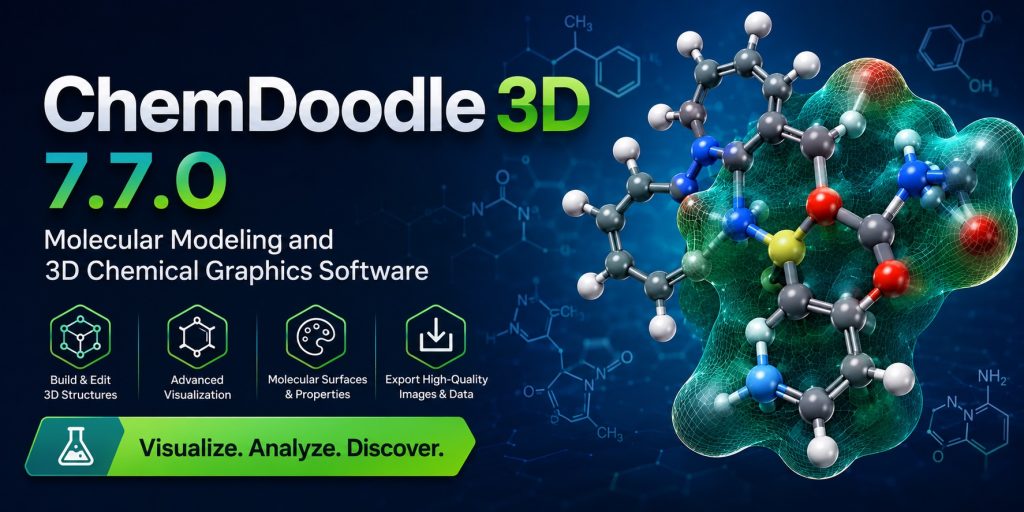
What Is ChemDoodle 3D?
ChemDoodle 3D is a desktop application for building, editing, optimizing, and rendering three-dimensional chemical structures. It runs on Windows, macOS, and Linux and is built on an advanced WebGL-based rendering engine that delivers high-quality scientific graphics with real-time interactivity. Unlike many molecular viewers that offer only basic ball-and-stick models, ChemDoodle 3D provides a full suite of rendering shaders, surface generation tools, force field optimization engines, stereochemistry handling, and atomic orbital visualization — all within a clean, customizable interface.
The software is sold by iChemLabs under a perpetual license model and is available as a standalone product or bundled with ChemDoodle 2D, the companion application for two-dimensional chemical drawing. A 14-day free trial with some feature restrictions is available directly from the iChemLabs website.
ChemDoodle 3D is designed to serve a wide audience. It handles small organic molecules just as comfortably as large macromolecular assemblies loaded from PDB files. It can produce stunning publication-quality images, generate isosurface visualizations from Gaussian Cube volumetric data, run real-time molecular mechanics minimization, and export structures to a wide range of cheminformatics file formats. For anyone working at the intersection of chemistry and visual communication, it is a remarkably complete package.
Core Features of ChemDoodle 3D
1. Advanced 3D Visualization Engine
The rendering core of ChemDoodle 3D is one of its most compelling attributes. The software supports both orthographic and perspective projections, switchable on the fly. Mesh quality levels can be adjusted to balance visual fidelity against performance depending on the complexity of the scene. The advanced 3D text system renders atom labels and annotations beautifully, with full control over font, size, and color. Compass overlays can be placed in the corner or center of the viewport to maintain spatial orientation while rotating structures. Transparency effects — rendered with or without back faces — allow interior features of complex assemblies to remain visible.
Four predefined elemental color sets are available out of the box: Jmol, RasMol, PyMOL, and CDK. Users can also define entirely custom color sets, which is particularly useful for creating consistent house styles in publications or presentations.
2. Shader Programs and Artistic Rendering
ChemDoodle 3D distinguishes itself from most molecular viewers through its rich selection of shader programs. These are GPU instructions that determine how the 3D scene is converted into the final image, and the range available in ChemDoodle 3D is exceptional. The available shading models include Flat, Cartoon, Gouraud, Phong, and Blinn-Phong, each producing a distinctly different visual character. The Cook-Torrance shader (introduced in version 7.6.0) models physically based reflectance across a range of material types, while the Oren-Nayar shader handles matte surfaces like rubber or unpolished minerals with greater accuracy.
The rendering pipeline is divided into three categories: the forward renderer, the deferred renderer, and after effects. The deferred renderer enables advanced techniques such as Screen Space Ambient Occlusion (SSAO), which darkens corners and crevices to add perceptual depth, and multiple anti-aliasing methods including FXAA and SMAA. After effects applied as post-processing passes include Gaussian blur, Kuwahara blur, median blur, dilate, edge detection, pixelize, posterize, sharpen, and — added in version 7.6.0 — a noise filter.
Depth of field, fogging, real-time dynamic shadows, 3D textures (granite, wood, stripes), and outlining effects round out an artistic toolkit that rivals dedicated scientific illustration software.
3. Molecular Surfaces
Generating molecular surfaces is one of the most scientifically valuable features in ChemDoodle 3D. Three primary surface types are supported: Van der Waals (VDW), Solvent Accessible Surface (SAS), and Solvent Excluded Surface (SES), also known as the Connolly surface. Surfaces can be colorized using several physical property functions: by atom color, by Gasteiger, QEq, or QTPIE partial charges, by lipophilicity (AlogP98), or by molar refractivity (AMR98). Mesh algorithms, display types, normal smoothing, and color gradients are all fully customizable.
From version 7.5.0 onwards, much of the surface mesh generation pipeline has been parallelized, enabling significant performance gains on multi-core processors across function calculation, triangulation, smoothing, and coloring stages. This makes it practical to generate and interactively explore surfaces even for large protein structures.
4. Molecular Modeling and Force Fields
ChemDoodle 3D includes a real-time molecular mechanics engine accessible through the Minimizer widget. This allows users to build structures manually and watch them relax to low-energy conformations interactively, making it easy to generate realistic 3D coordinates from two-dimensional drawings or manually assembled fragments. The optimization function supports multiple search direction algorithms including Steepest Descent, Conjugate Gradients, FIRE, and BFGS, each with configurable line search options.
Two fully implemented force fields are included. The Universal Force Field (UFF) covers the vast majority of the periodic table and is ideal for quickly generating plausible 3D geometries for demonstrations and illustrations. The Merck Molecular Force Field (MMFF) is better suited for small organic molecules where higher geometric accuracy is needed. Both implementations are among the more accurate and consistent available in a desktop molecular modeling package.
5. Stereochemistry
ChemDoodle 3D handles stereochemical information automatically across popular chemical file formats including MDL CTfiles, SMILES, and InChI. Its advanced CIP stereochemistry engine processes 3D stereogenic features and integrates with the force field optimization system to enforce defined configurations where possible. For structures with heavily embedded multiple stereocenters, the software provides clear feedback when automatic enforcement is not possible, allowing the user to make manual corrections.
6. Atomic Orbital Visualization
The Orbitals widget generates 3D models of atomic orbitals based on quantum numbers n, l, and m. Multiple customization options control mesh quality, color, transparency, and clipping planes — the last being especially useful for visualizing the complex lobe structures of d and f orbitals. Output can be exported directly as a high-resolution image. This feature is widely used in undergraduate and graduate chemistry education to illustrate quantum mechanical concepts visually.
7. Symmetry Analysis
ChemDoodle 3D includes a built-in symmetry analysis engine that detects the point group of a loaded or built structure. Users can visualize symmetry elements interactively. This is particularly useful for inorganic chemistry, crystallography, and spectroscopic interpretation, where understanding molecular symmetry is foundational.
8. Database Integration and Import
ChemDoodle 3D connects directly to PubChem and ChemSpider, allowing users to search and import structures by name, CAS number, or identifier without leaving the application. The ChemDoodle Web Components library embedded in the application is kept up to date — version 7.7.0 ships with v11 of the components library — ensuring compatibility with the latest web-based chemistry standards.
💬 Need a license or have questions? → Message us on Telegram — free consultation, usually reply within a few hours.
What Is New in ChemDoodle 3D 7.7.0 (2026)
Version 7.7.0, released on December 13, 2025, is a feature update with several additions that improve scientific precision, file format compatibility, and workflow integration.
Symmetrize Function
The most significant new capability in version 7.7.0 is the Symmetrize function. This tool analyzes the atomic coordinates of the entire scene, detects the underlying point group symmetry, identifies the closest ideal symmetric coordinates corresponding to that point group, and adjusts the atomic positions accordingly. In practice, this corrects structures that have drifted slightly from their ideal symmetry — a common occurrence after force field minimization or manual editing — and produces geometrically clean, publication-ready models. The function is documented in section 15.11.6.4 of the ChemDoodle 3D user guide and is particularly valuable for researchers working in crystallography, inorganic chemistry, and group theory applications.
Dative Bond Type
Version 7.7.0 introduces a dedicated dative bond type, enabling more accurate graphical representation and cheminformatics handling of coordinate covalent bonds. The direction of the dative bond arrow is user-reversible, which is essential for correctly depicting metal-ligand interactions, Lewis acid-base adducts, and organometallic complexes. This fills a long-standing gap for chemists working with coordination compounds who needed a visually and semantically correct bond type beyond the standard single, double, triple, and aromatic set.
ORCA Input File I/O
ChemDoodle 3D now supports reading and writing ORCA input files with extensions .inp and .orcainp. ORCA is one of the most widely used quantum chemistry packages in academic research, offering high-level DFT, MP2, coupled-cluster, and multireference calculations. This new integration allows users to use ChemDoodle 3D as a graphical front-end for building and editing ORCA input geometries, then export directly to ORCA without manual coordinate transcription. Combined with the existing support for Gaussian input and Cube files, ChemDoodle 3D is now a capable interface for two of the most important ab initio packages in the field.
Copy as CML and ChemDoodle 3D Scene
Two new clipboard export options have been added to the Edit > Copy As menu: Copy as CML (Chemical Markup Language) and Copy as iChemLabs ChemDoodle 3D Scene. These additions make it easier to programmatically transfer scene data to other applications, scripts, or web-based tools without going through a file save/load cycle. CML in particular is a widely understood XML-based chemical data format with good interoperability across scientific software.
Euler Ring Basis Set Option
Users can now switch the ring detection basis set from the default SSSR (Smallest Set of Smallest Rings) to an Euler-based algorithm. This option is specifically useful when creating graphics of caged structures — such as cubane, dodecahedrane, or fullerenes — where colored-in rings are part of the visual. The Euler basis set produces more visually coherent ring fill patterns in these topologically complex cases, where SSSR can generate counterintuitive results.
Abbreviation Expansion on File Import
When a file containing structural abbreviations is loaded, version 7.7.0 now prompts the user with the option to expand those abbreviations and automatically generate 3D coordinates for the resulting all-atom model. This streamlines the workflow when importing structures from 2D drawing tools or legacy file sources that use shorthand notation for common functional groups.
macOS Tahoe Compatibility and UI Improvements
The application icon has been updated for macOS Tahoe (macOS 26), Apple’s latest operating system. Additional interface refinements include improved user feedback for CAPS Lock state — which enables Quick Transform mode — and a reorganized clipboard settings panel for cleaner access to copy and paste preferences.
Notable Features Added in Version 7.6.0
For users upgrading from versions prior to 7.6.0, it is worth highlighting the additions that arrived in the August 2025 release, which are now fully available in 7.7.0:
- Cook-Torrance shader — physically based rendering for a wide range of material types; includes a material preset dropdown in the Styles window for quick setup
- Oren-Nayar shader — accurate diffuse shading model for matte and rough-surface materials
- Shannon ionic radii — when rendering atoms in Covalent radius mode, ionic radii from the Shannon dataset are used for charged atoms where data is available
- Align Bond function — aligns a selected bond to a user-defined axis, rotating the connected molecule fragment accordingly; accessible from the Content menu and the right-click context menu
- Schrödinger Maestro (.MAE) file support — full import and export of Maestro files, including handling of multiple structures, color properties, and string metadata
- Noise after effect — adds a film-grain-style noise filter to the post-processing pipeline
- Improved Takeshi MCS algorithm — better maximum common substructure results for structural alignment tasks
- ChemDoodle Web Components updated to v11
Supported File Formats
ChemDoodle 3D supports a broad range of chemical file formats for both import and export, making it compatible with virtually every major source of 3D structural data:
Small molecule and general formats: MDL MOL, MDL SDF, XYZ, SMILES, InChI, ChemDoodle JSON, CML, ChemDoodle 3D Scene
Macromolecular formats: PDB (Protein Data Bank), mmCIF/CIF (Crystallographic Information File)
Quantum chemistry formats: Gaussian Input, Gaussian Cube (for isosurface generation), ORCA Input (.inp, .orcainp — new in 7.7.0), Schrödinger Maestro (.MAE — added in 7.6.0)
Export formats: PNG, JPEG, SVG (for print and web publication), plus clipboard export as CML and ChemDoodle 3D Scene
This breadth of format support makes ChemDoodle 3D a practical bridge between different parts of a computational chemistry workflow — from QM packages to structural databases to publishing tools.
System Requirements
ChemDoodle 3D 7.7.0 runs on all three major desktop platforms:
Windows: Windows 10 or Windows 11 (64-bit). The installer is an EXE file directly signed with Microsoft, eliminating SmartScreen warnings that affected older versions.
macOS: Compatible with macOS Ventura, Sonoma, Sequoia, and Tahoe (macOS 26). Full native support for both Apple Silicon (M1/M2/M3/M4) and Intel processors.
Linux: Major 64-bit distributions including Ubuntu, Fedora, and Debian are supported.
For comfortable performance, a minimum of 4 GB RAM is recommended. An OpenGL 3.3-capable GPU is required; a dedicated graphics card is strongly recommended for deferred rendering features such as SSAO, depth of field, and high-resolution surface generation. The parallel surface mesh generation engine introduced in version 7.5.0 will take full advantage of multi-core processors to reduce wait times on complex surface calculations.
💬 Need a license or have questions? → Message us on Telegram — free consultation, usually reply within a few hours.
Use Cases
Academic Research
For research groups in organic, inorganic, physical, and computational chemistry, ChemDoodle 3D serves as both a visualization tool and a structural preparation utility. Its ability to import Gaussian Cube files and generate isosurfaces of molecular orbitals makes it indispensable for DFT result interpretation. The new ORCA file support in 7.7.0 extends this utility to one of the most popular quantum chemistry packages in academic settings. The Symmetrize function is directly useful for crystallographers and spectroscopists who need geometrically precise point-group-compliant structures.
Pharmaceutical and Drug Discovery
In drug discovery workflows, understanding the three-dimensional shape of ligands and their binding sites is fundamental. ChemDoodle 3D enables researchers to visualize electrostatic potential surfaces, lipophilicity maps, and Connolly surfaces that reveal the spatial character of a molecule’s interaction interface. Combined with PDB file support, it can render protein-ligand complexes with high visual quality for presentations, publications, and grant applications.
Education
ChemDoodle 3D is exceptionally well-suited for chemistry education at both undergraduate and graduate levels. The Orbitals widget makes quantum numbers and orbital shapes tangible and interactive. Real-time force field minimization allows students to build molecules and observe them adopt realistic geometries. The wide range of rendering styles — from technical ball-and-stick to artistic cartoon and photorealistic — keeps visual presentations engaging. The software runs on Windows, macOS, and Linux, covering the full range of student and institutional hardware.
Science Communication and Publishing
Science writers, illustrators, and researchers preparing figures for journal submissions will find ChemDoodle 3D’s rendering capabilities unmatched in its price range. The deferred rendering pipeline with SSAO, physically based shaders, dynamic shadows, and depth of field produces images that look genuinely polished rather than computationally generated. Export to PNG and SVG at arbitrary resolutions means figures can be prepared correctly for print and digital publication in a single step.
Materials Science and Crystallography
Support for CIF files, the Symmetrize function, custom elemental color sets, and the ability to handle complex inorganic and extended structures make ChemDoodle 3D a practical tool for materials scientists and crystallographers. Visualizing unit cells, coordination polyhedra, and surface structures with accurate symmetry enforcement is directly supported.
Organometallic and Coordination Chemistry
The introduction of the dative bond type in version 7.7.0 makes ChemDoodle 3D significantly more useful for chemists working with metal complexes and coordination compounds. Depicting the directionality of donor-acceptor interactions accurately — both visually and in the underlying cheminformatics representation — has been a missing capability that is now properly addressed.
How ChemDoodle 3D Compares to Alternatives
The molecular visualization landscape includes several free and commercial options. Understanding where ChemDoodle 3D stands relative to them helps prospective users make informed decisions.
vs. Avogadro: Avogadro is a capable open-source molecular editor with force field support. ChemDoodle 3D surpasses it significantly in rendering quality, shader variety, surface coloring options, and the polish of its output graphics. For anyone producing publication figures, the difference is immediately visible.
vs. VMD: VMD is exceptionally powerful for large biomolecular simulations and trajectory analysis, but its interface is steep and its graphics output — while technically capable — requires considerable scripting effort to look polished. ChemDoodle 3D is far more accessible for users who need quality visuals without deep scripting expertise.
vs. PyMOL (open source): The open-source build of PyMOL is widely used but lacks the rendering refinement of the commercial version. ChemDoodle 3D offers comparable or superior output quality at a lower price point, with a more intuitive interface for users who are not already PyMOL power users.
vs. VESTA: VESTA is purpose-built for crystallographic and electronic structure visualization and excels in that narrow domain. ChemDoodle 3D covers a broader scope of chemistry including small molecules, proteins, orbital visualization, and surface analysis, making it more versatile across research contexts.
vs. Spartan: Spartan is a full computational chemistry package with its own integrated QM engine. ChemDoodle 3D is not a substitute for Spartan’s calculation engine, but for visualization and structural preparation it offers comparable or better graphics at a much more accessible price.
Licensing and Pricing
ChemDoodle 3D is sold under a perpetual license. The combined ChemDoodle 2D + 3D bundle is available for $29 at the time of writing, representing exceptional value for the depth of capability provided. Academic and volume licensing options are available from iChemLabs. A 14-day free trial with some feature restrictions can be downloaded directly and requires no payment information to activate.
For assistance with purchasing a license or for any questions about the software, contact us via Telegram at @DoCrackMe and our team will be happy to help.
💬 Need a license or have questions? → Message us on Telegram — free consultation, usually reply within a few hours.
Frequently Asked Questions
What is ChemDoodle 3D used for?
ChemDoodle 3D is used for building and visualizing three-dimensional molecular structures, generating molecular surfaces, computing and displaying atomic orbitals, producing publication-quality chemical graphics, performing real-time molecular mechanics optimization, and preparing input structures for quantum chemistry packages such as ORCA and Gaussian. It is used in academic research, pharmaceutical development, materials science, education, and scientific illustration.
What is new in ChemDoodle 3D 7.7.0?
Version 7.7.0 adds a Symmetrize function for enforcing point-group symmetry on atomic coordinates, a new dative bond type for coordination chemistry, ORCA input file import and export, Copy as CML and Copy as ChemDoodle 3D Scene clipboard options, the ability to switch ring detection from SSSR to an Euler basis, automatic abbreviation expansion on file import, and macOS Tahoe compatibility updates.
Does ChemDoodle 3D work on Apple Silicon Macs?
Yes. ChemDoodle 3D runs natively on Apple Silicon processors including M1, M2, M3, and M4. It is also compatible with the latest macOS Tahoe (macOS 26), with an updated application icon included in version 7.7.0.
Can ChemDoodle 3D open PDB files?
Yes. ChemDoodle 3D has full PDB file support and can visualize protein structures, nucleic acids, and other macromolecules in multiple rendering styles including cartoon, ball-and-stick, ribbon, wireframe, and sphere models. Advanced shaders and surface generation can be applied to macromolecular scenes just as with small molecules.
Can ChemDoodle 3D visualize molecular orbitals?
Yes. ChemDoodle 3D can generate isosurfaces from Gaussian Cube files, which are the standard output format for molecular orbital data from packages like Gaussian and ORCA. Isosurfaces can be colored by value, displayed as solid or mesh, and rendered with full shader support including transparency.
Does ChemDoodle 3D work with ORCA?
Yes, as of version 7.7.0. ChemDoodle 3D can now read and write ORCA input files (.inp, .orcainp), allowing it to serve as a graphical geometry editor for ORCA calculations. Combined with existing Gaussian Cube file support for reading orbital and electron density data, ChemDoodle 3D covers both input preparation and output visualization for ORCA-based workflows.
What is the difference between ChemDoodle 2D and ChemDoodle 3D?
ChemDoodle 2D is a two-dimensional chemical drawing and publishing application for creating structural formulas, reaction schemes, spectral diagrams, and cheminformatics graphics for print and digital publication. ChemDoodle 3D is a molecular modeling and visualization application focused entirely on three-dimensional structure. The two products complement each other and are available together as a bundle.
What file formats does ChemDoodle 3D support?
ChemDoodle 3D supports MDL MOL/SDF, PDB, CIF, XYZ, SMILES, InChI, ChemDoodle JSON, CML, Gaussian Input, Gaussian Cube, ORCA Input (new in 7.7.0), Schrödinger Maestro MAE (added in 7.6.0), and several others. Image export formats include PNG, JPEG, and SVG.
Is there a free trial available?
Yes. A 14-day free trial is available for immediate download from the iChemLabs website. Some features are restricted during the trial period. No payment information is required to start the trial. If you need assistance obtaining or activating the full license, contact us at @DoCrackMe on Telegram.
What are the minimum system requirements for ChemDoodle 3D 7.7.0?
ChemDoodle 3D requires a 64-bit operating system (Windows 10/11, macOS Ventura or later, or a major Linux distribution), a GPU with OpenGL 3.3 support, and at least 4 GB of RAM. A dedicated graphics card is recommended for deferred rendering and high-resolution surface generation. A multi-core CPU will significantly accelerate parallel surface mesh computation.
How do I purchase a license for ChemDoodle 3D?
Licenses are sold directly by iChemLabs through their online store. The combined ChemDoodle 2D + 3D bundle is priced at $29. For assistance with the purchase process, license activation, or any technical questions, contact us via Telegram at @DoCrackMe.
Conclusion
ChemDoodle 3D 7.7.0 is a mature, feature-rich, and beautifully engineered molecular visualization and modeling application that continues to improve with each release. The additions in the 2026 cycle — Symmetrize, dative bond support, ORCA file I/O, and the Euler ring basis option — are targeted, meaningful improvements that address real scientific workflows rather than superficial feature inflation. Combined with the physically based Cook-Torrance and Oren-Nayar shaders, the parallelized surface generation engine, and the full suite of force field and stereochemistry tools built up over the product’s history, version 7.7.0 represents the most capable release of ChemDoodle 3D to date.
Whether you are a computational chemist preparing input geometries for ORCA or Gaussian, a structural biologist rendering protein complexes from PDB data, a lecturer visualizing orbital shapes for a physical chemistry course, or a researcher producing figures for a journal submission, ChemDoodle 3D has the tools to meet your needs — and at a price point that makes it accessible to individuals and small groups who cannot justify the cost of larger commercial platforms.
To learn more, request a quote, or get help with licensing and setup, contact us on Telegram at @DoCrackMe.
Get a license — free consultation
Pricing depends on version and number of users. Message us on Telegram and we’ll reply with an exact quote — no commitment required.
|
✓
20+ years experience
Software engineers with a long track record
|
⚡
Delivered within 24h
Your license is sent within one business day
|
↩
Money-back guarantee
If the license doesn’t work, we refund in full
|
Usually reply within a few hours — free consultation, no upfront payment




