Why Your CALPHAD Software Choice Matters More in 2026
Computational thermodynamics has stopped being a research curiosity. In 2026 it is a load-bearing pillar of how alloys are designed, how steel and aluminum plants run their casting and heat-treatment lines, how additive manufacturing parameters are qualified, and how corrosion engineers select materials for aggressive environments. The CALPHAD method — CALculation of PHAse Diagrams — is the engine behind nearly all of it.
But “CALPHAD software” is not one product. It is a market with a clear top tier and a long tail of specialized and open-source tools. Picking the right one decides whether your next year of materials work is productive — or whether you spend it fighting the tool, the database, or the integration story.
This guide ranks the six CALPHAD platforms that matter in 2026, with the most weight on Thermo‑Calc 2026a, which we still consider the reference choice for most serious materials work. We then break down where each competitor is genuinely better, and finish with a use-case decision guide and FAQ.
TL;DR — The Best CALPHAD Software in 2026 at a Glance
| Rank | Software | Best For | Latest Version |
|---|---|---|---|
| 🥇 1 | Thermo‑Calc 2026a | Best overall — alloy design, kinetics, automation | 2026a (Jan 2026) |
| 🥈 2 | Pandat 2026 | Best modular workspace, friendlier price point | 2026 |
| 🥉 3 | FactSage 8.4 | Best for slag/oxide systems and process metallurgy | 8.4 |
| 4 | JMatPro v16 | Best for fast engineering property prediction | v16 (Jan 2026) |
| 5 | MatCalc | Best for precipitation kinetics and welding metallurgy | 6.x |
| 6 | OpenCalphad / pycalphad | Best free / open-source / scriptable option | Ongoing |
How We Evaluated CALPHAD Software in 2026
A “best of” list is only as honest as the criteria behind it. We weighted six factors:
- Database breadth and quality — the engine is only as good as the assessed thermodynamic descriptions it runs on.
- Kinetic modeling — pure equilibrium is rarely enough. Diffusion (DICTRA-style), precipitation kinetics, and Scheil-Gulliver solidification are now table stakes.
- Automation and APIs — Python integration, headless execution, and HPC compatibility have become decisive for ICME and high-throughput screening.
- Specialized modules — Additive Manufacturing, process metallurgy, aqueous corrosion (Pourbaix) and similar add-ons.
- Platform and licensing — Windows-only vs. cross-platform, single-user vs. floating, subscription model, and cost realism.
- Scientific weight — citation count, peer-reviewed validation, and community trust.
With those in mind, here is the 2026 ranking.
1. Thermo‑Calc 2026a — Best Overall CALPHAD Software in 2026
Developer: Thermo‑Calc Software AB (Sweden) Latest release: 2026a — January 21, 2026 Best for: Alloy developers, ICME workflows, R&D groups that need both thermodynamics and kinetics Deep dive: Thermo‑Calc 2026a — Full Features & Download Guide
Why Thermo‑Calc tops the 2026 list
Thermo‑Calc has been the de facto reference in computational thermodynamics for over three decades, and the 2026a release does not change that — it consolidates the lead. Three things put it above every other tool on this list:
- Database breadth. More than 40 critically assessed databases — TCFE for steels, TCNI for nickel superalloys, TCAL for aluminum, TCTI for titanium, TCHEA for high-entropy alloys, TCAQ for aqueous chemistry, TCOX for oxides and slags, TCMG for magnesium. No competitor matches this portfolio.
- Kinetics built in. The Diffusion Module (DICTRA) and the Precipitation Module (TC‑PRISMA) are tightly coupled to the thermodynamic engine. You can run a Scheil solidification, then a homogenization simulation, then an aging-curve precipitation kinetics calculation — on the same alloy, in the same workflow.
- Modern automation story. TC‑Python is a first-class Python API that runs headlessly on Linux servers and HPC clusters. TC‑Toolbox plugs into MATLAB. TQ‑Interface embeds the engine in Fortran/C/C++ codes. This is what lets Thermo‑Calc sit inside ICME pipelines and high-throughput alloy screening.
What’s actually new in Thermo‑Calc 2026a
The headline feature in 2026a is the new Aqueous Calculator, which generates Pourbaix (E–pH) diagrams for corrosion and electrochemistry. This is a long-requested capability that puts Thermo‑Calc on equal footing with FactSage for aqueous work — without giving up the rest of the platform. Together with the new TCAQ database, it turns Thermo‑Calc into a credible single-tool choice for corrosion engineers who used to need two licenses.
The other major additions:
- Electron Beam Melting (EBM) support in the Additive Manufacturing Module, alongside the existing laser powder bed fusion (LPBF) capability — relevant for titanium and nickel components in aerospace and biomedical printing.
- Eight new and updated databases, with major refreshes across steels, nickel alloys, titanium, and aqueous systems.
- Human-readable phase names in plots and tables by default — a small UX change with a big impact when you stop having to translate cryptic database identifiers in every report.
Where Thermo‑Calc shines
- Designing new alloys (steels, Ni superalloys, Al alloys, Ti alloys, HEAs)
- Heat-treatment and process simulation in industrial settings
- Corrosion and Pourbaix work in 2026a
- Additive manufacturing (LPBF and EBM)
- Academic publishing — citations carry weight, and Thermo‑Calc has been cited in over 50,000 peer-reviewed articles
Where it is overkill
If you only need quick property predictions for one alloy family, or you’re running a small consulting practice on a tight budget, the full Thermo‑Calc stack is more than you need. JMatPro or Pandat will get you there for less.
Licensing reality
Thermo‑Calc uses a modular subscription model: you pay for the base platform, then pick the databases and modules you need. A free Educational Package exists for universities (limited to 3 components). Commercial licenses come as single-user or floating, with a Maintenance and Support Subscription required for updates. Cross-platform support — Windows, Linux and macOS — is rare in this space and a meaningful advantage.
If you’d like a quote on Thermo‑Calc 2026a or any of its modules and databases, message us on Telegram — free consultation, exact pricing within hours.
2. Pandat 2026 — Best Modular Workspace and Value Pick
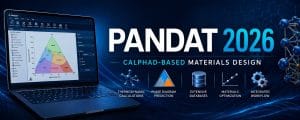
Developer: CompuTherm LLC (USA) Latest release: Pandat 2026 Best for: Teams that want a modern workspace UI and a competitive price on solid CALPHAD foundations Deep dive: Pandat 2026 — Full License Guide · Pandat 2026 vs Thermo‑Calc 2026a
Pandat has matured into a genuine alternative to Thermo‑Calc, especially for teams that don’t need every kinetic module and every database family. The PanEngine Gibbs energy minimizer is robust, and the modular ecosystem — PanPhaseDiagram, PanOptimizer, PanPrecipitation, PanDiffusion, PanEvolution — covers most workflows that matter day to day.
Why pick Pandat in 2026
- Workspace-style UI that lets you set up multiple calculations in parallel and compare results side by side, which feels noticeably more modern than Thermo‑Calc’s classic console.
- Built-in precipitation and diffusion kinetics through PanPrecipitation and PanDiffusion — directly comparable in scope to TC‑PRISMA and DICTRA.
- PanEvolution for ICME-style alloy design through evolutionary algorithms.
- Python scripting and SDK for automation, similar in spirit to TC‑Python.
- Pricing that consistently undercuts the equivalent Thermo‑Calc bundle, particularly for small and mid-size teams.
Where Pandat is weaker than Thermo‑Calc
- Database portfolio is narrower (~20+ vs. 40+) and several specialty areas — aqueous, oxides, magnesium — are less mature.
- Citation footprint is smaller, which can matter if you publish.
- Windows-only — no native Linux or macOS builds.
- Additive manufacturing module isn’t currently part of the lineup.
If your team is already invested in Pandat, or you’re sizing a CALPHAD purchase for the first time and the Thermo‑Calc quote is making your CFO nervous, Pandat 2026 is the obvious answer. For a side-by-side breakdown of the two, see our Pandat 2026 vs Thermo‑Calc 2026a comparison.
3. FactSage 8.4 — Best for Slags, Oxides and Process Metallurgy

Developer: Centre for Research in Computational Thermochemistry (Canada) and GTT‑Technologies (Germany) Latest release: FactSage 8.4 Best for: Extractive metallurgy, slag chemistry, oxide systems, geochemistry, ceramic processing Deep dive: FactSage 8.4 Review and 2026 Alternatives
FactSage is not just a CALPHAD tool — it’s a fully integrated computational thermochemistry platform that blends classical CALPHAD phase calculations with general reaction-equilibrium and complex-mixture modeling. That ancestry makes it the standard tool in places where Thermo‑Calc doesn’t reach as deep:
- Slag–metal reactions in steelmaking secondary metallurgy
- High-temperature oxide and ceramic systems
- Extractive metallurgy and pyrometallurgy of non-ferrous metals
- Combustion, gasification, and inorganic chemistry
- Geochemistry and materials in nuclear environments
The FACT and SGTE oxide databases that ship with FactSage are arguably the most rigorously assessed in the world for their domain. If your work involves complex oxide or slag chemistries, this is where FactSage stops being “an alternative” and becomes the right tool.
Where FactSage falls behind
- No diffusion module on par with DICTRA or PanDiffusion.
- No precipitation kinetics simulator equivalent to TC‑PRISMA.
- No additive manufacturing module.
- API and Python automation are limited compared to Thermo‑Calc and Pandat.
- Windows-only.
In practice, large industrial groups often run FactSage alongside Thermo‑Calc — using each for what it does best. For a focused breakdown of FactSage 8.4 capabilities and when it’s the right pick, see our FactSage 8.4 review.
4. JMatPro v16 — Best for Fast Engineering Property Prediction
Developer: Sente Software (UK) Latest release: JMatPro v16 (with API v10) — January 2026 Best for: Production engineers, casting and forging shops, materials selection workflows where you need numbers fast
JMatPro plays a different game from the four CALPHAD platforms above. Instead of putting raw thermodynamic equilibrium calculations in front of the user, it builds physically validated property models on top of CALPHAD calculations — and outputs the things that engineers actually need on a drawing board:
- CCT and TTT diagrams for steels
- Mechanical properties (yield, UTS, hardness, creep rupture) as a function of composition and processing
- Thermo-physical properties (density, thermal expansion, conductivity, specific heat) across the full solidification range
- Phase-fraction evolution during heat treatment
- Hot cracking susceptibility, solidification range, and castability indicators
JMatPro v16 (released alongside API v10 in January 2026) extended the General Steels module with secondary-phase consideration in CCT and hardenability calculations and added microstructure choices (martensitic, bainitic, pearlitic) for tempered hardness predictions.
Why pick JMatPro
- Steepest learning curve to useful output of any tool on this list — engineers without a CALPHAD background can produce credible numbers in days, not weeks.
- Industry-validated property models calibrated against decades of mill and foundry data.
- Tight integration with FEA codes (DEFORM, Forge NxT, Simufact, Magma, ProCAST and others) for casting and forging simulation.
Why it isn’t #1
- Less flexible for fundamental research — you get curated property predictions, not raw access to thermodynamic models.
- Smaller database scope than Thermo‑Calc or FactSage.
- Less suitable for novel alloy systems with no validated property models.
JMatPro is the right answer when you don’t want to do CALPHAD — you just want the answer that CALPHAD-plus-models would give you.
5. MatCalc — Best for Precipitation Kinetics and Welding Metallurgy
Developer: TU Wien / MatCalc Engineering GmbH (Austria) Best for: Precipitation kinetics specialists, welding and HAZ research, microstructural simulation
MatCalc deserves a place on every serious shortlist. It was designed from day one with kinetic processes at the center — precipitation nucleation, growth and coarsening, diffusion, phase transformations with moving boundaries, and even Monte Carlo simulations are integrated into the same engine, not bolted on as add-ons.
Where MatCalc wins
- Best-in-class multi-class precipitation kinetics for complex alloys (especially steels and nickel alloys).
- Strong welding and HAZ simulation features — a recognized strength in the European steel and pipeline community.
- Good scripting and automation through MatCalc-Console.
- More accessible price point than Thermo‑Calc + TC‑PRISMA for kinetics-focused users.
Where it loses
- Smaller database portfolio than Thermo‑Calc or FactSage.
- Less mature for greenfield alloy systems where Thermo‑Calc’s thermodynamic database breadth wins.
- Smaller user community outside Europe and academic metallurgy circles.
If precipitation hardening design or weld metallurgy is the dominant part of your work, MatCalc punches well above its weight.
6. OpenCalphad and pycalphad — Best Free / Open-Source CALPHAD Tools
Developers: Bo Sundman et al. (OpenCalphad) · Richard Otis et al. (pycalphad) Best for: Researchers, students, ICME developers, anyone who wants to script CALPHAD without a license
Open-source CALPHAD has crossed the credibility line. Two projects matter:
OpenCalphad is a Fortran-based engine led by Professor Bo Sundman — one of the original CALPHAD pioneers. It reads Thermo‑Calc TDB databases, performs equilibrium and phase-diagram calculations, and exposes its API (OCASI) to C++ and Python.
pycalphad is a Python library — roughly 3,000 lines of clean, modular code — that solves the multi-component, multi-phase Gibbs energy minimization problem with full Compound Energy Formalism support. Its companion project ESPEI (Extensible Self-optimizing Phase Equilibria Infrastructure) performs Bayesian parameter optimization and is now a credible tool for building thermodynamic databases from experimental data.
Why these matter in 2026
- Zero license cost. Critical for academic groups in regions where commercial subscriptions are out of reach.
- Full programmatic control. The thermodynamic models themselves are first-class Python objects — manipulable at runtime, ideal for ML coupling, uncertainty quantification, and database prototyping.
- Reproducibility. No license server, no version lock — your research code runs on any machine that has Python installed.
The honest limitations
- Database availability. OpenCalphad reads TDB files, but commercial assessed databases are not free; the high-quality public databases that are available cover fewer systems than Thermo‑Calc’s portfolio.
- No GUI in the way Thermo‑Calc, Pandat, FactSage and JMatPro provide. You’re writing Python or running Fortran command-line jobs.
- Limited specialized modules. No DICTRA-equivalent, no AM module, no Pourbaix calculator out of the box — though community packages (e.g., Kawin for precipitation) are filling some gaps.
- No vendor support. It’s the open-source bargain.
For students learning CALPHAD, ICME developers, and groups doing high-throughput materials informatics, pycalphad in particular has become an essential tool — even alongside a Thermo‑Calc license.
CALPHAD Software 2026 — Side-by-Side Comparison Matrix
| Capability | Thermo‑Calc 2026a | Pandat 2026 | FactSage 8.4 | JMatPro v16 | MatCalc | pycalphad / OpenCalphad |
|---|---|---|---|---|---|---|
| CALPHAD equilibrium engine | ✅ | ✅ | ✅ | ✅ (internal) | ✅ | ✅ |
| Phase diagram calculation | ✅ | ✅ | ✅ | ✅ | ✅ | ✅ |
| Scheil-Gulliver solidification | ✅ | ✅ | ✅ | ✅ | ✅ | Limited |
| Diffusion simulation | ✅ DICTRA | ✅ PanDiffusion | ❌ | Internal | ✅ | Limited |
| Precipitation kinetics | ✅ TC‑PRISMA | ✅ PanPrecipitation | ❌ | Internal | ✅ Best-in-class | Via Kawin |
| Additive manufacturing module | ✅ (LPBF + EBM) | ❌ | ❌ | Partial | ❌ | ❌ |
| Aqueous / Pourbaix diagrams | ✅ New in 2026a | Limited | ✅ Strong | ❌ | ❌ | Limited |
| Process metallurgy / slag | ✅ | Limited | ✅ Strong | ❌ | ❌ | ❌ |
| Engineering property models | Via libraries | Partial | ❌ | ✅ Best-in-class | Partial | ❌ |
| Python API | ✅ TC‑Python | ✅ | Limited | ✅ API | ✅ Console | ✅ Native |
| Database portfolio | 40+ | 20+ | 40+ (incl. oxide focus) | Internal | Internal + TDB | TDB only |
| Operating systems | Windows / Linux / macOS | Windows | Windows | Windows | Windows | Cross-platform |
| Free / academic version | ✅ Educational | Limited | ❌ | ❌ | Limited | ✅ Fully free |
| Citations in literature | 50,000+ | ~5,000+ | ~15,000+ | Industrial-heavy | Significant | Growing |
| Typical price tier | High | Mid | High | Mid-high | Mid | Free |
How to Choose the Right CALPHAD Software by Use Case
The right pick depends on the primary job you need it to do. Here’s how we’d advise different users in 2026:
“I’m designing new alloys (steels, Ni superalloys, Al, Ti, HEAs)”
→ Thermo‑Calc 2026a with the relevant database (TCFE, TCNI, TCAL, TCTI, TCHEA) plus TC‑PRISMA. The breadth and database quality decide it. Pandat 2026 is the credible runner-up if budget is tight.
“I work in a steel plant on slag chemistry and secondary metallurgy”
→ FactSage 8.4 for slag and oxide chemistry. Add Thermo‑Calc with the Process Metallurgy Module if you also need real-time process simulation alongside equilibrium chemistry.
“I run a casting or forging shop and just need property data”
→ JMatPro v16. Don’t fight a tool that’s wider than you need.
“I’m building an additive manufacturing process window”
→ Thermo‑Calc 2026a with the AM Module. Only Thermo‑Calc currently supports both LPBF and EBM in a CALPHAD framework.
“I do corrosion / Pourbaix / aqueous work”
→ Either Thermo‑Calc 2026a with the new Aqueous Calculator and TCAQ database, or FactSage 8.4 if you also need oxide-side reaction equilibria. The 2026a release narrows the gap considerably.
“Precipitation kinetics is the core of my research”
→ MatCalc if you want a tool built around it, or Thermo‑Calc + TC‑PRISMA if you want it in a broader workflow.
“I’m a PhD student or in an under-funded lab”
→ pycalphad + ESPEI. Build skills you can take anywhere, with no license to fight about. Use the academic Thermo‑Calc Educational Package for visualization-heavy coursework.
“I’m building an ICME or high-throughput screening pipeline”
→ Thermo‑Calc with TC‑Python for production reliability, or pycalphad if you want full programmatic control and don’t mind narrower databases.
Frequently Asked Questions
Is CALPHAD software still relevant in 2026 with the rise of AI/ML in materials?
Very much so. Machine-learning models for materials properties are increasingly trained on or coupled with CALPHAD outputs because CALPHAD provides physically consistent, thermodynamically valid data across composition and temperature space. The two approaches are complementary, not substitutes. If anything, the CALPHAD market has grown in 2026 because ICME and Materials Genome workflows feed it.
Can I run CALPHAD software on Linux or in the cloud?
Only Thermo‑Calc offers native Linux and macOS support among the major commercial tools. TC‑Python runs headlessly on Linux servers and HPC clusters, which is the standard solution for large-scale screening. Pandat, FactSage, JMatPro and MatCalc are Windows-only — though they can be run in Windows VMs or via Wine with caveats. pycalphad runs anywhere Python runs.
What’s the difference between thermodynamic and kinetic simulation?
Thermodynamic (equilibrium) calculations tell you what phases should be present at a given temperature, pressure and composition once the system has had infinite time to reach equilibrium. Kinetic simulations tell you how the system gets there — diffusion profiles, nucleation rates, particle size distributions, time evolution. Real industrial processes (heat treatment, solidification, welding) are kinetic. CALPHAD platforms with strong kinetic modules (Thermo‑Calc with DICTRA/TC‑PRISMA, Pandat with PanDiffusion/PanPrecipitation, MatCalc) are essential when time matters.
Which database do I actually need?
That depends entirely on the alloy system. steels: TCFE (Thermo‑Calc) or PanFe/PanIron (Pandat). nickel superalloys: TCNI / PanNickel. For aluminum: TCAL / PanAl. titanium: TCTI / PanTi. Database choice usually matters more than software choice for prediction accuracy — buying the right database for the wrong software platform is better than the reverse.
Are there free or trial versions to evaluate before buying?
- Thermo‑Calc has a free Educational Package (limited to 3 components) and offers commercial trials on request.
- Pandat offers a free academic version and commercial demos.
- FactSage offers commercial demos.
- JMatPro offers commercial demos.
- pycalphad and OpenCalphad are fully free and open-source.
How does pricing compare across these platforms?
Exact pricing depends on number of users, modules, databases, and whether you’re an academic or commercial customer. Broadly: Thermo‑Calc sits at the top of the price range, especially once kinetic modules and multiple databases are added. FactSage is comparable for full-stack licenses. Pandat typically undercuts both for equivalent capability. JMatPro sits in the mid-to-upper range. MatCalc is mid-range. pycalphad / OpenCalphad are free.
If you want a current quote on any of these tools, message us on Telegram and we’ll come back with exact numbers — usually within a few hours.
Can I migrate databases between platforms?
Partially. Thermo‑Calc TDB format is the de facto standard, and OpenCalphad and pycalphad read it directly. Pandat has its own format but offers TDB conversion. FactSage uses its own database format (FACT, SGTE-derived). JMatPro uses internal databases that aren’t user-editable. In practice, full database portability across commercial platforms is rare.
The Bottom Line
CALPHAD software in 2026 is a maturing market with one clear leader and a strong second tier of specialists. Thermo‑Calc 2026a remains the reference choice for most serious materials work — its database breadth, kinetic modules, automation story, and 2026a additions in corrosion (Aqueous Calculator) and additive manufacturing (EBM) keep it ahead. Pandat 2026 is the credible value alternative, FactSage owns slag and oxide chemistry, JMatPro owns engineering-grade property prediction, MatCalc owns precipitation kinetics, and pycalphad/OpenCalphad have made open-source CALPHAD genuinely usable for serious research.
Pick the tool that matches your primary workflow, not the one with the most features on its brochure. The wrong $25k purchase will haunt your team for years; the right one will pay for itself in the first alloy redesign.
Need help picking — or pricing — a CALPHAD license in 2026? We’ve delivered Thermo‑Calc, Pandat, FactSage, JMatPro and MatCalc licenses to engineers and research groups for over 20 years. ✈ Ask for a quote on Telegram — free consultation, no upfront payment.
✓ 20+ years experience ⚡ Delivered within 24h ↩ Money-back guarantee