DoCrack_Software Engineering Services

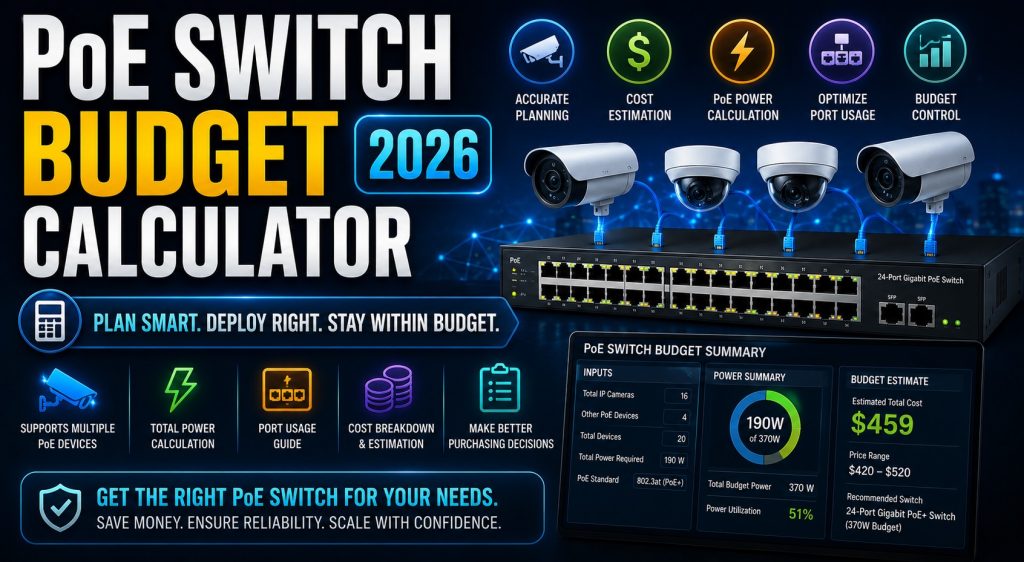
PoE Switch Budget Calculator 2026 — Free PoE Planning Tool

PoE Switch Budget Calculator 2026 — Free PoE Planning Tool


🔌 Free PoE Planning Tool — DoCrack.me

PoE Switch Budget Calculator 2026

Calculate total PoE power budget for IP cameras, access points, VoIP phones and IoT devices. Get switch recommendations, per-port breakdown, heat dissipation estimates and UPS sizing — all in one tool. Free, no signup.

5
PoE standards
100W
Max per port (UPoE)
UPS
Sizing included
Free
No registration

Is your PoE switch powerful enough for all your devices?

The most common PoE planning mistake is buying a switch based on port count alone. A 24-port PoE+ switch advertised at 370W sounds generous — until you connect 20 PTZ cameras at 15W each (300W) plus 8 dual-band APs at 20W each (160W), totalling 460W. The switch shuts down random ports to protect itself, and no one knows why cameras keep going offline.

This calculator adds up your actual device power draw across multiple groups, applies cable loss derating for long runs, adds the safety headroom you specify, and tells you exactly which switch models can handle the load — including multi-switch configs when the budget is too high for a single unit.

It also calculates heat dissipation (critical for cabinet cooling) and the minimum UPS VA rating required to keep the switch and all PoE devices powered during an outage.

⚠️ Always design with 20–30% headroom above calculated load to handle startup surge currents and future device additions.

What this tool calculates
Total PoE budget across all device groups
Per-port power with cable loss derating
802.3af / at / bt Type 3 / bt Type 4 / Passive
Switch model recommendations by budget
Multi-switch config for large deployments
Heat dissipation for cabinet cooling design
UPS VA sizing for switch + PoE load
Dual PSU redundancy mode + print report

docrack.me/poe_budget_calculator.html

Key concepts explained
PoE Standards
af / at / bt / UPoE
802.3af = 15.4W (cameras, phones). 802.3at = 30W (PTZ, dual-band APs). 802.3bt = 60W (thermal, high-power APs). UPoE = 100W (video conferencing).
Cable Loss
Derate at 75–100m
At 100m, high-power devices lose 5–8W to cable resistance. Use Cat6A for runs over 50m with PoE++ devices to minimize voltage drop.
Heat Load
~10% becomes heat
A 370W PoE switch at 90% efficiency dissipates ~41W as heat. In a sealed cabinet, this raises ambient temperature significantly — factor into cooling design.
Budget Headroom
Always leave 20–30%
Startup surge current can be 2–3× steady-state draw. A switch at 95% budget will shed ports when cameras boot simultaneously after a power cycle.

Common questions

▶ What happens if devices exceed the switch PoE budget?

The switch prioritizes ports by port-priority configuration — typically by port number. Lower-priority ports are shut down or have power reduced, causing cameras, APs or phones to go offline without warning. Always design with 20–30% headroom above calculated load to handle startup surges and future additions.

▶ Can I use a PoE+ switch with PoE++ cameras?

Only if the camera can operate at PoE+ (30W) levels. 802.3bt devices are backward compatible — they negotiate down to the switch’s capability. If the device needs more than 30W (thermal cameras, high-power PTZ), it simply won’t power on. Always check the minimum power requirement on the device datasheet, not just the maximum.

▶ How does cable length affect PoE power delivery?

Cat5e/Cat6 cable has ~9.38Ω resistance per 100m per conductor. At 100m, a high-power 802.3bt device drawing 60W can lose 5–8W to cable resistance — potentially causing reduced performance or failure to power on. Use Cat6A for runs over 50m with PoE++ devices.

▶ PoE switch vs midspan injector — which is better?

PoE switches are almost always preferable for new installations: single cable per device, centralized LLDP/CDP power negotiation, VLAN support and better cost-per-port at scale. Midspan injectors make sense when retrofitting non-PoE switches, powering a single remote device, or needing a PoE standard the existing switch doesn’t support.

▶ What UPS do I need for a PoE switch?

UPS VA must cover the switch’s own overhead (15–50W) plus total PoE delivered to all devices. A 370W PoE switch with 40W overhead draws ~410W total. At 0.8 PF that requires 510VA minimum — add 25% headroom for 640VA. Use the UPS Runtime Calculator for precise runtime estimates at any battery configuration.

Related tools


📡 IP Camera Bandwidth
Recording, live-view & WAN bandwidth sizing

💾 CCTV Storage Calculator
HDD capacity, RAID config & NVR sizing

🔋 UPS Runtime Calculator
Battery backup runtime for switch & NVR

🖥️ DSS Pro Server Sizing
Full server spec for Dahua DSS Pro

💰 Solar ROI Calculator
25-year payback & IRR for solar systems

Need Dahua DSS Pro or HikCentral licensing?
Professional VMS software for any deployment size — contact us on Telegram.
✈ Telegram