
What Is Essential FTIR?
Essential FTIR (also known as eFTIR) is a multi-format optical spectroscopy analysis platform developed by Operant LLC (USA), designed to solve one of the most persistent practical problems in analytical chemistry: the inability to open spectral data files from one instrument manufacturer’s software in another manufacturer’s software — or in any software at all once the original instrument software license expires or the instrument is retired.
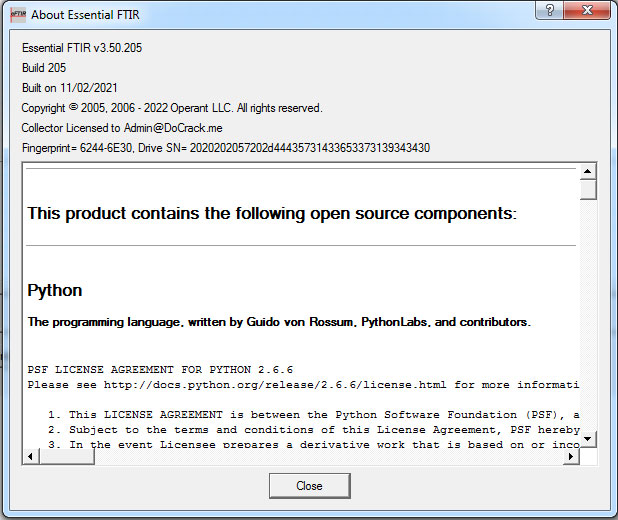
Current version: 3.50 build 228 (released November 13, 2025). Version 3.50.205 and 3.50.225 are earlier builds of the same version series.
The core problem Essential FTIR solves: When a laboratory acquires an FTIR spectrometer from Nicolet, Perkin-Elmer, Bruker, or Shimadzu, the instrument ships with proprietary software (OMNIC, Spectrum, OPUS, IRSolutions) that writes data to a proprietary file format. If the lab later acquires a different instrument brand, the two software packages cannot read each other’s files. If the instrument is retired or the software license lapses, the accumulated spectral data may become inaccessible. Essential FTIR breaks this lock-in: it reads data files from virtually every FTIR spectrometer manufacturer and spectroscopy technique, in a single application, with a consistent interface.
Not just for FTIR: Despite its name, Essential FTIR handles data from multiple spectroscopy techniques:
- Mid-IR FTIR — the primary application
- Near-IR (NIR) — process analytical applications
- Raman — from instruments like Renishaw, Ocean Optics
- UV-Vis — ultraviolet and visible spectroscopy
- Fluorescence — excitation-emission data
- EELS — electron energy loss spectroscopy
Important product note: Essential FTIR is the established product name. Operant LLC is transitioning new development to a successor product called Peak Spectroscopy Software (peakspectroscopy.com), which has the same core functionality with additional features including Python scripting and an expanded format list. Essential FTIR (essentialftir.com) continues to receive updates and will be fully supported — the newest build 228 was released in November 2025 — but Peak is where new capability is being added. This guide covers Essential FTIR 3.50; much of the content applies equally to Peak.
Who uses Essential FTIR:
- Analytical chemists needing to work with spectral data from multiple instruments
- Quality control laboratories in pharmaceutical, polymer, food, petrochemical, and materials industries
- Forensic laboratories working with infrared spectra as evidence
- Environmental chemistry labs processing large numbers of spectra
- Universities and research institutes with legacy spectral data collections
- Instrument service engineers needing to access data from various manufacturer systems
- Government and military laboratories with diverse instrument fleets
File Format Support — The Core Value Proposition
Essential FTIR’s most immediately useful capability is its breadth of supported spectral file formats. Rather than maintaining proprietary data silos, laboratories can use Essential FTIR as a universal reader and converter.
Supported Instrument/Software Formats (selected):
Thermo/Nicolet:
- Nicolet/Thermo OMNIC
.spa— the most common FTIR format worldwide - IBM/Nicolet PCIR
.ird,.irs,.bkg,.ifg
Perkin-Elmer:
- Perkin-Elmer
.sp,.asc,.txt,.pe,.lsc - PE NIR PioNIR
.pdf
Shimadzu:
- Shimadzu IRSolutions
.smf,.ispd,.itcd - Shimadzu RF Spectrofluorophotometer
.spc - Shimadzu UV (1800, 2500, 3600, 3600i)
.spc,.vspd
Bruker:
- Bruker OPUS
.0(through Peak Spectroscopy — confirm Essential FTIR support in current version)
Ocean Optics:
- OOIBASE32
.scope,.scope.txt - Raman
.ram - ProcSpec
.procspec - JSON
.json
Renishaw:
- Raman
.wdf,.esp
Jasco:
.jws,.j1d
Other instruments and software:
- Mattson WinFIRST
- Lumex/Lumex Infralum
.spa,.ifa,.rfa - MKS
.lab - Lab Cognition Panorama/Spectacle
.irs - Lambda Scientific
.gfi - Sadtler User Spectral Files
.irs - Panalytical/ASD
.asd,.sco,.000 - Princeton/Roper Winspec WinView
.spe - Smiths Detection HazMatID Ranger
.RangerResult - Smiths Detection RespondeR RCI (Raman)
.rar - Kassay files
.dat,.bgd - Protrustech Raman
.ptt - Philips EAGLE-IR PU9600/PU9800
Universal exchange formats:
- JCAMP-DX
.dx,.jdx— the international spectroscopy data exchange standard - Galactic/GRAMS SPC
.spc— the de facto industry standard for spectral libraries - SpectralID format — Galactic/GRAMS library format
- ASCII/CSV — plain text data tables
- Excel
.xls— for data analysis integration - MATLAB
.mat— for chemometrics development
Total: 70+ formats supported (the exact count increases with each release).
File Format Conversion
A direct consequence of the broad format support is a powerful batch conversion capability: Essential FTIR can convert an entire directory of proprietary files to an open standard format with a single click. Common conversion workflows:
- Convert legacy Nicolet
.spafiles to JCAMP-DX for long-term archiving - Convert Shimadzu
.smffiles to Perkin-Elmer.spformat for cross-platform sharing - Convert any format to ASCII/CSV for import into Excel or Python
- Convert any format to MATLAB
.matfor chemometrics model development - Batch convert hundreds of files from a decommissioned instrument before disposal
Why format conversion matters for data longevity: Proprietary binary formats are only readable as long as the original software is available and licensed. When an instrument manufacturer is acquired, discontinues a product, or changes their software, access to historical data in proprietary formats is at risk. Converting to JCAMP-DX or GRAMS SPC format provides format-independent long-term data access.
Essential FTIR Versions — Viewer, Core, Complete
Essential FTIR is licensed in three tiers, each adding capability to the previous:
Viewer
The entry-level tier — display only, no saving or analysis:
- View all supported file and library types
- Unlimited number of windows and spectra per window
- Overlay, superimpose, and stack display modes
- Interactive expand, zoom, and roll
- Print spectra with customizable templates
- No file saving capability
Use case: Colleagues or collaborators who need to view spectra but do not perform analysis. Quick visual inspection of data from instruments whose native software is not installed.
Core
The standard working tier for most analytical applications:
- All Viewer capabilities
- Peak picking — automatic identification of absorption band maxima with wavenumber/wavelength labels
- Integration — calculate integrated peak areas over defined spectral regions
- Library search — search commercial and user-compiled spectral reference libraries
- QC Compare — compare a sample spectrum against a reference for pass/fail quality control
- File saving — save individual files in any supported write format
- Unit conversion — Absorbance/Transmittance, Wavenumbers/Wavelengths
Use case: Standard QC laboratory work — incoming raw material verification, product identity confirmation, competitor product analysis, and routine spectral identification.
Complete
The full professional tier for spectral processing, automation, and quantitative analysis:
- All Core capabilities
- Baseline Correction — remove sloping or curved baselines that distort peak positions and areas
- FFT (Fast Fourier Transform) — frequency-domain analysis and noise filtering
- Smoothing — reduce noise while preserving spectral features (Savitzky-Golay and other algorithms)
- Derivatives — first and second derivative spectra for overlapping peak resolution and baseline-independent peak finding
- Spectral subtraction — subtract one spectrum from another (remove solvent or matrix contributions)
- Spectral averaging — average multiple spectra for improved signal-to-noise ratio
- Data editing and synthesis — add spectra, create synthetic spectra
- Batch file conversion — one-click conversion of entire directories
- Batch processing sequences — define and automate repetitive multi-step analysis workflows
- PLS (Partial Least Squares) — develop and deploy quantitative calibration models from spectral data
- CLS (Classical Least Squares) — concentration analysis of mixtures, particularly useful for gas-phase mixtures
- Python scripting — custom analysis scripts using the built-in Python interpreter
- Batch library search — search all spectra in a directory against reference libraries automatically
Use case: Research laboratories, process analytical chemistry, complex QC workflows, chemometrics development for quantitative quality control, forensic batch analysis.
Spectral Processing Functions in Depth
Baseline Correction
Real-world FTIR spectra rarely have a perfectly flat baseline at zero absorbance. Common baseline problems include:
- Sloping baselines from sample preparation variability (ATR pressure variations, KBr pellet density)
- Curved baselines from scattering effects in solid samples
- Offset baselines from reference subtraction artifacts
Essential FTIR’s baseline correction tools identify and remove these background contributions, making peak positions, peak areas, and library search results more reproducible and accurate.
Derivatives
Derivative spectroscopy transforms the original spectrum into its first or second derivative. Practical applications:
- Resolve overlapping peaks — two bands that appear as a single broad feature in the absorbance spectrum appear as separate features in the derivative
- Baseline independence — derivative spectra are insensitive to flat or sloping baselines, reducing baseline correction requirements
- Enhanced feature discrimination — second-derivative spectra are routinely used in protein secondary structure analysis (amide band) and in near-IR process analytical applications
Smoothing
Spectral smoothing reduces random noise while attempting to preserve the genuine spectral features. Essential FTIR implements Savitzky-Golay smoothing — a mathematically rigorous approach that fits a polynomial to each point using surrounding data points. The window size and polynomial order are configurable, allowing the chemist to balance noise reduction against spectral resolution.
Spectral Subtraction
When a sample spectrum contains contributions from both the analyte of interest and the matrix or solvent, spectral subtraction allows removal of the known component. Example: subtracting a pure water vapor spectrum from an atmospheric spectrum collected by an open-path FTIR monitoring system, leaving only the analyte absorptions.
Spectral Library Search
Library searching is one of the most widely used FTIR analysis functions: an unknown spectrum is compared against a database of reference spectra to identify the closest match. Essential FTIR implements a fast, full-spectrum search algorithm that correlates the unknown spectrum against all library entries and returns a ranked hit list with similarity scores.
Commercial Library Compatibility
Essential FTIR searches spectral libraries in Galactic/GRAMS SPC and SpectralID format — the de facto standard format for commercial spectral databases. This is an important practical point: when purchasing third-party spectral libraries (STJapan, Aldrich/Sigma-Aldrich, NICODOM, Sadtler, etc.), users should specify “Galactic – Grams/32 & SpectralID” format to ensure compatibility with Essential FTIR.
Compatible commercial library vendors include:
- NICODOM — extensive forensic, pharmaceutical, polymer, and general organic/inorganic collections; 10,000+ spectra
- Aldrich/Sigma-Aldrich — comprehensive organic chemistry library (specify Galactic format)
- STJapan — high-quality Transmission FTIR, ATR, vapor phase, and Raman collections
- Sadtler — large IR reference database (legacy Sadtler format also supported)
Library formats Essential FTIR searches:
- Galactic/GRAMS SPC libraries (primary commercial library format)
- SpectralID format
- User libraries in JCAMP-DX format
- User libraries in any supported spectral file format organized in folders
User Library Construction
Essential FTIR’s approach to user libraries is deliberately simple and future-proof: a user library is just a folder containing spectral data files. To add a spectrum to the library, drop the file into the folder. This avoids the problem common with proprietary library builder programs, where user-compiled libraries become inaccessible if the library builder software is no longer available.
Library search modes:
- Full spectrum search — correlates the entire spectrum against library entries
- Multiple region search — define specific wavenumber regions of diagnostic interest for search
- Text search — search library entry names and metadata fields
- Batch library search — automatically search all spectra in a directory against the library, generating a report of best matches for each spectrum
QC Compare — Pass/Fail Quality Control
QC Compare is Essential FTIR’s dedicated quality control tool for confirmatory identity testing:
- Collect a spectrum of a known reference material and store it as the QC reference
- For each incoming batch of the material, collect a spectrum
- QC Compare computes a similarity score between the batch spectrum and the reference
- A threshold is set: spectra above the threshold pass, spectra below fail
This workflow is widely used in:
- Pharmaceutical incoming QC — identity verification of active pharmaceutical ingredients (APIs) and excipients
- Polymer identification — verify that a polymer pellet shipment is the correct grade
- Solvent/chemical purity — confirm that a chemical solvent is within specification
- Food ingredient verification — authenticate food ingredients against reference standards
The threshold can be set by the QC chemist based on normal batch-to-batch variability, ensuring appropriate sensitivity for the specific application.
Quantitative Analysis — PLS and CLS Chemometrics
The Complete version of Essential FTIR includes two chemometric quantitative analysis methods:
CLS (Classical Least Squares)
CLS is the traditional linear mixture analysis method. It requires reference spectra of each pure component at known concentrations and fits the sample spectrum as a linear combination of those reference spectra.
Best applications:
- Gas-phase mixture analysis (combustion monitoring, atmospheric analysis, industrial hygiene)
- Simple liquid mixtures with non-overlapping bands
- Known, stable sample matrices
Essential FTIR’s CLS implementation uses multi-band weighting combined with standard-bracketed interpolation, providing robust concentration measurements even when the concentration-absorbance relationship is non-linear at higher concentrations.
PLS (Partial Least Squares)
PLS is the modern multivariate regression approach for spectral quantitation. Unlike CLS, PLS does not require pure component spectra and handles complex, overlapping, and poorly characterized mixtures. A calibration set of spectra with known reference concentrations is used to build a PLS model, which is then applied to predict concentrations in new samples.
Best applications:
- Complex solid and liquid samples (polymers, pharmaceuticals, food products)
- Process analytical technology (PAT) — at-line or in-line monitoring
- Near-IR quantitative analysis of multiple components simultaneously
- Any application where CLS is insufficient due to mixture complexity
The Essential FTIR PLS tutorial and data set are available from the Operant LLC website for users learning PLS implementation.
Batch Processing and Automation
Repetitive spectral analysis — processing dozens or hundreds of spectra through the same sequence of operations — is where Essential FTIR’s Complete version provides the greatest productivity benefit.
Batch Processing sequences: Define a sequence of operations once (baseline correct → smooth → integrate → library search → export to CSV) and apply it to an entire directory of files automatically. No manual intervention required after the sequence is defined.
Python scripting: The built-in Python interpreter allows custom automation beyond what the standard batch processing interface offers. Python scripts can access spectral data, perform calculations, call external tools, and generate custom reports. This makes Essential FTIR extensible for specialized laboratory workflows.
Practical applications:
- Overnight batch processing of hundreds of spectra collected during a production run
- Automated generation of library search reports for forensic casework
- Automatic QC pass/fail assessment of all spectra in an incoming batch directory
- Custom spectral metrics calculation and export to laboratory information management systems (LIMS)
Essential FTIR vs Competing Software
| Feature | Essential FTIR Complete | Thermo OMNIC | Perkin-Elmer Spectrum | Bruker OPUS | GRAMS/AI |
|---|---|---|---|---|---|
| Multi-vendor format support | ✅ 70+ formats | Nicolet/Thermo only | PE only | Bruker only | ✅ Broad |
| Free format library search | ✅ Galactic/SPC | Proprietary | Proprietary | Proprietary | ✅ |
| PLS/CLS chemometrics | ✅ | ✅ add-on | ✅ add-on | ✅ OPUS Quant | ✅ |
| Python scripting | ✅ (Complete) | ❌ | ❌ | ❌ | Limited |
| Batch conversion | ✅ | Limited | Limited | Limited | ✅ |
| Works with any instrument data | ✅ | Own instruments | Own instruments | Own instruments | ✅ |
| License model | Per-PC, perpetual | Subscription/perpetual | Subscription/perpetual | Per instrument | Perpetual |
| Relative cost | Low | High | High | Instrument-bundled | Medium |
| Free trial | 30-day (200-file save limit) | Demo available | Demo available | Demo available | Demo |
Essential FTIR vs GRAMS/AI (Thermo Galactic): GRAMS/AI (formerly Galactic GRAMS) was the dominant independent FTIR analysis platform for decades before Thermo Fisher acquired Galactic. Essential FTIR was explicitly designed as an affordable successor for laboratories that needed GRAMS functionality without the GRAMS price. The Galactic SPC library format compatibility means that libraries acquired for GRAMS work natively in Essential FTIR. Peak Spectroscopy Software’s own website describes it as “a low-cost replacement for ThermoFisher GRAMS/AI software.”
Essential FTIR vs instrument-bundled software: Instrument OEM software (OMNIC, Spectrum, OPUS, IRSolutions) is optimized for controlling the specific instrument and processing data from that instrument. It typically does not read competitor formats. Essential FTIR is not an instrument control application — it is a data analysis application that complements OEM software by enabling cross-instrument data access and advanced processing.
30-Day Evaluation Version
Essential FTIR can be downloaded and evaluated fully for 30 days. The evaluation version is the Complete version — all features are functional, including PLS/CLS, Python scripting, and batch processing. The only limitation is a maximum of 200 file saves during the evaluation period. After 30 days, a license must be purchased to continue saving files; viewing functionality remains available.
System requirements:
- Windows (XP SP2 or higher; Windows 10/11 recommended, 64-bit)
- .NET Framework (required; installation included if not present)
- Standard PC hardware — no special requirements
Frequently Asked Questions
Is Essential FTIR the same as Peak Spectroscopy Software? They share the same developer (Operant LLC) and core functionality. Essential FTIR is the established product at essentialftir.com. Peak Spectroscopy Software (peakspectroscopy.com) is the evolution of the same product under a new name, chosen because “FTIR” in the name limited its perceived scope. Peak adds Python numpy format support and has an expanded format list. Both products are actively maintained. New users may prefer to start with Peak; existing Essential FTIR users can continue with their current installation — licenses remain valid through version upgrades.
Does Essential FTIR include spectral libraries? No. Essential FTIR includes the library search engine but not the reference spectra databases. Libraries must be purchased separately from third-party vendors (NICODOM, Aldrich/Sigma-Aldrich, STJapan, etc.) and must be in Galactic/GRAMS SPC or SpectralID format. When purchasing, specify “Galactic – Grams/32 & SpectralID” format to ensure compatibility.
Can Essential FTIR control FTIR spectrometers? No. Essential FTIR is a data analysis application, not an instrument control application. It reads spectral data files collected by the spectrometer’s own software — it does not replace the OEM software for instrument operation and data collection.
What is the difference between Essential FTIR Core and Complete? Core includes viewing, peak picking, integration, library search, QC Compare, and file saving. Complete adds all spectral manipulation functions (baseline correction, FFT, smoothing, derivatives, spectral math), batch file conversion, batch processing automation, PLS/CLS chemometrics, and Python scripting. Most QC laboratories need Complete for its processing and automation capabilities.
Does Essential FTIR read Bruker OPUS files? Bruker OPUS format (.0 files) is listed as a supported format in Peak Spectroscopy Software. Verify current support in the Essential FTIR 3.50 release notes or the supported formats page at essentialftir.com.
Can Essential FTIR open Raman data? Yes. Essential FTIR reads Raman data from several instrument manufacturers including Renishaw (.wdf, .esp), Ocean Optics (.ram), and others. The spectral processing, library search, and analysis tools work with Raman spectra in the same way as FTIR spectra.
Summary
Essential FTIR 3.50 is the analytical chemist’s practical solution for breaking free from spectral data format lock-in. Its support for 70+ file formats from virtually every FTIR and spectroscopy instrument manufacturer means that data collected on any instrument can be viewed, processed, and analyzed in a consistent environment — regardless of whether the original instrument software is still available. The three-tier licensing structure (Viewer → Core → Complete) scales from basic data viewing to full quantitative chemometrics with PLS/CLS, batch processing automation, and Python scripting. Its Galactic/GRAMS SPC library format compatibility ensures access to the full range of commercial spectral reference databases. As an affordable alternative to instrument-bundled software and to GRAMS/AI for multi-instrument laboratory environments, it fills a specific and persistent need in analytical chemistry laboratories worldwide.
Get a license — free consultation
Pricing depends on version and number of users. Message us on Telegram and we’ll reply with an exact quote — no commitment required.
|
✓
20+ years experience
Software engineers with a long track record
|
⚡
Delivered within 24h
Your license is sent within one business day
|
↩
Money-back guarantee
If the license doesn’t work, we refund in full
|
Usually reply within a few hours — free consultation, no upfront payment


