
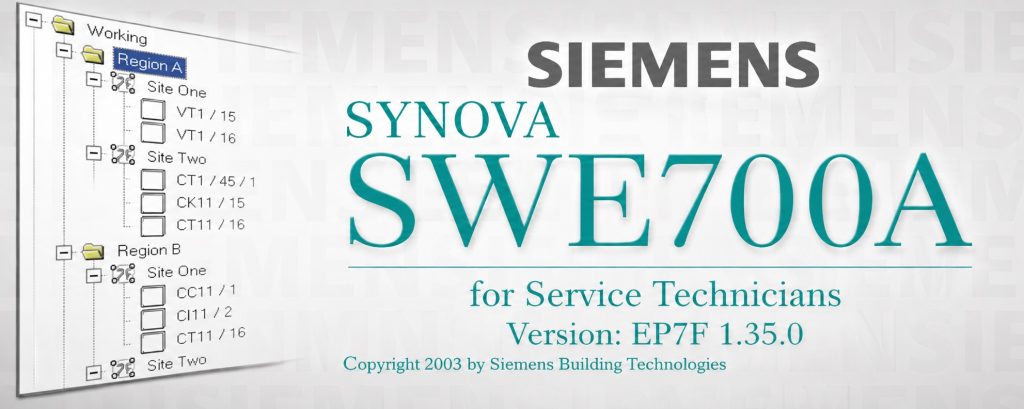
Siemens Synova SWE700A is the official parameterization and commissioning software for the FC700A Synova fire detection system family, developed by Siemens Building Technologies under the Cerberus product line. It is the only tool capable of configuring, commissioning, and remotely maintaining FC700A fire alarm control panels — making it indispensable for every service technician working with this platform. This guide covers everything you need to know: what SWE700A does, its full feature set, system architecture, compatibility, and how to obtain a license.
What Is Siemens Synova SWE700A?
SWE700A — short for Service Werkzeug 700A — is the dedicated engineering toolset for the Siemens FC700A Synova fire detection control panel. Its full product designation, SWE700A for Service Technicians, reflects its intended audience: this is not end-user software. It is a professional-grade configuration platform accessible only to trained fire protection engineers and authorized Siemens service personnel.
The software was developed by Siemens Building Technologies’ Fire & Security Products division — the same organization that operated historically under the Cerberus brand name. SWE700A has been the authoritative configuration tool for the FC700A platform since the early 2000s, and its latest version, EP7F 1.35.0, represents the fully mature, end-of-lifecycle release that Siemens officially supports for FC700A deployments integrated into the Desigo CC building management platform.
Without SWE700A, an FC700A panel cannot be commissioned. There is no alternative tool, no modern Siemens replacement, and no workaround. Every detector sensitivity setting, zone assignment, AREA configuration, module address, and output logic rule must be defined and uploaded through this software. This tight coupling between tool and hardware is what makes SWE700A one of the most sought-after legacy engineering tools in the fire protection industry.
💬 Need a license or have questions? → Message us on Telegram — free consultation, usually reply within a few hours.
The FC700A Synova Ecosystem
To understand SWE700A fully, it helps to understand the system it controls. The Siemens FC700A Synova is a modular, addressable fire alarm control panel capable of supporting 4 to 16 detection loops with up to 1,000 detectors per control unit. It is built around a multi-tier network architecture that connects three types of stations via the C-Bus local data bus:
- FC700A — the main control unit and CPU housing, built around the B3Q700 processor module and populated with line modules, I/O cards, RS232 interfaces, and power hardware
- FT700A — remote control terminals distributed across a building or campus, each capable of independent area monitoring and operator control
- FG700A — gateway modules that bridge the C-Bus network to building management systems via the ISO1745 protocol over a V28/RS232 interface
Within the FC700A control unit, an I-Bus handles internal communication between hardware modules. Detectors connect via two dedicated loop buses: SynoLOOP for analogue addressable devices and SynoLINE600 for conventional line detectors. Floor repeater panels (B3Q580, B3Q590, B3Q595) communicate over the LON-Bus, while parallel indicator and synoptic display panels use a separate Data Bus.
A single C-Bus network supports up to 16 stations in any combination of FC, FT, and FG types, and can manage up to 64 independent logical AREAS. At scale, a single NK823x network gateway can integrate up to 50 fire subsystems and handle up to 25,000 configured objects — approximately 10,000 physical detectors and actuators in a real-world deployment. SWE700A configures all of this.
Core Functions of SWE700A
1. Full System Parameterization
The central function of SWE700A is defining and uploading the complete operational configuration of an FC700A system. The tool organizes projects in a hierarchical tree: Working → Region → Site. This maps directly to real-world deployment structures — a Working project can span multiple geographic Regions, each containing multiple Sites (individual FC700A installations). Within each Site, technicians configure every addressable point, define the logical structure of zones and areas, and program the behavior of all connected modules.
Configuration data is transferred to the panel either via direct RS232 serial connection to the B3Q700 CPU module or remotely via modem, making SWE700A equally effective for on-site commissioning and remote maintenance from a central service desk.
2. Per-Detector Parameter Setting
SWE700A provides granular, per-detector configuration that is simply not possible through the panel’s physical keypad interface. For every addressable device on a SynoLOOP or SynoLINE600 network, technicians can define:
- Alarm sensitivity thresholds — critical for suppressing false alarms in dusty, humid, or high-particulate environments
- Day and night operational profiles, with automatic summer/winter time switchover driven by the panel’s built-in real-time clock
- Detector type and behavior classification
- Multidetector logic groupings for coincidence alarming — requiring signals from two or more detectors before triggering an alarm output
3. Module Configuration and I-Bus Address Assignment
SWE700A manages the configuration of every hardware module beyond detectors. Key examples include:
- E3C011 Battery Charging Module — the I-Bus address set in SWE700A must match the DIP switch setting (S3) on the physical card; default is address 16. The external voltage supervision function must also be explicitly enabled in the tool.
- Floor Repeater Panels (B3Q580/B3Q590/B3Q595) — the text display terminal function is enabled or disabled via SWE700A.
- Emergency Operation Circuit — when the emergency operation circuit is not physically wired, its monitoring function must be set to inactive in SWE700A to prevent persistent fault signaling.
- RS232 Modem Interface (E3I020 / B3D021) — extended communication functions including TCLK/RCLK synchronous clock signals for modem connectivity are all configured here.
4. Remote Modem-Based Maintenance
SWE700A supports remote access to FC700A panels via the B3D021 modem box — a dual RS232 ITF interface (Siemens order number 505259) connected to the B3Q700 CPU via a 20-conductor flat cable. Through this interface, service engineers can perform the full range of maintenance tasks — reading event logs, uploading configuration changes, checking module status — without being physically present at the installation.
The modem connection uses the RS232-2 port on the B3Q700, with RTS/CTS handshake support (connection depends on modem type) and synchronous clock signals (TCLK2/RCLK2) configured in SWE700A. The newer M3C700 module (order no. A5Q00004798) is also supported as a remote communication interface.
5. Flash Programming Coordination
SWE700A works alongside the Siemens Flash Tool utility for firmware updates. When a B3Q700 control terminal module is used as a replacement unit for an existing FC700A installation, the application firmware must be loaded into the module’s Flash ROM via the maintenance PC before the panel can operate. The Flash Tool handles the actual programming, while SWE700A provides the system context and configuration that the updated module receives post-programming. Flash program files for the control unit (CIY00760) and control terminal (CTY00760) are distributed as OSS (On-Site Software) packages.
6. AREA Logic and Alarm Organization
SWE700A provides complete control over how alarms are organized, escalated, and routed across the system. Up to 64 independent logical AREAS can be defined, each spanning any combination of physical detectors, manual call points, and output devices. Technicians configure:
- Single-AREA and multi-AREA operation modes
- Control terminal (FT700A) visibility — each terminal can be assigned to one or more specific AREAS
- Gateway (FG700A) visibility — assigned per station rather than per AREA
- Alarm output routing — which sirens, suppression systems, and BMS signals activate in response to which zone events
💬 Need a license or have questions? → Message us on Telegram — free consultation, usually reply within a few hours.
System Architecture at a Glance
| Bus / Network | Function | Connected Devices |
|---|---|---|
| C-Bus | Local data bus between all main stations | FC700A, FT700A, FG700A (max 16 stations) |
| I-Bus | Internal bus within the FC700A control unit | B3Q700 CPU, line modules, E3C011, E3I020, etc. |
| SynoLOOP | Analogue addressable detector loop | Addressable smoke, heat, multi-sensors |
| SynoLINE600 | Conventional detector line | Conventional zones, special detectors |
| LON-Bus | Floor repeater and mimic display network | B3Q580, B3Q590, B3Q595, mimic converters |
| Data Bus | Parallel indicator and synoptic panel bus | B3R051, synoptic panels, relay gateways |
| ISO1745 / RS232 | BMS integration via E3H020 gateway | Building management systems |
SWE700A Version Compatibility
| Parameter | Value |
|---|---|
| Software Version | SWE700A V1.35.0-000 |
| Build Identifier | EP7F 1.35.0 |
| Compatible Panel Firmware | 762 |
| Compatible Panel Family | FC700A, FT700A, FG700A (Synova / AlgoRex) |
| BMS Integration | Desigo CC (DMS) via NK823x |
| Max Subsystems per NK823x | 50 |
| Max Configured Objects per NK823x | 25,000 (~10,000 physical points) |
| Max Stations per C-Bus | 16 |
| Max Logical AREAS per System | 64 |
| Max Detectors per FC700A | 1,000 |
Use Cases: Who Needs SWE700A
Fire Protection Engineers – Initial Commissioning
Any new FC700A installation requires SWE700A before a single detector can be officially commissioned. The tool defines every detector address, zone logic, area assignment, and output behavior. Without a completed and uploaded SWE700A configuration, the panel cannot perform its designed fire detection function. Engineers responsible for commissioning large campus installations — hospitals, industrial complexes, data centers, and commercial high-rises — rely on SWE700A’s Working/Region/Site project hierarchy to manage multi-building configurations in a single organized project file.
Service Technicians – Ongoing Maintenance
Maintenance visits to live FC700A installations may require adding detectors, reassigning zones, modifying sensitivity thresholds, or updating AREA logic following building renovations. All of these tasks require SWE700A. A service technician without access to the tool — or without the correct version matching the panel’s firmware — cannot make any configuration changes at all. This makes SWE700A availability a critical dependency for every fire protection service organization that has FC700A installations in their portfolio.
Remote Diagnostic Teams
For organizations managing FC700A installations across geographically distributed sites — facilities management companies, national service networks, or large enterprise customers maintaining their own fire systems — SWE700A’s modem-based remote access capability is essential. Combining SWE700A with the B3D021 modem box allows a central engineering team to read event logs, upload parameter changes, and perform remote diagnostics without dispatching a technician to site for every configuration issue.
System Integrators – BMS Connectivity
Integrators connecting FC700A panels to building management systems via the FG700A gateway and Desigo CC platform must configure the gateway’s ISO1745 protocol interface, station visibility settings, and object mapping through SWE700A before the BMS integration can function. The tool defines which events, alarms, and status signals are exposed to the BMS layer — making SWE700A a required step in every BMS integration project involving an FC700A fire system.
Installation and Connection Requirements
SWE700A runs on a standard Windows-based PC connected to the FC700A via RS232 serial cable. The B3Q700 CPU module provides the primary RS232 connection point. For installations that include the E3I020 RS232 expansion card, two independent RS232 interfaces are available: one within the control unit and one at the rear of the FT700A control terminal. This allows a maintenance PC and a modem to be connected simultaneously — enabling both local programming and remote access without hardware reconfiguration.
For remote deployments, the B3D021 modem box is connected to the RS232-2 port on the B3Q700. RTS/CTS handshake wiring depends on the specific modem in use — some modem types do not require these signals to be wired. Synchronous clock signals (TCLK2/RCLK2) are configured within SWE700A when required by the modem configuration.
Why SWE700A Remains Relevant in 2026
Despite its origins in the early 2000s, SWE700A continues to be actively needed across thousands of installations worldwide. Fire detection systems are engineered for 20 to 30-year service lives. Buildings commissioned between 2000 and 2015 with FC700A hardware are well within their designed operational period and will require continued maintenance and reconfiguration for many years to come.
Unlike general-purpose software that can be replaced with modern alternatives, SWE700A has no substitute. It is the only tool that speaks the FC700A’s configuration language. Engineers and service organizations that cannot access a working, licensed copy of SWE700A are effectively locked out of their own systems — unable to add detectors, modify zones, or respond to configuration-level faults without it.
This is particularly relevant in markets where FC700A installations are widespread: Central and Northern Europe, Scandinavia, the Middle East, and parts of Central and Southeast Asia. In these regions, demand for SWE700A licensing and technical support remains consistently high.
💬 Need a license or have questions? → Message us on Telegram — free consultation, usually reply within a few hours.
Frequently Asked Questions
What is Siemens Synova SWE700A?
SWE700A is the official parameterization and commissioning software for the Siemens FC700A Synova fire detection control panel. Developed by Siemens Building Technologies (Cerberus), it is the only tool capable of configuring, uploading, and maintaining the full operational parameters of an FC700A fire alarm system. It is designed exclusively for trained service technicians and fire protection engineers.
What version of SWE700A is current?
The current and final supported version is SWE700A V1.35.0-000, identified in Siemens documentation as EP7F 1.35.0. This version is compatible with FC700A panel firmware version 762 and is the definitive release for FC700A deployments integrated into Siemens’ Desigo CC building management platform.
Is there a newer version of SWE700A?
No. SWE700A V1.35.0-000 is the final version for the FC700A Synova platform. Siemens has moved to newer fire detection platforms (such as Cerberus PRO / FC922 series) with their own dedicated engineering tools. SWE700A is the end-of-lifecycle tool for the FC700A family and will not receive further updates.
Can I configure an FC700A without SWE700A?
No. The FC700A panel cannot be commissioned or fully reconfigured using only its physical keypad. SWE700A is the only interface through which detector parameters, zone assignments, AREA logic, module addresses, and output behaviors can be defined and uploaded. Without the tool, the panel operates only on its existing stored configuration and cannot be meaningfully modified.
What hardware does SWE700A connect to?
SWE700A connects to the FC700A via RS232 serial cable to the B3Q700 CPU module. For remote access, it uses the B3D021 modem box (order no. 505259) connected to the RS232-2 port. The E3I020 RS232 expansion card enables two simultaneous RS232 connections — one for a local maintenance PC and one for a remote modem.
What is the Working/Region/Site hierarchy in SWE700A?
SWE700A organizes fire system projects in a three-level hierarchy: Working (the top-level project), Region (a geographic or administrative grouping of sites), and Site (an individual FC700A installation). This structure allows service engineers to manage multi-building or multi-campus deployments within a single organized project file, with each Site containing its own detector configurations, zone logic, and AREA definitions.
How does SWE700A handle remote access?
SWE700A supports remote maintenance via modem using the B3D021 dual RS232 ITF modem box. Through this connection, technicians can read event logs, upload configuration changes, and perform diagnostics without visiting the site. The modem interface uses the RS232-2 port on the B3Q700 CPU, with TCLK/RCLK clock signals and RTS/CTS handshake lines configured within SWE700A according to the modem type in use.
What is the maximum scale of an SWE700A-managed system?
A single NK823x network gateway integrated with SWE700A can support up to 50 FC700A/FT700A/FG700A subsystems and manage up to 25,000 configured objects — roughly 10,000 physical detectors and actuators. A single C-Bus network supports up to 16 stations and 64 logical AREAS. A single FC700A unit can address up to 1,000 detectors across 4 to 16 loops.
How do I obtain a license for SWE700A?
SWE700A is distributed through Siemens Building Technologies’ authorized service channels and is not publicly available for download. For licensing assistance, obtaining a working copy for legacy system maintenance, or technical support related to FC700A commissioning, contact our team via Telegram at @DoCrackMe for fast, personalized guidance.
Conclusion
Siemens Synova SWE700A is the definitive engineering tool for the FC700A fire detection platform — a specialized, professional-grade application that remains irreplaceable for every service technician, commissioning engineer, and system integrator working with Synova installations. Version EP7F 1.35.0 is the final, fully mature release: paired with panel firmware 762, it represents the complete capability of the FC700A platform and the only authorized pathway to configure it.
For fire protection professionals maintaining legacy FC700A, FT700A, and FG700A installations in 2026 and beyond, SWE700A is not an optional convenience — it is the operational key to the system. Organizations that maintain access to a licensed, working copy of SWE700A protect both their service capability and the continued compliance and safety of the buildings they manage.
To get started with SWE700A licensing, obtain technical support, or discuss your FC700A maintenance requirements, contact our engineering team via Telegram at @DoCrackMe — free consultation, no commitment required.
Get a license — free consultation
Pricing depends on version and number of users. Message us on Telegram and we’ll reply with an exact quote — no commitment required.
|
✓
20+ years experience
Software engineers with a long track record
|
⚡
Delivered within 24h
Your license is sent within one business day
|
↩
Money-back guarantee
If the license doesn’t work, we refund in full
|
Usually reply within a few hours — free consultation, no upfront payment




