What Is Once Sport Analyser?
Once Sport Analyser is a professional sports video analysis platform combining advanced match tagging, broadcast-quality 3D animated telestration, automatic AI player tracking, and live match analysis in a single application — used by coaches and analysts at all levels, from elite professional clubs to amateur academies, across more than 100 countries.
Developed by Once Sport (Austria), the platform is built around one core positioning: the best quality-to-price ratio in professional sports video analysis. Where platforms like Hudl Sportscode or Nacsport target primarily the professional tier with corresponding price tags, Once Sport aims to make elite-level analysis tools accessible to the full coaching community — semi-professional clubs, academies, individual analysts, and grassroots teams who need professional output without enterprise pricing.
The Once Sport product ecosystem includes four tools:
- Once Sport Analyser — the complete video analysis suite (this guide’s focus)
- Once Sport Telestrator — drawing and telestration only, without tagging or live analysis
- Once Sport Coach Board — tactical board and session design (included with all Analyser plans)
- Once Sport Autocam — AI-powered automated match recording from panorama footage
Who uses Once Sport Analyser:
- Video analysts and performance analysts at professional and semi-professional clubs
- Head coaches who conduct their own video analysis
- Academy and youth development coaches
- National team analysis departments
- Independent analysts building client-facing analysis businesses
- Journalists and content creators producing tactical breakdowns
- Coaching certification candidates building analysis portfolios
Notable users: GNK Dinamo Zagreb, Paris FC Women’s Training Center, SV Sandhausen, and clubs and federations across Europe, South America, and beyond.
Free trial: 14 days, no credit card required.
The Once Sport Philosophy: Professional Analysis for Everyone
The defining tension in sports video analysis software is between professional-grade features and professional-grade prices. Most platforms with elite tracking and telestration capabilities carry price points that exclude all but funded professional clubs. Once Sport’s explicit positioning challenges this:
- No hidden costs — your subscription covers all features in your tier, no per-feature add-ons
- No storage limits — unlimited analysis projects
- Works offline — most features function without internet
- Unlimited sharing — export and distribute your analysis without per-export fees
- 24/7 support in 7 languages — customer service that typically responds quickly regardless of timezone
This makes Once Sport particularly compelling for the large middle tier of sports organizations — clubs at the 2nd or 3rd tier of national leagues, ambitious youth academies, smaller national federations — that need professional output but cannot justify enterprise licensing costs.
Once Sport Analyser Plans — Basic, Pro, Elite
Once Sport Analyser is available in three tiers:
Basic
- Full tagging functionality — tag match events with custom code buttons
- Limited drawing options
- Spotlight tracking tool only
- No Live Analysis
- Suitable for: coaches focused primarily on event tagging and clip management without advanced telestration
Pro
- All tagging tools from Basic
- Full drawing toolkit — all 3D telestration elements
- Two tracking tools: Spotlight and Players Formation Line
- Live Analysis supported (without live streaming)
- Suitable for: analysts who need professional telestration and live analysis, with basic tracking needs
Elite
- Everything in Pro, plus:
- Full automatic tracking suite — all tracking tools including automatic AI tracking
- Live Analysis with streaming to YouTube, Twitch, or other platforms
- Suitable for: professional analysts and elite clubs requiring the complete feature set including automated tracking and public broadcast capability
Free trial: 14 days of Elite access, no credit card required — evaluate the full feature set before committing.
Core Features in Detail
1. Advanced Tagging System
Tagging — categorizing and timestamping match events as you review footage — is the foundation of systematic video analysis. Once Sport’s tagging system is designed for both retrospective review and live match use.
Code buttons: Create custom code buttons mapped to any event category your methodology uses: shots, pressings, transitions, individual errors, set pieces, defensive organization events, transition opportunities — anything relevant to your analysis framework.
Two tagging modes:
Regular code buttons: Click the button when you spot the event. Once Sport automatically captures the configurable window (1–20 seconds) before and after the click — so if you click on a pressing trigger, you automatically get the 10 seconds before and 10 seconds after the event without manual trimming.
Recording mode code buttons: Click to start recording an event, click again to stop. The system captures exactly the duration of the event. Useful for possession sequences, pressing phases, or any event with variable duration.
Keyboard shortcuts (hotkeys): Assign keyboard shortcuts to any code button for rapid tagging without looking away from the video. Critical for live analysis speed.
Action metadata:
- Mark tagged events as Good, Bad, or Favourite for quick filtering
- Add player attribution — tag which specific player(s) are involved in each event
- Add free-text notes to individual tagged actions
- Replace incorrectly attributed players without re-tagging the entire action
Timeline view: The timeline shows all tagged events in chronological order with their code categories. Filter by code type, player, rating (good/bad/favourite), or any combination. Navigate directly to any tagged moment.
Playlist management: Organize tagged clips into structured playlists — for example, “Opponent pressing triggers” or “Our defensive transitions — errors.” Sort and reorder clips. Export the entire playlist as a single video with or without drawings.
2. 3D Telestration — Broadcast-Quality Animated Graphics
Telestration — adding visual graphic overlays to video — is where coaches transform raw footage into communication tools. Once Sport’s 3D drawing engine produces the kind of animated graphics you see in broadcast football analysis.
Drawing elements available:
Movement indicators:
- Arrows — straight, curved, or dashed; animated to show direction of movement
- Dashed arrows — conventional notation for off-ball runs and anticipated movements
- Movement paths — multi-point trajectory lines following a player’s actual movement
Zone and area tools:
- Player formation area — filled polygon between players to show shape and compactness
- Highlighted area — zone marker for pressing traps, dangerous spaces, or tactical zones
- Circle/spotlight — focus attention on a specific player or area
Tracking and annotation:
- Player spotlight — circular highlight that follows a tracked player
- Players Formation Line — straight line connecting multiple tracked players (defensive/offensive line)
- Text overlays — static text and dynamic overlay (text that appears continuously without pausing video)
- Custom freehand drawing — draw any shape not covered by preset tools
Visual effects:
- Chromakey — place graphic elements behind players for a natural, integrated look rather than floating overlays
- Zoom — zoom into specific elements within a frame for close-up emphasis
3D perspective: All drawn elements are rendered in 3D perspective matched to the camera angle of your footage — arrows, zones, and lines look like they exist on the pitch rather than floating as flat 2D overlays.
Animation: Graphics animate smoothly during video playback. An arrow showing a player’s run follows the path as the video plays; a defensive line moves with the defensive shape. This is the feature that produces the broadcast-TV look.
3. Automatic Player Tracking
Once Sport’s tracking engine uses AI keyframing technology — the system automatically calculates intermediate frames between manually set or AI-detected keyframes, producing smooth, natural-looking tracking without frame-by-frame manual adjustment.
Tracking workflow:
- Select a tracking tool from the toolbar
- Click on the player you want to track (or select multiple players)
- Once Sport automatically detects and follows the player through the clip
- If tracking drifts, pause and reposition — the AI recalculates from that correction point
Extend tracking: Click the “extend tracking” button to add 10 more seconds to an existing tracking trajectory without repeating the setup.
Tracking tools by plan:
| Tool | Basic | Pro | Elite |
|---|---|---|---|
| Spotlight (circular highlight following player) | ✅ | ✅ | ✅ |
| Players Formation Line (line through tracked players) | ❌ | ✅ | ✅ |
| Full automatic tracking suite | ❌ | ❌ | ✅ |
Multiple simultaneous tracking: Track multiple players at once — each with their own graphic element. Track all defenders to show the defensive line, or track the striker and the closest defender simultaneously to show space management.
4. Field Mapping — Distance Measurement on Pitch
Field Mapping (released late 2025) brings real-world distance measurement directly onto match video:
How it works:
- Calibrate the pitch — match reference points in the video to known pitch dimensions
- Set actual pitch dimensions (standard football: width 68m, length 100–105m)
- Once Sport calculates the perspective transformation
- All tracking tools display real-world distances in meters automatically
What you can measure:
- Distance between players (e.g., gap between defensive line and midfield)
- Passing distances (length of passes in meters)
- Space covered by a player in a defined sequence
- Compactness measurements (how far apart defensive lines are)
- Distance from specific players to the ball or goal
Use cases:
- Quantifying defensive compactness (e.g., “the defensive block was covering 22 meters horizontally”)
- Measuring pressing triggers (at what distance does the press activate?)
- Showing passing length distributions across a match
- Player positioning analysis with actual spatial data
Important: Field Mapping currently works for football/soccer. Support for additional sports is in development.
5. Live Analysis
Once Sport Analyser supports full live analysis workflows — tagging, drawing, and presenting during actual matches, not just retrospectively:
Live analysis setup: Connect a video source:
- Camera with capture card — any camera connected via HDMI capture card
- RTSP stream — IP cameras or existing streaming infrastructure
- M3U8 stream — broadcast-compatible HTTP live streaming format
During live analysis:
- Tag events in real time as they happen using keyboard shortcuts or code buttons
- Rewind footage to review and tag events you missed during the action (without losing the live feed)
- Draw on tagged clips — quickly add telestration to key moments while the match continues
- Export clips during the match without interrupting live analysis
- Once Sport automatically records and saves the entire match simultaneously
Halftime presentation: Retrieve all tagged clips from the first half, add quick telestration to the 2–3 most important moments (takes 2–3 minutes with Once Sport’s workflow), and present directly from the application on a laptop, tablet connected to a TV, or projector.
Live streaming (Elite only): Stream your live analysis directly to YouTube Live, Twitch, or any RTMP-compatible platform. Teams can use this for remote coaching staff viewing sessions, public tactical broadcasts, or internal team monitoring across different training groups.
6. Export and Sharing
Video export:
- Export individual tagged clips or entire playlists as MP4 video files
- With or without drawings — choose whether to include your telestration overlays
- Multiple clips can be merged into a single export video or kept as individual files in a folder
- Export in different folder organization options (by code category, by match, chronological)
Image export:
- Export individual frames with drawings as high-quality images (PNG/JPG)
- Useful for report generation, social media posts, printed playbooks
XML export:
- Export your tagging data as XML for integration with other analysis platforms or club data systems
Sharing:
- Share XML files with other Once Sport Analyser users — they import your full tagging structure
- Share video exports via any standard file transfer method (cloud storage, USB, email for small files)
- No per-export fees or sharing limits
7. Once Sport Coach Board — Included
All Once Sport Analyser plans include Coach Board — a tactical board and session design tool comparable to TacticalPad, built directly into the Once Sport ecosystem:
Coach Board features:
- Animated 3D tactical board with sport-specific pitch templates
- Draw player movements, passing sequences, pressing patterns
- Design training drills with equipment markers
- Plan full training sessions with multiple exercises
- Export tactical boards as video or image
- Works offline
Sports supported: Football, basketball, handball, rugby, hockey, futsal, and more.
The inclusion of Coach Board eliminates the need for a separate tactical board application — the complete workflow from tactical design (Coach Board) through match video analysis (Analyser) exists within the Once Sport platform.
8. Once Sport Autocam
Autocam is Once Sport’s AI-powered automated match recording tool — a separate product that integrates into the broader Once Sport workflow:
What Autocam does:
- Takes panorama video (wide-angle footage covering the entire pitch, filmed without a camera operator)
- Applies neural network and computer vision processing
- Outputs a video that looks like it was filmed by a professional camera operator — with dynamic panning, zooming, and following of the action
Practical value: Many clubs at the amateur to semi-professional level have a static panorama camera (or can set one up cheaply) but cannot afford a dedicated camera operator at every match. Autocam converts the static panorama footage into watchable, camera-operator-style broadcast footage automatically — ready for analysis in Once Sport Analyser.
Once Sport Analyser vs Competitors
| Feature | Once Sport Analyser | Metrica Nexus | Hudl Sportscode | Nacsport | Wyscout |
|---|---|---|---|---|---|
| 3D animated telestration | ✅ Full | ✅ Full | ✅ | ✅ | ❌ |
| Automatic AI tracking | ✅ (Elite) | ✅ (Pro/Elite) | Limited | ❌ | ❌ |
| Full Clip Tracking (all players 1-click) | ❌ | ✅ (Elite) | ❌ | ❌ | ❌ |
| Field Radar positional view | ❌ | ✅ (Pro/Elite) | ❌ | ❌ | ❌ |
| Live match analysis | ✅ | ✅ | ✅ | ✅ | ❌ |
| Live streaming | ✅ (Elite) | ❌ | ❌ | ❌ | ❌ |
| Field Mapping (distance measurement) | ✅ | ❌ | ❌ | ❌ | ❌ |
| Tactical board (Coach Board) | ✅ Included | ❌ | ❌ | ❌ | ❌ |
| Automated recording (Autocam) | ✅ Optional | ❌ | ❌ | ❌ | ❌ |
| Video analyst certification | ✅ | ❌ | ❌ | ❌ | ❌ |
| Works offline | ✅ | ✅ | ✅ | ✅ | ❌ |
| 7-language 24/7 support | ✅ | Limited | ✅ | Limited | ✅ |
| Free trial | 14 days (no card) | 7 days | Limited | Demo | ❌ |
| Target audience | All levels | Pro/Elite clubs | Pro clubs | Pro/Semi-pro | Pro/Scout |
| Starting price | Affordable | $66/month | ~$60+/month | ~$55+/month | ~$50+/month |
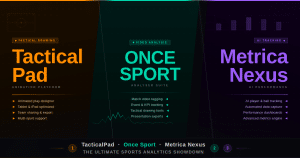
Once Sport vs Metrica Nexus — the most important comparison:
These are the two most directly comparable tools in the mid-tier professional analysis market. Both offer automatic tracking, 3D telestration, and live analysis. The key differences:
Where Metrica Nexus leads:
- Full Clip Tracking (entire team tracked with one click) — Nexus Elite only
- Field Radar positional visualization — unique to Nexus
- Better integration of positional data across the full match timeline
- Stronger for clubs prioritizing full-team positional data analysis
Where Once Sport Analyser leads:
- Live streaming to YouTube/Twitch — unique to Once Sport Elite
- Field Mapping distance measurement — unique to Once Sport
- Coach Board tactical design tool included
- Autocam automated recording integration
- Video analyst certification program
- Broader multi-sport support
- Generally more affordable starting price
- 14-day free trial vs 7-day trial
Decision guidance: If your primary need is full-team AI tracking and positional heat maps across entire matches, Metrica Nexus Pro/Elite is the stronger tool. If you need live streaming, distance measurement, an integrated tactical board, and broader sport support at a more accessible price, Once Sport Analyser Elite makes more sense.
Once Sport Video Analyst Certification
A feature unique among analysis platforms: Once Sport offers a video analyst certification program — a structured curriculum that teaches video analysis methodology alongside the software:
What the certification covers:
- Video analysis fundamentals and methodology
- Using Once Sport Analyser effectively across all features
- Workflow design for different analysis contexts (match preparation, opposition analysis, player development)
- Creating professional analysis outputs
Practical value:
- Verifiable credential for analysts building their professional profiles
- Structured learning path for coaches learning video analysis for the first time
- Used by players, coaches, and analysts seeking to formalize their analysis skills
This fills a genuine gap — most software only provides technical tutorials. The certification addresses the methodological question: not just how to use the tool, but how to build effective analysis workflows.
Practical Workflows
Post-Match Opposition Analysis
- Import next opponent’s last 3 matches into Once Sport
- Create a code structure: pressing triggers, defensive line shape, set piece routines, transitional patterns
- Tag all relevant events across the three matches (Once Sport’s efficient tagging takes ~45 min per match)
- Filter by code category — review all pressing triggers consecutively
- For the 8 most important clips, add 3D telestration showing the pattern (arrows, player highlights, zone markers)
- Organize into a themed playlist: “Opponent pressing triggers,” “Opposition set pieces — defensive,” etc.
- Export as a single video playlist for the coaching briefing session
Individual Player Development Review
- Import 5 matches involving the target player
- Tag all the player’s defensive actions, pressing contributions, and positional moments
- Add player spotlight tracking so the player is always visually highlighted
- Use Field Mapping to measure their press activation distance and defensive positioning distance
- Export a 10-minute compilation with telestration and tracking
- Share with the player for individual feedback session
Halftime Live Analysis
- Live analysis is running — analyst has tagged pressing losses and set piece defending in first half
- Half time: pull up the 3 most critical clips
- Add quick telestration on each — 1–2 minutes per clip maximum
- Connect laptop to the dressing room TV (or share screen)
- Present 3 clips with coaching points attached — under 5 minutes total
- All tagged clips automatically saved for full post-match analysis later
Frequently Asked Questions
Does Once Sport Analyser work on Mac and Windows? Yes — Once Sport Analyser is available for Windows and macOS. Mobile apps are not currently available (unlike TacticalPad which has iOS/Android versions), though Coach Board has some mobile accessibility.
Can I import footage from any camera? Yes. Once Sport imports standard video files (MP4, MOV, AVI, and other common formats) directly from your hard drive without uploading to a cloud server. No special camera hardware is required.
Is Once Sport Analyser completely offline? Most features work offline. Live analysis via stream requires a network connection to receive the stream, and live streaming to YouTube/Twitch requires internet. All local video analysis, tagging, drawing, and export works without internet.
Does Field Mapping work for all sports? Currently Field Mapping is implemented for football/soccer. Once Sport has stated that more sports are under development. All other telestration and tracking features work across all supported sports.
Can multiple analysts share and import each other’s analysis? Yes. Once Sport uses XML file export/import for sharing analysis projects between users. Send the XML file and the recipient imports the full tagging structure into their Once Sport installation. Video files need to be shared separately.
What is the difference between Once Sport Analyser and Once Sport Telestrator? Once Sport Telestrator contains all the drawing and telestration tools (same as Analyser) but without the tagging system and without live analysis capability. It is designed for analysts whose primary need is creating high-quality annotated video clips without the full tagging workflow — for example, a coach who receives pre-tagged clips from an analyst and only needs to draw on them.
Summary
Once Sport Analyser delivers a genuinely complete professional video analysis toolkit — advanced tagging, broadcast-quality 3D telestration, automatic AI player tracking, live match analysis with optional streaming, Field Mapping distance measurement, an integrated Coach Board, and Autocam compatibility — at price points designed to serve the full spectrum of the coaching community rather than only the elite professional tier. Its 14-day full-feature trial (no credit card), offline capability, no storage limits, and 24/7 multilingual support reinforce the accessibility positioning.
For clubs and analysts sitting between the “basic video cutting” tier and the full enterprise analysis budget, Once Sport Analyser Elite represents the strongest value proposition currently available in sports video analysis — with a feature set that genuinely competes with tools costing significantly more per month.
For licensing assistance, contact our team via Telegram: t.me/DoCrackMe
Related: Metrica Nexus — AI Player Tracking and Full Clip Analysis Guide | TacticalPad — Football Tactics and Drill Design Coach’s Whiteboard Guide | Once Sport vs Metrica Nexus — Detailed Comparison for Sports Analysts