
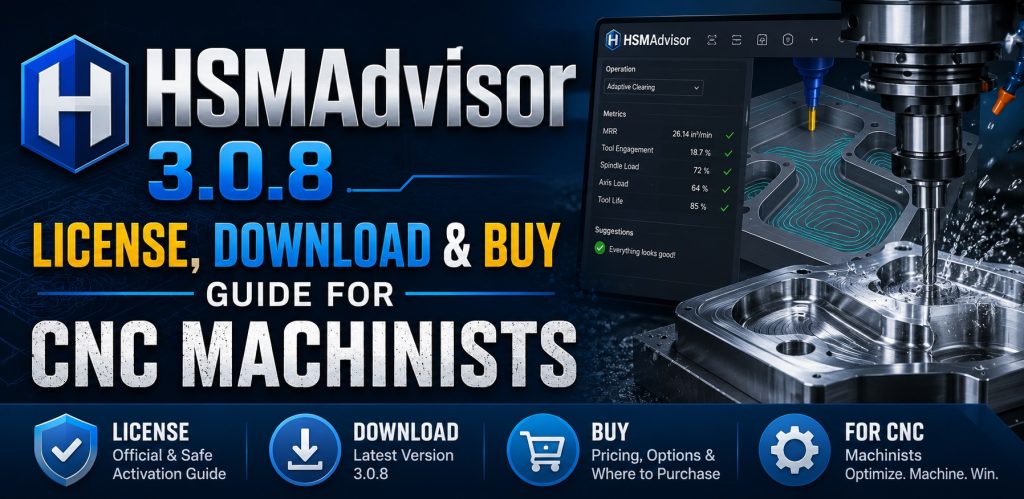
What Is HSMAdvisor?
HSMAdvisor is a Windows-based CNC speed and feed calculator developed by Eldar Gerfanov and published under the HSMAdvisor Inc. brand. It has been continuously developed since 2011 and has grown into one of the most respected machinist calculators on the market. Unlike generic online calculators that produce rough estimates based on a few material properties, HSMAdvisor builds a virtual mathematical model of your exact cutting tool — accounting for flute length, helix angle, tool stick-out, shank diameter, and coating — and then produces fail-safe cutting parameters tuned to your actual machine’s horsepower and torque limits.
The software covers three main machining operations: milling (including trochoidal/HSM toolpaths), drilling, and turning. It supports hundreds of workpiece materials organized across more than 22 material groups, and it includes a full thread and tapping reference, a built-in tool database, cloud library synchronization, machine profile management, and a MasterCAM plugin for direct CAM integration. For CNC professionals who want to stop guessing and start cutting with confidence, HSMAdvisor is the benchmark tool.
Who Should Use HSMAdvisor?
HSMAdvisor is designed for a wide spectrum of CNC users, from seasoned machinists at job shops to engineers running production cells and hobbyists setting up small CNC routers at home. Here is a breakdown of the primary use cases:
CNC Job Shop Machinists
Professional machinists in a job shop environment deal with a constantly changing mix of materials and tools. Every new job potentially means a new material, a new tool, and a new machine setup. HSMAdvisor eliminates the need to rely on manufacturer charts or trial-and-error by calculating optimized speeds, feeds, depth of cut, and width of cut in seconds. Its machine profile feature allows you to enter your spindle’s actual horsepower curve so that recommended parameters are always within the machine’s physical capability. This is especially important when running long, slender tools where deflection and torque limits are critical safety factors.
CNC Programmers and CAM Engineers
CNC programmers who work in CAM software like MasterCAM benefit from the direct HSMAdvisor plugin integration. The plugin reads tool and toolpath data directly from MasterCAM and sends back calculated RPM, feedrate, depth of cut, and width of cut — all without leaving the CAM environment. This dramatically speeds up the programming workflow and ensures that the parameters written into the G-code are backed by engineering calculations rather than rule-of-thumb estimates.
Aerospace, Defense, and Medical Precision Shops
Industries where material waste and tool breakage carry high costs benefit enormously from HSMAdvisor’s cutting force estimation and tool deflection prediction. When machining exotic alloys like titanium, Inconel, hardened stainless steels, or medical-grade cobalt-chromium, a broken tool or a scrapped part is unacceptable. HSMAdvisor’s physics-based model flags conditions that would exceed tool deflection or torque breakage limits before you ever send a program to the machine.
Prototype and R&D Machinists
Prototype shops often encounter new materials that their machinists have never cut before. HSMAdvisor’s database of hundreds of materials — organized by international material standards and cross-referenced with alloy designations — makes it straightforward to find the right starting parameters for any workpiece, from common aluminum alloys and mild steels to specialty stainless grades and engineering plastics.
Hobbyists and Small Shop Owners
HSMAdvisor works equally well for smaller machines. The software explicitly accounts for machines with limited horsepower — a critical capability for hobbyists running desktop CNC routers or small bench mills with 500W to 1500W spindles. Generic manufacturer cutting data is written for industrial machines with tens of horsepower; HSMAdvisor scales recommendations down to what your actual machine can physically deliver.
Machinists Transitioning to High-Speed Machining
High-Speed Machining (HSM) and High-Efficiency Machining (HEM) strategies require specific radial engagement values, adjusted chip loads, and controlled cutting forces that differ significantly from conventional machining. HSMAdvisor has built-in support for trochoidal milling and peel milling, including chip thinning compensation for both axial and radial directions, making it the ideal companion for shops adopting modern toolpath strategies.
💬 Need a license or have questions? → Message us on Telegram — free consultation, usually reply within a few hours.
Core Features of HSMAdvisor
Fail-Safe Speeds and Feeds for Milling, Drilling, and Turning
The heart of HSMAdvisor is its speed and feed calculation engine. Enter your tool geometry, material, and machine limits, and the software outputs a complete set of cutting parameters: surface footage (SFM), spindle speed (RPM), feed per tooth (chip load), feed per revolution, feedrate (IPM or mm/min), axial depth of cut, and radial width of cut. Every parameter is cross-checked against tool deflection limits, machine horsepower, and spindle torque to ensure the recommended values are safe in practice, not just in theory.
Virtual Tool Modeling
HSMAdvisor is the only machinist calculator that simultaneously accounts for flute length, helix angle, tool stick-out from the collet, and shank diameter when estimating tool deflection. For extra-long or reduced-shank tools — which are common in deep-pocket milling and medical component machining — this level of detail is the difference between a successful operation and a broken cutter. The tool deflection model produces a maximum safe feedrate that keeps the tool within its physical bending limits.
Chip Thinning and HSM Compensation
When using High-Speed Machining strategies with radial engagement values below 50% of the tool diameter, chip thinning occurs and the effective chip load drops below the commanded value. HSMAdvisor automatically applies axial and radial chip thinning corrections, ensuring that the actual chip load at the cutting edge matches the target value for optimal tool life and surface finish.
Machine Profile Management
Real machines do not deliver constant horsepower across all RPM ranges. HSMAdvisor allows you to build machine profiles that map the actual power curve of each machine in your shop. Once a profile is saved, all calculations are constrained to the machine’s real capability. The software also supports gearbox machinery (manual mills, lathes) with fixed RPM steps, so recommended speeds are always achievable on the actual machine.
Comprehensive Tool Database with Cloud Sync
Every tool you define in HSMAdvisor can be saved to a searchable library along with its optimal cutting conditions for different materials. The tool database can be shared across multiple computers on a shop network, and HSMAdvisor Cloud Services allows libraries to be synchronized across locations through the internet. This is particularly valuable for multi-shift shops where multiple machinists share cutting data, and for companies with several facilities that want to maintain consistent cutting parameters across all locations.
Tool Inventory Management
Beyond cutting parameter calculation, HSMAdvisor includes a tool inventory management module. Machinists can track tool stock levels, generate purchase requests, and print restock reports directly from the software. This turns HSMAdvisor into a shop management tool as well as a calculation tool, reducing the administrative burden of keeping track of tool inventory across a busy shop floor.
Threading and Tapping Reference
HSMAdvisor includes a complete thread and tapping reference covering ISO metric, UNC, UNF, UNEF, and UNS thread standards. The tapping module calculates recommended spindle speed and feed for both cutting taps and forming taps, suggests the optimal drill hole size for a desired thread percentage, and supports three-wire measurement of external threads with user-defined wire sizes. Thread mill and chamfer mill calculations are also fully supported.
On-the-Fly Inch / Metric Conversion
Every input field in HSMAdvisor supports independent unit selection, allowing you to mix inch and metric values in a single calculation without any manual conversion. This is invaluable in international shops and when working with tools and materials specified in different unit systems.
MasterCAM Plugin Integration
The HSMAdvisor MasterCAM plugin reads toolpath and tool data directly from MasterCAM operations, passes that data to the calculator, and writes the optimized parameters back into the CAM toolpath. Supported toolpath types include Pocket, Face, Contour, Drilling, and 2D/3D HST toolpaths. The plugin saves calculated parameters linked by tool name, so the next time the same tool is loaded in the same operation, the optimized values are applied automatically.
💬 Need a license or have questions? → Message us on Telegram — free consultation, usually reply within a few hours.
What Is New in HSMAdvisor 3.0 — The 2026 Release Cycle
The 3.0 series of HSMAdvisor represents the most significant release generation in the software’s history. The 2026 update cycle, spanning versions 3.0.3 through 3.0.8, has introduced a range of improvements targeting both calculation accuracy and workflow usability. Here is a detailed look at what has changed across the 2026 releases.
HSMAdvisor 3.0.8 (June 1, 2026) — Smarter Tool Library Re-Imports
The 3.0.8 release focuses on improving how HSMAdvisor handles tool library re-imports — a common workflow in shops that maintain master tool libraries shared across multiple machines or operators. The update introduces a clearer overwrite prompt when imported tools match tools already present in the local database. Users can now choose to overwrite all matching tools, apply only the changes carried by the import, or preserve local modifications and skip the imported updates. This granular control over import behavior prevents accidental overwriting of carefully tuned local cutting parameters when syncing with a shared library.
HSMAdvisor 3.0.7 (May 18, 2026) — Expanded Stainless Steel Coverage and Cloud Improvements
Version 3.0.7 added significant new material coverage for stainless steel, one of the most commonly machined but also most varied alloy families. New material groups were introduced for free-machining stainless, ferritic stainless, martensitic stainless, precipitation-hardened (PH) stainless, austenitic stainless, duplex stainless, hardened stainless, powder-metallurgy (PM) stainless, and specialty stainless alloys. Cutting speeds for all stainless groups were simultaneously recalibrated for improved accuracy. On the cloud synchronization side, the CutCloud sync logic was improved so that re-imported or locally newer tools correctly restore previously deleted cloud tools instead of being removed again. Library management also received significant upgrades, including alphabetical ordering of library pickers, a dedicated My Cloud Libraries section, duplicate-name validation during library creation, and improved import, copy, move, and merge workflows.
HSMAdvisor 3.0.5 (March 30, 2026) — License Registration Fix
Version 3.0.5 addressed a bug affecting automatic registration of permanent licenses via XML, ensuring a smooth activation process for users who purchase a lifetime license and deploy it across multiple workstations using the silent installation feature.
HSMAdvisor 3.0.4 (February 2, 2026) — MasterCAM Hook and CSV Import Fixes
The 3.0.4 update resolved a CSV import processing issue that affected enum-type fields such as ToolType and ToolCoating, which are critical for accurate tool library imports from external sources. Changes were also made to the plugin loading code to ensure the MasterCAM hook correctly loads local plugins in a wider range of MasterCAM installation configurations. Dedicated MasterCAM builds were created for this version. The Calculation Report formatting was also corrected for consistent output.
HSMAdvisor 3.0.3 (January 25, 2026) — Privacy Controls and Thread Mill Reporting
Version 3.0.3 introduced user-controllable analytics and error reporting settings. Users can now independently disable usage analytics collection and error reporting to comply with organizational privacy requirements or personal preferences. Thread Mill and Chamfer Mill operations were added to the Print Calculation Report function, giving machinists a complete paper trail of all cutting parameters including threading operations. Calculation report display issues were resolved in this release as well.
Earlier 3.0 Series Highlights
The 3.0 series launch brought one of the biggest updates in HSMAdvisor’s history, including major improvements to application logging and performance, reduced UI flickering, improved End Mill depth of cut and width of cut suggestions based on the number of flutes and material type, and warnings for unusual flute count combinations. Thread Mill calculations received a significant visual upgrade: the tool drawing now renders the actual teeth profile to help machinists visually estimate tool engagement, which is especially helpful when programming thread milling cycles in deep or blind bores.
HSMAdvisor License Options: Which One Is Right for You?
HSMAdvisor offers two primary license types to suit different use cases. Understanding the difference before you buy will ensure you choose the license that delivers the best long-term value for your situation.
Unlimited Monthly Subscription — $12 USD per Month
The Monthly Subscription license is the pay-as-you-go option. At $12 USD per month, it provides access to all HSMAdvisor features without any long-term commitment. The license can be cancelled at any time when it is no longer needed, making it ideal for temporary projects, freelance CNC work, or situations where you want to evaluate the software before committing to a permanent license. The monthly subscription also includes a free FSWizard PRO subscription for iOS and Android, which gives you access to the mobile speed and feed calculator on the shop floor when you are away from your desktop.
Unlimited Lifetime Floating License — $195 USD (One-Time Payment)
The Lifetime Floating License is a one-time purchase that provides permanent access to HSMAdvisor for the life of the product. At $195 USD, it pays for itself after approximately 17 months compared to the monthly subscription, making it the economical choice for any machinist or shop that will use the software regularly. The floating license is specifically designed for a shop floor environment and is ideal for machines like HAAS, Matsuura, and other production-grade CNC centers. As a floating license, it can be checked out and checked in across multiple computers in the shop, ensuring maximum flexibility without requiring a separate license seat for every workstation. The lifetime license also includes a free FSWizard PRO Lifetime Personal License for iOS, Android, and web browsers. Purchase once, use indefinitely — no annual renewal fees, no subscription creep.
A Note on the Trial Version
Before you buy, you can download HSMAdvisor and try it for 30 days with no registration required. This gives you full access to the software to evaluate its calculation accuracy against your own machines and materials. The 30-day trial period is long enough to use HSMAdvisor on real jobs and judge its value before committing to a license purchase.
How to Download HSMAdvisor 3.0.8
Downloading HSMAdvisor is straightforward. The software is distributed in two formats: a standard EXE installer and a ZIP archive. The EXE installer requires administrative privileges to install into the Program Files directory, which is the recommended approach for most users. If you do not have administrative rights on your workstation — common in enterprise environments with locked-down IT policies — you can download the ZIP archive and extract it into your My Documents folder or any directory where you have write permissions. No installation is required for the ZIP version; simply run the executable directly from the extracted folder.
The download size for HSMAdvisor 3.0.8 is 6.24 MB for the recommended installer and 5.7 MB for the zipped installer, making it a fast download even on slower connections. The software requires Microsoft Windows 7 or later and the Microsoft .NET 4.8 framework or later. The .NET 4.8 runtime is pre-installed on Windows 10 and Windows 11, so most users will not need to install any additional dependencies.
HSMAdvisor supports fully localized interfaces in English, French, and Russian, with partial support for Spanish, Turkish, Slovak, Czech, and Polish. For international shops operating in any of these languages, the localized interface reduces the learning curve for non-English-speaking machinists.
For organizations that need to deploy HSMAdvisor across many workstations simultaneously, a silent or automatic installation mode is supported. Combined with the improved permanent license automatic registration introduced in version 3.0.5, enterprise-scale deployment is a smooth process that IT administrators can manage centrally.
How to Buy an HSMAdvisor License
Purchasing an HSMAdvisor license is handled directly through the HSMAdvisor online store at hsmadvisor.com. The buying process is simple: select the license type that fits your needs (monthly subscription or lifetime floating license), complete the checkout, and receive your license credentials. The license is then entered into the software through the built-in license registration dialog.
For organizations that want to deploy to multiple machines, the floating license model means a single license purchase can be used on different computers as long as only one instance is running at a time (in a standard single-seat floating scenario). For larger organizations needing concurrent multi-seat licensing, it is recommended to contact HSMAdvisor directly for volume pricing options.
When you buy the Lifetime Floating License, you receive unlimited free updates to all future versions of HSMAdvisor, including all future 3.x releases and beyond. This makes the one-time purchase an excellent long-term investment, as you will always have access to the latest material database updates, tool type additions, and algorithm improvements without any additional cost.
💬 Need a license or have questions? → Message us on Telegram — free consultation, usually reply within a few hours.
HSMAdvisor vs. Generic Speed and Feed Calculators
Many free online calculators and mobile apps claim to calculate speeds and feeds, but they typically use simplified formulas based only on material surface speed (SFM) and tool diameter, producing a spindle speed, and then applying a fixed chip load to generate a feedrate. This approach ignores virtually everything that makes real machining complex: machine horsepower limits, tool deflection under load, radial and axial engagement ratios, chip thinning at low radial engagements, and the physical differences between a short stubby tool and a long slender one of the same diameter.
HSMAdvisor’s physics-based model accounts for all of these variables simultaneously. The result is cutting parameters that are not just theoretically correct but practically achievable on your specific machine with your specific tooling. This distinction is especially important for shops running older or lower-power machines, where manufacturer cutting data — written for modern high-power spindles — would immediately overload the machine or break tools.
Furthermore, HSMAdvisor’s tool database and cloud sync features mean that the time you invest in configuring your tools and materials is preserved and reusable across every job. A generic calculator starts from scratch every time; HSMAdvisor accumulates institutional knowledge about your shop’s tooling and materials and makes it instantly accessible.
HSMAdvisor for MasterCAM Users
For machinists and programmers using MasterCAM, the HSMAdvisor MasterCAM plugin transforms the CAM workflow. Rather than exiting MasterCAM to open a separate calculator, looking up parameters, and then manually entering them back into the toolpath, the plugin integrates HSMAdvisor directly into the MasterCAM interface. Clicking the HSMAdvisor toolbar button on any active toolpath opens the calculator pre-populated with the tool and operation data from MasterCAM. After calculating optimized parameters, a single click on Apply pushes RPM, feedrate, depth of cut, and width of cut back into the MasterCAM toolpath automatically. Saved parameters are linked to the tool by name, so the next time the same tool appears in a toolpath, the previously calculated values are recalled instantly.
The plugin supports all major 2D and 3D milling toolpath types including Pocket, Face, Contour, Drilling, and 2D and 3D High-Speed Toolpath (HST) operations. Dedicated MasterCAM plugin builds are maintained alongside the main HSMAdvisor releases, with the 3.0.4 update having introduced improved plugin loading compatibility across a wider range of MasterCAM installation configurations.
FSWizard: The Mobile Companion
For machinists who need speed and feed calculations on the go — at the machine, in the tool crib, or while working off-site — HSMAdvisor’s companion app FSWizard is available for iOS, Android, and modern web browsers. FSWizard PRO offers a powerful mobile calculation experience that shares the same material database and cutting science as HSMAdvisor desktop. Both the Monthly Subscription and the Lifetime Floating License include a free FSWizard PRO license, meaning you get desktop and mobile CNC calculation coverage with a single purchase.
System Requirements
HSMAdvisor 3.0.8 runs on Microsoft Windows 7 and later, including Windows 10 and Windows 11. The Microsoft .NET 4.8 framework is required and is pre-installed on all current Windows 10 and 11 systems. No internet connection is required for core calculations — all calculation features work completely offline. Internet connectivity is only needed for cloud library synchronization and license validation. The installer footprint is under 7 MB, and the software is lightweight enough to run comfortably on any modern PC or shop floor workstation.
Frequently Asked Questions (FAQ)
What is HSMAdvisor 3.0.8?
HSMAdvisor 3.0.8 is the latest version of the professional CNC speeds and feeds calculator developed by HSMAdvisor Inc., released on June 1, 2026. It is a Windows desktop application that calculates optimal cutting parameters for milling, drilling, and turning operations using a physics-based model that accounts for tool geometry, machine power limits, cutting forces, and tool deflection.
How do I download HSMAdvisor 3.0.8?
You can download HSMAdvisor 3.0.8 directly from the official HSMAdvisor website at hsmadvisor.com. The download is available in two formats: a standard EXE installer (6.24 MB) and a ZIP archive (5.7 MB) for users without administrative installation rights. No registration is required to download and use the 30-day free trial.
What license options are available and what do they cost?
There are two main license options. The Unlimited Monthly Subscription costs $12 USD per month and can be cancelled at any time. The Unlimited Lifetime Floating License costs $195 USD as a one-time payment and includes all future updates permanently. Both license types include a free FSWizard PRO license for mobile and web use.
Can I try HSMAdvisor before I buy a license?
Yes. HSMAdvisor offers a 30-day free trial with no registration required. Simply download the software from the official website and start using it immediately. All features are available during the trial period, giving you ample time to evaluate the software on real machining jobs before making a purchase decision.
What is the difference between the Monthly Subscription and the Lifetime License?
The Monthly Subscription at $12/month is a flexible pay-as-you-go option that can be cancelled whenever the license is no longer needed. The Lifetime Floating License at $195 USD is a one-time purchase that provides permanent access without recurring fees. For any machinist or shop that plans to use the software regularly, the lifetime license becomes more cost-effective after approximately 17 months of use.
Is the Lifetime License really permanent, or does it require annual renewal?
The Lifetime Floating License is a true one-time purchase with no renewal fees. All future software updates — including every new version in the 3.x series and beyond — are included at no additional cost. You buy once and continue to receive updates for the life of the product.
What CNC operations does HSMAdvisor support?
HSMAdvisor supports milling (including solid end mills, indexed end mills, high-feed end mills, helical mills, thread mills, V-bit engraving cutters, and more), drilling (jobber twist drills, high-helix parabolic drills, reamers), tapping (cutting taps and forming taps for ISO, UNC, UNF, UNEF, and UNS threads), and turning (profiling, grooving, and boring). High-Speed Machining and trochoidal milling toolpaths are specifically supported with chip thinning compensation.
Does HSMAdvisor work with MasterCAM?
Yes. A dedicated MasterCAM plugin is available that integrates HSMAdvisor directly into the MasterCAM interface. The plugin reads tool and toolpath data from MasterCAM operations, passes it to the calculator, and writes optimized parameters back into the toolpath with a single click. Supported toolpaths include Pocket, Face, Contour, Drilling, and 2D/3D HST operations.
What materials does HSMAdvisor cover?
HSMAdvisor includes a database covering hundreds of workpiece materials organized across more than 22 material groups. The 3.0.7 update significantly expanded stainless steel coverage, adding dedicated groups for free-machining, ferritic, martensitic, precipitation-hardened, austenitic, duplex, hardened, powder-metallurgy, and specialty stainless alloys. Materials span from common aluminum and mild steel alloys to exotic aerospace and medical-grade materials, engineering plastics, and specialty alloys.
Can the tool database be shared across multiple computers?
Yes. The HSMAdvisor tool database can be stored on a shared network location and accessed by multiple computers simultaneously. Additionally, HSMAdvisor Cloud Services allows tool libraries to be synchronized across multiple machines and locations over the internet, ensuring consistent cutting data across an entire organization.
Does HSMAdvisor require an internet connection to work?
No. All speed and feed calculation features in HSMAdvisor work completely offline. An internet connection is only required for optional features such as cloud library synchronization and license validation during activation.
What Windows versions are supported?
HSMAdvisor 3.0.8 supports Microsoft Windows 7 and all later versions, including Windows 10 and Windows 11. The Microsoft .NET 4.8 framework is required, which is pre-installed on all current Windows 10 and 11 systems.
Is HSMAdvisor suitable for hobby CNC users or only for industrial shops?
HSMAdvisor is designed to work for both. The software explicitly accounts for machine horsepower limits, which means it produces appropriate cutting parameters for small hobby machines with limited power (500W–2000W spindles) just as accurately as it does for industrial machining centers with 20+ horsepower. Generic cutting data from manufacturers is typically written for high-power industrial machines; HSMAdvisor scales recommendations to your actual machine regardless of its power level.
What languages does HSMAdvisor support?
HSMAdvisor fully supports English, French, and Russian interface languages. Partial support is available for Spanish, Turkish, Slovak, Czech, and Polish.
What happened to the chip load values in recent 2026 updates?
In the 2026 update cycle, HSMAdvisor recalculated chip load values for all metal materials from groups 1 through 22 based on an improved mathematical model. While most materials saw changes of less than 10%, some materials were adjusted by up to 30% in either direction. Materials now have independent chip load values for HSS and carbide tools, reflecting the real-world performance difference between these tool substrate types. Users with saved tools that have feed overrides above 100% are advised to review their cutting conditions after updating.
Get a license — free consultation
Pricing depends on version and number of users. Message us on Telegram and we’ll reply with an exact quote — no commitment required.
|
✓
20+ years experience
Software engineers with a long track record
|
⚡
Delivered within 24h
Your license is sent within one business day
|
↩
Money-back guarantee
If the license doesn’t work, we refund in full
|
Usually reply within a few hours — free consultation, no upfront payment




