
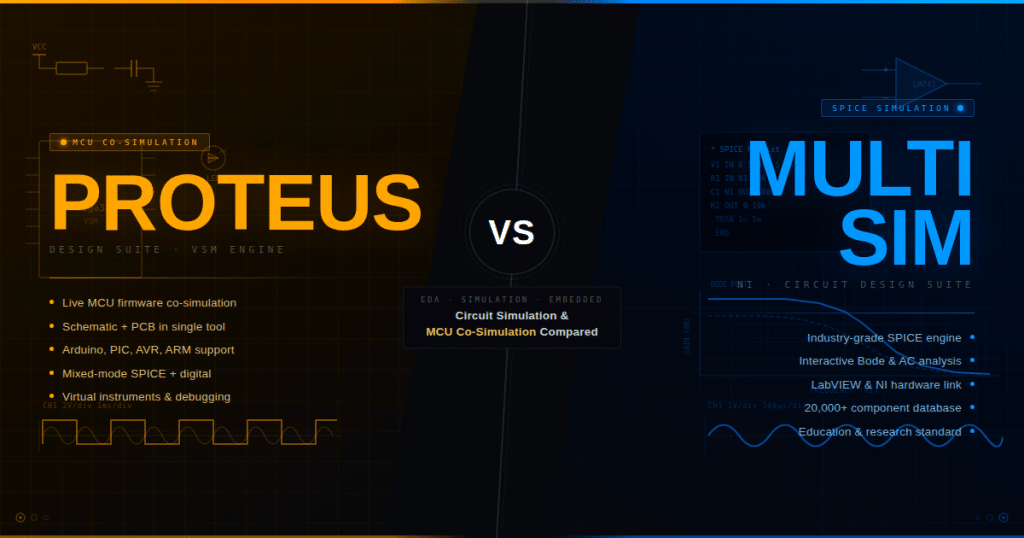
Both Proteus and Multisim are simulation-first EDA tools — a distinction that already separates them from pure PCB design platforms like KiCad or Altium. Both run SPICE-based simulation. Both support microcontroller simulation to some degree. Both are used extensively in universities.
But the engineering community has reached a clear practical consensus about where each tool belongs: Multisim for analog circuit teaching and deep SPICE analysis; Proteus for embedded firmware-hardware co-development. Understanding why leads directly to the right choice for your specific situation.
Where They Agree: The Shared Foundation
Both support SPICE simulation: Both use Berkeley SPICE-derived engines for analog simulation — transient analysis, AC analysis, DC operating point, frequency response. Both produce waveform plots from simulation. Both include large component libraries with manufacturer-supplied SPICE models.
Both simulate microcontrollers: Both platforms include some form of MCU co-simulation — running actual compiled code alongside circuit simulation. This is the capability that distinguishes both tools from pure analog simulators like LTspice.
Both are used in education: Multisim is standard in many North American university electronics labs. Proteus is the dominant tool in embedded systems programs globally, particularly in Asia, Eastern Europe, and the Middle East.
Both include PCB layout tools: Multisim pairs with NI Ultiboard for PCB layout. Proteus includes ARES for PCB layout. Neither PCB module is at the level of Altium or KiCad for complex professional boards, but both complete the schematic-to-board workflow.
Where Multisim Leads
Analog Simulation Accuracy and Depth
Multisim’s SPICE engine is widely regarded as producing more accurate analog simulation results than Proteus’s ProSPICE for demanding applications. The specific strengths:
Component model library depth: Multisim Pro includes 55,000+ components with manufacturer-validated SPICE models from Analog Devices, Texas Instruments, Maxim, Infineon, EPC, and other semiconductor vendors. The models are vendor-certified, which matters for high-precision analog design. Multisim also maintains direct relationships with these manufacturers to keep models current.
Analysis types: Multisim’s analysis suite is comprehensive:
- Transient analysis
- AC analysis (frequency sweep, Bode plot)
- DC operating point
- DC sweep
- Monte Carlo analysis — statistical variation of component tolerances
- Worst-case analysis — boundary analysis for tolerance stacking
- Noise analysis
- Distortion analysis (THD, IM distortion)
- Fourier analysis (FFT)
- Parametric sweep — sweep any component parameter across a range
- Pole-Zero analysis
- Sensitivity analysis
Monte Carlo and worst-case analysis are particularly valuable for professional analog design verification — they reveal how component tolerance variation affects circuit performance. These are engineering-grade analysis tools that Proteus implements less completely.
Virtual instruments — lab bench replication: Multisim includes 30 virtual instruments designed to look and behave like physical lab equipment:
- Oscilloscope (2 or 4 channel, Tektronix-style interface)
- Multimeter
- Function generator (Agilent-style interface)
- Wattmeter
- Bode plotter (frequency analyzer)
- Logic converter
- Word generator
- Logic analyzer
- IV characteristic analyzer (component curve tracer)
- Distortion analyzer
- Spectrum analyzer
- Network analyzer
- Agilent and Tektronix virtual instruments (in higher editions) — real instrument interface replicas
The virtual Tektronix and Agilent instrument replicas are a genuine pedagogical advantage: students interact with interfaces identical to the physical instruments they’ll encounter in labs and professional environments.
NI hardware integration: Multisim integrates with NI hardware — the NI ELVIS (Educational Laboratory Virtual Instrumentation Suite) lab station allows students to compare simulated Multisim results directly against real measurements from physical hardware in the same environment. For universities with NI ELVIS installations, this creates a seamless simulation-to-hardware bridge that no other tool offers.
3D breadboard simulation: Multisim includes a 3D breadboard view where circuits appear as they would on a physical breadboard, component by component. This is specifically valuable for teaching — students who have never worked on physical electronics can see how the schematic translates to an actual board layout before they build anything.
Multisim Live: Multisim’s browser-based version allows circuit simulation from any device without installation. A database of 30,000+ community-shared circuits provides a ready library of educational examples accessible from any browser.
User Interface Polish
Multisim’s interface — while sometimes described as dated — has been refined over decades for educational clarity. Component placement, wiring, and simulation launch are intuitive for students who are new to EDA. G2 reviews consistently note ease of use as a strength. One practitioner puts it clearly: “It’s results are very much close to real world, if I use right components.”
Where Proteus Leads
Microcontroller Co-Simulation — Breadth and Depth
This is the area where Proteus has no real competitor at any price, and where Multisim falls significantly short.
MCU family coverage:
Proteus VSM supports 750+ microcontroller variants across all major families:
- Microchip PIC (PIC10, PIC12, PIC16, PIC18, PIC24, dsPIC33)
- Atmel/Microchip AVR (ATmega, ATtiny, XMEGA) — all Arduino-compatible variants
- Arduino boards (Uno, Mega, Nano, Leonardo, and compatible)
- ARM Cortex (Cortex-M0, Cortex-M3 — STM32, NXP, TI)
- Texas Instruments MSP430, PICCOLO
- NXP ARM7, Cortex-M0, Cortex-M3
- 8051 family (all variants)
- Raspberry Pi Pico (MicroPython, version 9.1)
- ESP32 (MicroPython, version 9.1)
Multisim’s MCU library is significantly more limited. The MCU Module supports the 8051/8052, PIC16F84, and a small number of other variants — but not the ATmega series (Arduino AVR), not ARM Cortex-M families, not STM32, not modern PIC18 or PIC24 families. NI Multisim community forums document this limitation explicitly: “Under master database/MCU Module you can only find 8051, 8052 for ATMEL and PIC16F84 for Microchip PIC. It have not any ATMEL AVR (such as mega, tiny, can, … family).”
For anyone working with Arduino, STM32, or modern PIC devices — the three most common embedded platforms in education and professional development today — Multisim’s MCU simulation is not viable. Proteus handles all of them.
Simulation fidelity per MCU:
When Proteus simulates a microcontroller, the simulation is complete down to the peripheral register level:
- CPU execution of actual machine code
- I/O port behavior including direction register effects
- Timer/counter operation including overflow interrupts
- USART transmit/receive with actual baud rate timing
- SPI and I2C bus transactions visible on virtual oscilloscope and protocol analyzer
- ADC sampling with correct conversion time
- PWM output with correct duty cycle and frequency
The interaction between the running firmware and the external circuit is waveform-accurate — what the MCU drives on a port pin, the connected circuit sees at that exact timing. A hardware bug (floating input, incorrect pull-up, wrong timer period) manifests in Proteus simulation exactly as it would manifest in physical hardware.
Firmware debugging within the circuit:
Proteus’s debugging environment integrates with the simulation at the instruction level:
- Set breakpoints in C/C++ source code or assembly
- Hardware breakpoints triggered by circuit conditions (e.g., “pause when this pin goes low”)
- Single-step execution while watching the entire circuit respond
- Inspect CPU registers, RAM, EEPROM during simulation
- Watch variable values update in real time
This is embedded debugging that happens in software, before hardware exists. One of the most commonly cited Proteus user experiences: “Being able to run firmware and hardware together in one tool speeds up debugging massively. You see instantly whether the issue is in code or circuitry.”
Integrated Virtual Instruments for Embedded Work
Proteus includes instruments specifically useful for embedded debugging:
- I2C protocol analyzer — decode I2C bus transactions in real time during simulation; see which device address is being accessed, what data is being written or read
- SPI protocol analyzer — decode SPI bus communication
- UART virtual terminal — see actual serial output from firmware in a terminal window during simulation
- Logic analyzer — 16+ channels for digital signal capture
- Oscilloscope — multi-channel waveform display synchronized to simulation
These protocol analyzers are absent from Multisim’s instrument set — and for embedded engineers, they’re essential. Knowing that your I2C initialization is generating the correct start condition, device address byte, and data frame is a core debugging task that Multisim cannot perform.
Complete PCB Workflow
Proteus’s ARES module supports PCB design up to 16 copper layers with push-and-shove routing, differential pair routing, length matching, 3D visualization, MCAD export (STEP/IGES), and Gerber/ODB++ output. The integrated schematic-to-PCB-to-Gerber workflow is smoother and more complete than Multisim + Ultiboard.
AI Design Assistance (Version 9.1)
Proteus 9.1 introduced ProPilot — an AI assistant with real-time access to the open schematic and simulation data. It generates peripheral initialization code (I2C, SPI, ADC, PWM) based on what’s visible in the schematic, explains circuit topology decisions, and assists with firmware debugging. Multisim has no equivalent AI capability.
The MCU Library Gap — Why It Matters in Practice
This deserves its own section because it’s the most practically consequential difference between the two tools.
When an electronics instructor designs a lab exercise around an ATmega328P (the Arduino Uno’s microcontroller) — or when an embedded engineering student wants to simulate their STM32-based project — they need a SPICE simulation of that specific MCU, with all its peripherals, running actual compiled firmware.
Multisim cannot do this for the ATmega328P. It cannot do it for the STM32F103. It cannot do it for any PIC18 device. The MCU Module’s supported device list is small and dated.
Proteus does all of this. The simulation is not approximate — the MCU model runs the same binary that programs the physical device, with full peripheral fidelity.
This is why the practical electronics community consistently directs embedded MCU simulation questions toward Proteus: “I say again, you can download Proteus program that is work similar to NI Multisim and it have more MCU and other components.” And from professional practice: “I tried to work in MultiSim with a PIC16F84 microcontroller, but after spending a lot of time, I did not get a result. And Proteus, for example, copes with this task perfectly well.”
Feature Comparison Table
| Feature | Proteus 9.1 | NI Multisim Pro |
|---|---|---|
| SPICE analog simulation | ✅ ProSPICE | ✅ Berkeley SPICE |
| Analog simulation accuracy | Good | ✅ Stronger (vendor-certified models) |
| MCU co-simulation | ✅ 750+ variants | Limited (8051, PIC16F84, few others) |
| Arduino (ATmega) simulation | ✅ | ❌ |
| ARM Cortex-M simulation | ✅ | ❌ |
| STM32 simulation | ✅ | ❌ |
| PIC18/PIC24/dsPIC | ✅ | ❌ |
| MicroPython (Pico, ESP32) | ✅ (v9.1) | ❌ |
| Source-level firmware debugging | ✅ | Limited |
| Hardware breakpoints | ✅ | ❌ |
| I2C/SPI protocol analyzer | ✅ | ❌ |
| UART virtual terminal | ✅ | ✅ |
| Monte Carlo analysis | ✅ | ✅ |
| Worst-case analysis | Limited | ✅ |
| Noise analysis | ✅ | ✅ |
| Distortion analysis | ✅ | ✅ |
| Component library size | 15M+ (web search) | 55,000 (Pro) |
| Manufacturer-certified models | Partial | ✅ Strong |
| Virtual instruments count | ~15 | 30 (Pro) |
| Tektronix/Agilent replicas | ❌ | ✅ |
| 3D breadboard view | ❌ | ✅ |
| NI hardware integration | ❌ | ✅ ELVIS/myDAQ |
| AI design assistant | ✅ ProPilot (v9.1) | ❌ |
| Browser-based simulation | ❌ | ✅ Multisim Live |
| PCB layout | ✅ ARES (16 layers) | ✅ Ultiboard |
| Push-and-shove routing | ✅ | Limited |
| MCAD export (STEP) | ✅ | ❌ |
| Windows/macOS | Windows only | Windows only |
| License model | Perpetual + USC | Perpetual + subscription |
| Free trial | 14 days full features | Multisim Live (free online) |
The Decision Framework
Choose Proteus if your primary need is:
Embedded systems development — You are writing firmware for PIC, AVR, Arduino, STM32, MSP430, or any modern MCU family. You need to run that firmware against a virtual circuit and debug it before physical hardware exists. Multisim cannot do this for modern MCU families. Proteus does it for 750+ variants with full peripheral fidelity and source-level debugging.
Teaching embedded programming — You want students to write code, load it into a virtual MCU on a schematic, and see the hardware response. The breadth of supported MCU families means you can use Proteus regardless of which microcontroller platform your curriculum uses.
Complete design workflow — Schematic → simulation → firmware debug → PCB layout → Gerber in one tool. Proteus’s ARES is a complete, professional PCB layout tool with push-and-shove routing and STEP export.
AI-assisted design — Proteus 9.1’s ProPilot generates firmware initialization code from your schematic, helps debug circuit faults, and queries documentation intelligently. No other EDA tool at this tier has equivalent capability.
Choose Multisim if your primary need is:
Teaching analog circuit theory — You want students to build op-amp circuits, filters, rectifiers, and power stages in a clean, intuitive environment and compare results with physical lab measurements. Multisim’s interface, 3D breadboard, and NI ELVIS integration are specifically designed for this workflow.
Deep analog SPICE analysis — You need Monte Carlo tolerance analysis, worst-case analysis, or precision noise/distortion simulation with vendor-certified component models. Multisim’s analysis suite and model library are stronger for high-precision analog work.
NI ecosystem integration — Your lab uses NI ELVIS hardware stations. Multisim’s direct hardware integration makes it the only reasonable choice; no other simulator connects to ELVIS.
Browser-based simulation — Multisim Live provides full simulation in a browser, useful for students working off-campus or in bring-your-own-device environments.
Neither is ideal if:
You need complex high-layer-count PCB design with advanced signal integrity analysis → look at Altium Designer or Cadence Allegro.
You need maximum SPICE accuracy for analog precision work → LTspice (free, from Analog Devices) offers comparable or superior analog simulation at zero cost.
The Coexistence Pattern
Many university programs and engineering teams use both:
- Multisim for the first-year circuits lab — analog fundamentals, filter design, op-amp circuits, comparing simulation against physical NI ELVIS measurements
- Proteus for the second/third-year embedded systems courses — writing firmware for PIC or AVR, debugging I2C sensor interfaces, developing Arduino-based projects
The two tools complement rather than compete. Multisim is where analog electronics is taught; Proteus is where embedded development happens. The confusion arises when someone tries to use Multisim for MCU co-development (it can’t) or uses Proteus to teach analog fundamentals without the NI hardware lab context (it works, but Multisim’s pedagogical features are more refined).
Summary
Proteus and Multisim are not really competitors — they excel in different simulation domains. If you need to simulate embedded firmware running on a real MCU against a real circuit and debug it at the source level, Proteus is the only viable tool at any price point for modern MCU families. If you need deep analog SPICE analysis with Monte Carlo tolerance modeling and integration with physical lab hardware, Multisim’s educational suite is purpose-built for that workflow. The fact that both are simulation-focused tools with MCU capability does not make them interchangeable — the MCU library gap (750+ Proteus variants vs a handful in Multisim) makes them practically different tools for different jobs.
Get a license — free consultation
Pricing depends on version and number of users. Message us on Telegram and we’ll reply with an exact quote — no commitment required.
|
✓
20+ years experience
Software engineers with a long track record
|
⚡
Delivered within 24h
Your license is sent within one business day
|
↩
Money-back guarantee
If the license doesn’t work, we refund in full
|
Usually reply within a few hours — free consultation, no upfront payment




