What Is VibTrend 2?
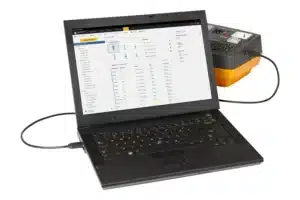
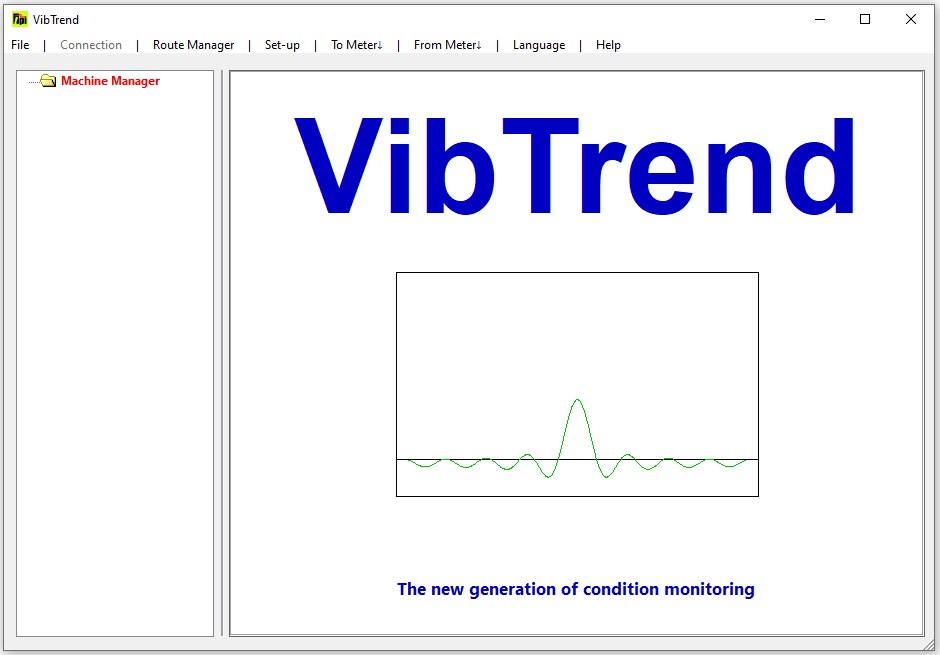
VibTrend 2 is the PC-based vibration data management and analysis software developed by Test Products International (TPI) for use with their range of Smart Vibration Analyzers — the TPI 9080, 9084, 9085, and compatible instruments. It serves as the desktop companion application that collects, stores, trends, and reports on vibration data transferred from the handheld instruments after a measurement round.
VibTrend 2 is the evolution of TPI’s original VibTrend software, providing an enhanced interface and expanded asset management capabilities. It bridges the gap between field vibration measurements and systematic, database-driven predictive maintenance — allowing maintenance teams to go beyond individual spot readings and track machine health trends over time.
The software is specifically designed for entry-to-mid-level predictive maintenance programs — organizations that have purchased TPI handheld vibration instruments and want to implement systematic vibration monitoring without the complexity or cost of enterprise-grade condition monitoring platforms.
Compatible TPI Hardware
VibTrend 2 is designed to work with TPI’s Smart Vibration Analyzer product family:
TPI 9080 Smart Trend Vibration Meter
The core instrument of the TPI range — a handheld vibration analyzer designed for route-based condition monitoring at the push of a button:
- Overall vibration measurement (velocity, acceleration)
- 800-line FFT spectrum with zoom and cursor
- Bearing Damage Units (BDU) measurement for early bearing wear detection
- Built-in band filters: 1× (unbalance), 2× (misalignment), 3× (looseness)
- Color-coded ISO and BDU alarm levels on-screen
- Bluetooth and USB data transfer to VibTrend 2
- IP67 rated for industrial environments
- 96 dB dynamic range, ±60g input, 10 kHz frequency range
- Standard VibTrend software included: up to 10 assets, 10 readings per asset
- VibTrend 2 / Pro license (A9084): unlimited assets, unlimited readings
TPI 9084 Smart Vibration Analyzer
Enhanced version of the 9080 with additional capabilities:
- All 9080 features
- Higher specification signal processing
- Includes VibTrend Pro as standard (unlimited asset tracking)
- More detailed on-board spectrum display
TPI 9085 Smart Vibration Analyzer
Adds temperature measurement to the vibration capabilities:
- All 9080 vibration measurement features
- Integrated non-contact temperature measurement
- Temperature helps distinguish bearing faults from other noise sources (cavitation, gearbox noise, nearby bearings, motor winding issues)
- Uses C-Trend II PC software rather than VibTrend — C-Trend II incorporates both vibration and temperature trending in a single application
TPI 9080-Ex Intrinsically Safe
ATEX/IECEx certified version of the 9080 for use in explosive atmospheres (Zone 1 areas):
- All 9080 measurement features
- IECEx/ATEX certification: Ex ib IIC T4 Gb
- Includes VibTrend Pro with unlimited assets as standard
- Essential for oil and gas, chemical plants, and similar hazardous area applications
VibTrend 2 License Tiers
Standard VibTrend (Included with 9080)
Bundled with the basic TPI 9080 kit at no extra cost:
- Up to 10 assets in the database
- 10 readings per asset
- Full spectrum display and trending for the assets stored
- Suitable for small facilities monitoring only critical machines
VibTrend Pro / VibTrend 2 (License A9084)
The full licensed version — sold separately as part number A9084:
- Unlimited assets in the database
- 10 readings per asset (multiple measurement points per asset)
- Essential for any facility with more than 10 machines to monitor
- Required for systematic route-based condition monitoring programs
- Included as standard with TPI 9084, 9080-Ex, and 9080-Plus kits
For facilities implementing a meaningful predictive maintenance program — even modest ones covering 20–50 machines — the Pro/Version 2 license is the practical requirement.
Core Features
Asset Management Database
VibTrend 2 organizes all monitored machinery in a structured database:
- Create an asset hierarchy reflecting your plant layout (building → area → machine)
- Each asset stores: machine name, location, type, running speed, bearing models
- Measurement points defined per asset (typically: drive end horizontal, drive end vertical, non-drive end horizontal, non-drive end vertical for a motor)
- All historical readings stored per measurement point — the complete vibration history of every machine in one place
- Search and filter assets by name, location, alarm status, or last measurement date
This database structure transforms ad-hoc vibration readings into a systematic condition history — the foundation of any effective predictive maintenance program.
Data Transfer from Instrument
When a measurement route is complete, connect the TPI instrument to the PC via USB or Bluetooth:
- VibTrend 2 automatically recognizes the instrument
- All readings collected during the route download in seconds
- Data is stored in the asset database and immediately available for review
- Timestamp accuracy maintained throughout — every reading is date/time stamped
Vibration Trending
The core analytical function of VibTrend 2 — displaying how vibration levels change over time:
- Overall vibration trend plots — time-series graphs showing velocity (mm/s or in/s) and acceleration (g) for each measurement point across all readings
- Color-coded alarm thresholds plotted on trend graphs — ISO 10816 severity zones (A/B/C/D) displayed visually
- BDU (Bearing Damage Units) trending — track early bearing wear progression from healthy to alert to alarm
- Trend line visualization — the rate of deterioration is immediately visible from the slope of the trend
- Multiple measurements per asset point — plot all readings from a single measurement location to reveal deterioration patterns
The value of trending versus spot readings is significant: a single high vibration reading may be a measurement anomaly, but a consistent upward trend over weeks or months is a reliable indicator of a developing fault.
FFT Spectrum Analysis
VibTrend 2 displays the 800-line FFT spectra transferred from the instrument, enabling frequency-domain analysis of vibration faults:
- Spectrum display with frequency on the X-axis and amplitude on the Y-axis
- Zoom function — expand any frequency range for detailed inspection
- Cursor — place a cursor on any spectral peak to read its exact frequency and amplitude
- Display in Hz, CPM, or RPM — switch between frequency units to match your analysis preference
- Frequency bands highlighted for common fault types at the machine’s running speed:
- 1× running speed (1X) → unbalance
- 2× running speed (2X) → misalignment
- 3× running speed (3X) → looseness, rub
- Higher harmonics and sidebands for gear and bearing analysis
For machines running at known speeds, the frequency bands at which bearing fault frequencies (BPFI, BPFO, BSF, FTF) would appear can be calculated and cross-referenced with the displayed spectrum.
Alarm Management
VibTrend 2 implements the ISO 10816 / ISO 20816 vibration severity classification:
ISO Overall Vibration Zones:
- Zone A (Green): Newly commissioned or normal operation — no action required
- Zone B (Yellow): Acceptable for long-term operation — monitor at increased frequency
- Zone C (Orange): Unsuitable for continuous long-term operation — investigate and plan corrective action
- Zone D (Red): Immediately dangerous — immediate shutdown recommended
BDU (Bearing Damage Unit) Alarm Levels: TPI’s proprietary Bearing Damage Unit scale indicates early bearing wear based on shock pulse measurements:
- Low BDU → bearing in good condition
- Medium BDU → beginning of bearing wear — increased monitoring recommended
- High BDU → significant bearing wear — replacement planning required
- Very high BDU → urgent bearing replacement needed
Color-coded displays in VibTrend 2 make alarm status immediately visible without requiring the user to memorize threshold values.
Report Generation
VibTrend 2 generates maintenance reports for documentation and communication:
- Asset condition summary reports — list of all assets with current alarm status, last reading values, and trend direction
- Individual machine reports — trend history, spectrum, and alarm status for a specific asset
- Custom report borders — add company name and logo
- PDF and print output — distribute to maintenance managers, supervisors, and engineers
- Reports serve as maintenance records for audit purposes and support maintenance planning decisions
How to Use VibTrend 2: Workflow Overview
Step 1 — Set Up Asset Database
Before first use, configure the asset database:
- Create assets for each machine to be monitored (pump, motor, fan, compressor, etc.)
- Enter machine details: name, location, running speed (RPM)
- Define measurement points for each asset (typically 2–4 points per machine)
- Set alarm thresholds (use ISO 10816 defaults or customize for your machine class)
Step 2 — Prepare Measurement Route on Instrument
Load the list of assets/measurement points onto the TPI instrument:
- Connect instrument to PC via USB
- Transfer asset list to instrument via VibTrend 2 sync function
- The instrument displays the measurement route in the correct sequence
Step 3 — Collect Field Measurements
Walk the measurement route:
- Place the magnetic-mount accelerometer on the bearing housing at the defined measurement point
- Wait for the instrument to stabilize and capture the reading
- The instrument displays: overall velocity (mm/s), BDU level, spectrum, and alarm status
- Move to the next measurement point
A typical route of 20–30 machines with 3–4 points each takes 1–2 hours.
Step 4 — Download Data to VibTrend 2
After completing the route:
- Return to PC and connect the instrument via USB or Bluetooth
- VibTrend 2 automatically downloads all new readings
- New readings appear in the asset database with the current date/time stamp
Step 5 — Review Results and Trend Analysis
In VibTrend 2:
- Open the asset dashboard — machines with active alarms are highlighted in color
- Click on any alarmed machine to view its trend history and most recent spectrum
- Identify whether the alarm represents a new development or continued deterioration
- Generate a report summarizing the condition of all monitored assets
Step 6 — Schedule Maintenance Actions
Based on the VibTrend 2 review:
- Machines trending upward in Zone C/D: raise work orders for investigation or planned replacement
- Machines with elevated BDU: plan bearing replacement at next scheduled downtime
- Machines in Zone A/B: continue monitoring at normal frequency
VibTrend 2 vs. Enterprise Condition Monitoring Software
VibTrend 2 is positioned as a practical, entry-level condition monitoring software — not a full enterprise platform. Understanding its scope helps set appropriate expectations:
| Aspect | VibTrend 2 | OMNITREND Center | SKF @ptitude Analyst |
|---|---|---|---|
| Compatible hardware | TPI instruments only | PRUFTECHNIK only | SKF instruments only |
| Asset capacity | Unlimited (Pro) | Unlimited | Unlimited |
| FFT spectrum display | ✅ 800-line | ✅ Advanced | ✅ Advanced |
| Advanced spectral analysis (waterfall, envelope) | Limited | ✅ Full | ✅ Full |
| Bearing fault frequency database | Limited | ✅ Large | ✅ Very large |
| Gearbox analysis | ❌ | ✅ | ✅ |
| CMMS integration (SAP, Maximo) | ❌ | ✅ | ✅ |
| Online monitoring integration | ❌ | ✅ | ✅ |
| Report quality | Good — basic | Professional | Professional |
| Learning curve | Very low | Moderate | Moderate |
| Cost | Low | Mid-enterprise | Mid-enterprise |
| Target user | Maintenance tech | Vibration analyst | Vibration analyst |
VibTrend 2 is the right choice when:
- You are using TPI 9080/9084 instruments and need PC-based trending and reporting
- Your team is non-specialist maintenance technicians rather than dedicated vibration analysts
- Your facility has up to a few hundred machines to monitor without dedicated reliability engineering staff
- You need a practical, low-cost entry point to systematic vibration monitoring
- Simplicity and ease of use are more important than analytical depth
Enterprise platforms (OMNITREND, @ptitude) are needed when:
- You require detailed bearing fault frequency analysis with manufacturer databases
- Advanced spectral analysis (enveloping, waterfall, order analysis) is needed
- CMMS integration for work order generation is required
- You have dedicated reliability engineers who need full analytical toolsets
System Requirements
| Component | Requirement |
|---|---|
| OS | Windows 7, 8, 10, 11 (32 or 64-bit) |
| RAM | 2 GB minimum |
| Storage | 500 MB for installation |
| USB | Required for instrument connection |
| Bluetooth | Optional — for wireless data transfer |
| Internet | Not required for core operation |
VibTrend 2 is a lightweight Windows application — it runs on virtually any modern PC without GPU or high-specification hardware requirements.
Frequently Asked Questions
What is the difference between the standard VibTrend (included free) and VibTrend 2 / Pro? Standard VibTrend limits you to 10 assets with 10 readings each — adequate only for monitoring a handful of critical machines. VibTrend 2 / Pro (license A9084) removes all asset limits, making it suitable for any size of predictive maintenance program. For any organization monitoring more than 10 machines, the Pro license is practically necessary.
Can VibTrend 2 work with instruments from other brands? No. VibTrend 2 is designed exclusively for TPI Smart Vibration Analyzers (9080, 9084, 9085 series). It does not support data import from instruments made by other brands (SKF, PRUFTECHNIK, Emerson, Fluke).
Does VibTrend 2 require an internet connection? No. VibTrend 2 operates as a standalone desktop application. Internet connectivity is not required for database management, analysis, or report generation. The instrument communicates via USB cable or Bluetooth — no cloud connection.
How many readings per asset does VibTrend 2 store? The Pro/Version 2 license stores 10 readings per measurement point. Each reading includes the overall vibration values, BDU, and the full 800-line spectrum. For monitoring programs with monthly routes, this represents approximately 10 months of history. Older readings are overwritten when the buffer is full — export important data to PDF reports before overwriting occurs.
Can I run VibTrend 2 on multiple PCs? The A9084 license is typically a single PC license. For multi-PC deployments, contact TPI or your local distributor about site license options.
What is BDU (Bearing Damage Unit) and why does TPI use it instead of standard shock pulse? BDU is TPI’s proprietary bearing condition indicator based on high-frequency vibration measurement — similar in concept to SPM (Shock Pulse Measurement) used by SPM Instrument or Spike Energy used by other brands. It provides an easy-to-read single-number indication of bearing wear status regardless of machine speed, complementing the overall velocity measurement. Different manufacturers use different proprietary scales for this measurement; TPI’s BDU serves the same diagnostic purpose.
Summary
VibTrend 2 is the purpose-built PC companion software for TPI’s Smart Vibration Analyzer instruments — providing the asset management, trending, spectrum analysis, and reporting functions that transform individual vibration readings into a systematic, database-driven predictive maintenance program.
For maintenance teams that have invested in TPI 9080 or 9084 instruments and want to go beyond looking at individual readings, VibTrend 2 Pro (license A9084) is the essential upgrade — enabling unlimited asset tracking, systematic trend monitoring, and professional reporting at a cost-effective price point.
For organizations ready to step up to full-feature vibration analysis with bearing fault frequency databases, advanced spectral analysis, and CMMS integration, platforms like OMNITREND Center (for PRUFTECHNIK hardware) or SKF @ptitude represent the next level.
For licensing assistance or VibTrend 2 setup support, contact our team via Telegram: t.me/DoCrackMe
Related articles: TPI 9080 vs 9084 — Which Vibration Analyzer for Your Maintenance Program? | OMNITREND Center vs VibTrend — When to Upgrade Your Vibration Software | Getting Started with Route-Based Vibration Monitoring — A Practical Guide