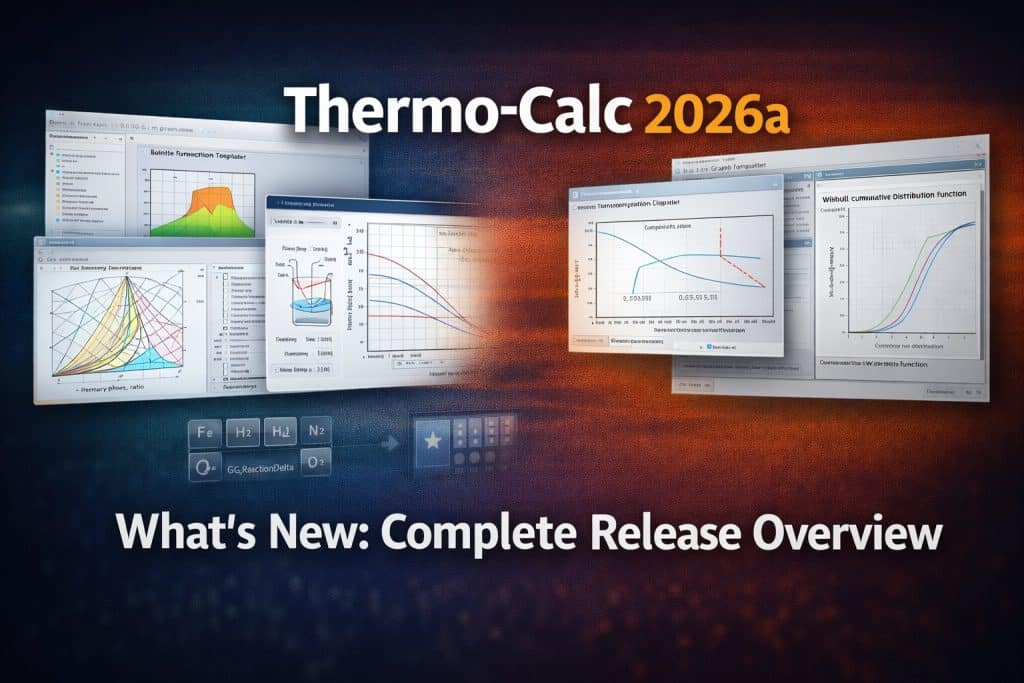
Thermo-Calc 2026a was released on January 21, 2026. It is a major release featuring a fundamentally new tool for aqueous system calculations, an expanded additive manufacturing module, significant interface improvements, and eight new or substantially updated databases. This overview covers every significant addition in detail.
1. Aqueous Calculator — The Headlining New Feature
This is the most significant addition in version 2026a.
Prior to 2026a, aqueous system calculations in Thermo-Calc — including Pourbaix diagrams (also called Eh-pH diagrams) — were available primarily through Console Mode and required complex manual setup: appending multiple databases, manually configuring aqueous system parameters, and knowing specific console commands. This made corrosion calculations largely inaccessible without specialist Thermo-Calc Console experience.
The Aqueous Calculator is an entirely new calculator in Graphical Mode that eliminates this barrier.
What the Aqueous Calculator Does
Pourbaix Diagrams (Eh-pH): A Pourbaix diagram maps the thermodynamic stability regions for a metallic alloy as a function of electrochemical potential (Eh) and solution acidity (pH). Three key regions appear:
- Immunity — the metal is thermodynamically stable; corrosion cannot occur
- Corrosion — the metal dissolves, forming aqueous ions
- Passivation — a protective oxide or hydroxide layer forms on the metal surface
The Aqueous Calculator generates these diagrams through the graphical interface — no console commands required.
Specialized aqueous quantities:
- Eh relative to the Standard Hydrogen Electrode (SHE)
- pH of the aqueous solution
- Solubility of solid phases in the aqueous environment
- Activity of aqueous ionic species
- Concentrations of aqueous species along phase boundaries
- Nearly a dozen aqueous-specific properties in the new Aqueous Properties category
Dedicated calculation template: The Aqueous Calculator includes a built-in template with parameters pre-optimized for aqueous systems — defaults are set for typical aqueous solution conditions (for example, very low solid solubility), eliminating common manual configuration errors.
Backward compatibility: The Aqueous Calculator works with the legacy AQS2 database and with the free PAQ2 database (included with all 2026a installations). However, the fully optimized experience — with the most accurate results and no need to manually append gas, solid phase, and oxide databases — requires the new TCAQ4 database (see the Databases section below).
Practical impact: For corrosion engineers, materials scientists, and researchers working in hydrometallurgy, geochemistry, or aqueous chemistry, this means that complex corrosion resistance calculations previously requiring deep Console Mode knowledge are now accessible through the standard graphical interface. Two calculation examples using PAQ2 are included with the 2026a installation and available immediately.
2. Electron Beam Melting (EBM) in the Additive Manufacturing Module
Prior to 2026a, the Additive Manufacturing (AM) Module supported only Laser Powder Bed Fusion (LPBF). In 2026a, support extends to Electron Beam Melting (EBM) — the second major powder bed fusion process used in industrial additive manufacturing.
New EBM Capabilities
Heat source modeling: The electron beam is modeled with Gaussian energy distribution. Absorptivity is calculated as a function of chemical composition, accelerating voltage, and incident angle — fundamentally different from laser processes where absorptivity depends on wavelength.
Available simulation modes (matching LPBF capability):
- Steady-state simulation — fast melt pool estimation for rapid parameter iteration; useful for quickly evaluating process windows before committing to detailed simulation
- Transient simulation — detailed modeling of melt pool evolution and heat distribution during single or multi-track builds; reveals solidification microstructure evolution
Note: Spot/point melting is not supported in the AM Module.
Why EBM Matters
EBM has distinct process characteristics relative to LPBF that are critical for specific applications:
- Vacuum environment — reduces contamination and oxidation; essential for reactive metals (Ti, TiAl, Nb, Ta)
- High substrate temperature (500–1000°C) — dramatically reduces residual stress and hot cracking susceptibility
- Higher build rates — electron beam power typically exceeds laser power for large cross-sections
- Crack-prone materials — enables processing of alloys that crack under the rapid cooling of LPBF, including γ-TiAl intermetallics and high-temperature nickel superalloys
- Larger build volumes — EBM systems accommodate larger part envelopes
Adding EBM support means Thermo-Calc’s AM Module now covers both major industrial powder bed fusion processes. This is particularly significant given the growing use of EBM for aerospace structural components, orthopedic implants (Ti-6Al-4V, CoCrMo), and advanced turbine components (γ-TiAl).
3. Common Phase Names in Plots and Tables
This improvement significantly reduces the learning curve for users unfamiliar with CALPHAD phase naming conventions.
The Background
CALPHAD systems traditionally use crystallographic nomenclature based on the Pearson notation:
- FCC_A1 — face-centered cubic structure (austenite in steels, γ-phase in nickel superalloys)
- BCC_A2 — body-centered cubic structure (ferrite in steels, α-iron)
- BCC_B2 — ordered BCC (β-phase in some TiAl systems)
- SIGMA — sigma phase (detrimental intermetallic in austenitic stainless steels)
- LAVES_C14, C15 — Laves phases (strengthening phases in creep-resistant alloys)
This notation is precise and internationally standardized, but creates an interpretation barrier for engineers and students unfamiliar with crystallographic conventions.
What Changed in 2026a
Thermo-Calc 2026a introduces the option to display common industry phase names alongside (or instead of) crystallographic designations:
- FCC_A1 → austenite / γ-phase
- BCC_A2 → ferrite / α-ferrite
- And corresponding substitutions for other named phases in metallic systems
Availability:
- Graphical Mode plots and tables
- Console Mode output
- TC-Python plots and tables
Requirement: Common phase names are available when using newer, larger databases that include a common phase names file. For older or custom databases, users can create a custom phase name mapping file. When using a compatible database in 2026a, common names appear by default.
This is a usability improvement that benefits teaching environments, interdisciplinary teams, and experienced engineers who work across multiple alloy systems and prefer familiar metallurgical terminology over crystallographic notation.
4. Change Phase Status and Phase Energy Additions in Equilibrium Calculator
Small in scope, significant in workflow impact.
Change Phase Status
Previously, suspending a phase or setting it to dormant for metastable equilibrium calculations required navigating back to the System Definer, making changes there, and reloading the database — a time-consuming operation that interrupted the calculation workflow.
In 2026a, phase status can be changed directly in the Equilibrium Calculator without reloading the database. This is particularly valuable for metastable calculations — for example, calculating a metastable phase diagram by suppressing a stable phase to understand competing phase stability, or iterating through multiple configurations without database reload delays.
Phase Energy Additions
A new capability allowing users to add energy contributions to individual phases directly in the Equilibrium Calculator. Practical applications:
- Temperature correction: Adjust transformation temperatures that are calculated close to but not exactly matching experimental values — fine-tune the solvus, solidus, or transition temperatures without modifying the database
- Precipitation simulation preparation: Calculate the effect of phase energy additions in the Equilibrium Calculator to see how they affect the property diagram and solvus temperature, then apply those calibrated corrections in TC-PRISMA for more accurate precipitation kinetics
- Sensitivity analysis: Assess how uncertainties in database parameters affect calculated equilibria
While Phase Energy Additions existed previously in TC-PRISMA, the new Equilibrium Calculator integration allows visual inspection of how energy modifications shift the phase diagram — providing immediate feedback before applying adjustments to kinetic modules.
5. Eight New and Updated Databases
This is the most extensive database update in a single release for some time.
TCAQ4 — Aqueous Solutions Database
Fully redesigned to work with the new Aqueous Calculator. TCAQ4 is so substantially different from TCAQ3 that it should be considered an entirely new database.
Key changes:
- Optimized for the Aqueous Calculator — no need to manually append gas, solid phase, and oxide databases (all included)
- 15 new elements: Am, Bi, Ge, Hf, Ir, Nb, Np, Pa, Pm, Pu, Rh, Ta, Tc, Ti, and Zr
- Nuclear applications: Zr (cladding), Nb, Pu, Am, Np, Pa, Pm, Tc
- Aerospace corrosion: Ti, Hf, Ta
- Specialty metals recovery: Bi, Ge, Ir, Rh
- Temperature range: up to 1000°C; pressure: up to 5 kbar
- Full Pourbaix diagram support for complex multicomponent systems
TCFE15 — Steel and Fe-Alloys Database
Another major update to Thermo-Calc’s flagship steel database — one of the most cited databases in the metallurgical literature. TCFE versions are the standard reference for multi-component steel thermodynamics globally.
What’s new:
- Extended coverage of highly alloyed systems
- Improved accuracy for modern steel grades: duplex stainless, maraging, HSLA
- New data for Fe-based high entropy alloys
- Expanded Fe-Mn-Al-C system coverage (lightweight high-strength steels)
MOBFE9 — Fe-Alloys Mobility Database
The mobility (kinetic) database paired with TCFE, used for DICTRA diffusion simulations and TC-PRISMA precipitation calculations in iron-based systems. Updated to match TCFE15 coverage.
TCTI7 and MOBTI6 — Titanium and TiAl-based Alloys
Thermodynamic (TCTI7) and kinetic (MOBTI6) databases for titanium systems. Particularly important in the context of EBM module expansion: EBM is widely used for Ti-6Al-4V structural parts and γ-TiAl turbine blades, where the high substrate temperature prevents cracking that occurs in LPBF processing.
TCOX15 — Metal Oxide Solutions Database
Database for oxide systems, critical for:
- Process metallurgy (slags, fluxes, ladle metallurgy)
- Thermal barrier coatings (TBC — YSZ and next-generation systems)
- Glass and ceramics
- Nuclear materials (UO₂, mixed oxides, fission product behavior)
- Refractory materials
MOBHEA4 — High Entropy Alloys Mobility Database
Kinetic database for high and medium entropy alloys — a rapidly growing research area. Supports DICTRA diffusion calculations and TC-PRISMA precipitation growth simulations for HEA/MEA systems where conventional databases lack coverage.
TCPMAG3 — Permanent Magnetic Materials Database
Database for rare-earth permanent magnets (NdFeB, SmCo, and related systems). Growing strategic importance given:
- Electric vehicle traction motors (NdFeB magnets)
- Wind turbine generators (permanent magnet generators)
- Defense applications (rare earth magnets in guidance systems, actuators)
- Critical materials recycling and supply chain research
6. Other Improvements
Installation Without Admin Rights (Windows)
Starting with 2026a, Thermo-Calc can be installed on most Windows systems without running the installer as Administrator. Previously, right-clicking and selecting “Run as Administrator” was required. Meaningful for corporate and university IT environments with restricted user privileges.
2026a Patch (January 30, 2026)
A patch was released nine days after the initial release. Users running version 2026.1.190209-250 are recommended to install the patch, which addresses bugs identified in the first days of deployment.
Complete Database Summary for 2026a
| Database | Type | Material System | Key Changes |
|---|---|---|---|
| TCAQ4 | Thermodynamic | Aqueous solutions | Complete redesign, +15 elements, Aqueous Calculator optimized |
| TCFE15 | Thermodynamic | Steel and Fe-alloys | Major update, expanded system coverage |
| MOBFE9 | Kinetic | Fe-alloys | Diffusion kinetics, precipitation growth |
| TCTI7 | Thermodynamic | Ti and TiAl | Updated for additive manufacturing |
| MOBTI6 | Kinetic | Ti-alloys | Kinetics for Ti systems |
| TCOX15 | Thermodynamic | Metal oxide solutions | Slags, coatings, nuclear oxides |
| MOBHEA4 | Kinetic | High entropy alloys | Diffusion and precipitation in HEA/MEA |
| TCPMAG3 | Thermodynamic | Permanent magnets | NdFeB and rare earth systems |
Who Benefits Most from Each 2026a Element
Aqueous Calculator + TCAQ4: Corrosion engineers, hydrometallurgists, geochemists, nuclear materials researchers (especially with new Zr, Nb, Pu elements), environmental chemistry specialists.
EBM in AM Module + TCTI7/MOBTI6: Additive manufacturing process engineers working with Ti-6Al-4V, γ-TiAl, and other reactive alloys; aerospace structural component manufacturers; orthopedic implant developers.
TCFE15 + MOBFE9: Steel metallurgists, new steel grade developers, heat treatment and thermomechanical processing specialists, Fe-based HEA researchers.
Common phase names: New Thermo-Calc users, engineers without crystallographic background, educators using Thermo-Calc in courses, interdisciplinary teams.
TCPMAG3: NdFeB and Sm-Co magnet developers, EV and wind energy specialists, critical rare earth materials recycling researchers.
Summary
Thermo-Calc 2026a is one of the most substantive releases in recent years. The Aqueous Calculator moves complex corrosion calculations from Console Mode into the graphical interface, making them accessible to a significantly broader user base. EBM support in the Additive Manufacturing Module completes coverage of both major industrial powder bed fusion processes. Eight updated databases cover critical material systems from steel and titanium to high entropy alloys and permanent magnets — with the TCAQ4 redesign representing a particularly substantial expansion of aqueous chemistry coverage.
For Thermo-Calc 2026a licensing assistance, contact our team via Telegram: t.me/DoCrackMe
Also see: Thermo-Calc vs FactSage vs Pandat — CALPHAD Software Compared | Thermo-Calc Additive Manufacturing Module Guide | TC-Python — Automating Thermo-Calc Calculations with Python