What Is ManageEngine Ransomware Protection Plus?
ManageEngine Ransomware Protection Plus is a dedicated anti-ransomware solution from ManageEngine (the IT management division of Zoho Corporation) built specifically to detect, contain, and recover from ransomware attacks on Windows endpoints. Unlike general-purpose antivirus tools, it is purpose-engineered for ransomware’s distinct behavior patterns — mass file encryption, shadow copy deletion, credential harvesting, and lateral movement.
It operates in two deployment configurations:
- Standalone product — deployed independently as a dedicated ransomware protection layer for organizations not using other ManageEngine products
- Add-on to Endpoint Central — integrated into ManageEngine’s unified endpoint management (UEM) platform at ~$145/year, combining ransomware protection with patch management, device control, vulnerability management, and remote troubleshooting in a single agent
Current version: 11.5.2611.02
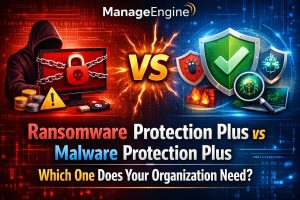
Key differentiator from Malware Protection Plus: ManageEngine offers two distinct security add-ons for Endpoint Central. Malware Protection Plus (~$495/year) is a full next-generation antivirus (NGAV) covering the complete malware spectrum — trojans, spyware, fileless attacks, zero-days, and ransomware. Ransomware Protection Plus (~$145/year) is a narrower, ransomware-specific module at a lower price point, focused entirely on the detect-contain-recover workflow for ransomware incidents. Organizations with existing antivirus deployments who need dedicated ransomware resilience — particularly VSS-based recovery — are the primary audience for Ransomware Protection Plus.
The Ransomware Problem: Why Specialized Protection Matters
Traditional antivirus catches malware it has seen before. Ransomware operators know this. Modern ransomware families evade signature detection through:
- Polymorphism — automatically mutating code to avoid matching known signatures
- Living-off-the-land (LotL) — using legitimate Windows utilities (PowerShell, WMI, certutil, regsvr32) as attack vehicles, never touching disk with a recognizable malicious file
- Memory-only execution — loading and executing entirely within RAM, bypassing file-based detection
- Delayed activation — dormant infection periods that allow the ransomware to spread laterally before triggering encryption, often evading systems that correlate file arrival time with detection
Once active, ransomware pursues a predictable operational playbook: enumerate files → delete or corrupt shadow copies (to prevent rollback) → encrypt target files → drop ransom note. The window between initial encryption and complete data loss is typically minutes to hours.
ManageEngine Ransomware Protection Plus addresses this by detecting ransomware through what it does — its behavioral patterns — rather than what it is, and by maintaining tamper-protected shadow copies that ransomware cannot delete.
Core Detection Architecture
Behavior-Based Detection (No Signature Dependency)
The detection engine analyzes process and file behavior in real time, flagging patterns characteristic of ransomware activity:
- Mass file modification — detecting processes that open, read, and rewrite large numbers of files in rapid succession (the encryption pattern)
- File extension changes — monitoring for bulk renaming of files to unfamiliar extensions (the post-encryption fingerprint)
- Entropy analysis — measuring the randomness of file content; encrypted files have dramatically higher entropy than their original versions, detectable even without knowing the specific encryption algorithm
- Shadow copy deletion attempts — any process attempting to delete VSS snapshots is immediately flagged, as this is a standard ransomware tactic to prevent recovery
- Critical system file modification — monitoring for unauthorized changes to registry keys, boot configuration, and system files commonly targeted by ransomware
This behavioral approach means Ransomware Protection Plus detects previously unseen ransomware variants — including zero-day and custom ransomware — that have no existing signature. It also enables effective protection in air-gapped and low/no-network environments, since detection operates locally without requiring cloud connectivity for definition updates.
Decoy File Monitoring (Canary Files)
Ransomware Protection Plus deploys decoy files (also called canary files or bait files) strategically across managed endpoints. These files are designed to look like valuable documents to ransomware but serve no legitimate operational purpose.
When ransomware begins its encryption sweep, it typically starts with the most accessible files — and decoy files are positioned to be among the first targets. The moment a process attempts to encrypt or modify a decoy file, an immediate alert fires. This provides:
- Early warning before significant data loss — ransomware is caught attempting to encrypt the bait file, not after it has already encrypted hundreds of real documents
- Low false positive rate — legitimate user processes and applications have no reason to modify the decoy files, so alerts from them are genuinely suspicious
- Rapid incident response — because the alert fires at the very beginning of the encryption sweep, IT teams have time to contain the threat before it spreads
Kernel-Level Anti-Encryption
Beyond detection, Ransomware Protection Plus includes kernel-level controls that can prevent unauthorized encryption from executing in the first place. This operates below the application layer, where most ransomware runs, making it difficult for ransomware to bypass.
When suspicious encryption behavior is detected, the anti-encryption mechanism can terminate the offending process and block further encryption attempts before the full payload executes.
Memory and Script-Based Attack Detection
Ransomware delivered through fileless techniques — PowerShell scripts, macro-enabled Office documents, malicious WMI queries — operates entirely in memory without writing a traditional executable to disk. Ransomware Protection Plus monitors process memory and script execution behavior to detect these attacks even when no file-based signature is available.
Containment: Stopping Spread Before It Becomes a Crisis
Detecting ransomware early is valuable only if containment is fast. Ransomware is designed to spread laterally — from the initial infected endpoint to network shares, connected drives, and ultimately other endpoints — in the shortest possible time.
Automated Endpoint Isolation
When ransomware is confirmed (or flagged as high-confidence), Ransomware Protection Plus can automatically quarantine the infected endpoint — severing its network connections to prevent lateral spread while maintaining administrative access for remediation. This happens in seconds after detection, dramatically reducing the blast radius of an attack.
Administrators can also trigger manual isolation from the central console for any endpoint suspected of compromise.
Two Response Modes: Audit and Kill
IT teams have different operational preferences for automated response aggressiveness. Ransomware Protection Plus provides two configurable modes:
Audit Mode: The system flags suspicious processes and generates alerts but does not automatically terminate them. IT staff review flagged incidents, classify them as true positive or false positive, and take manual remediation action. Preferred by organizations that want human review before automated intervention, or that need to minimize the risk of false-positive disruption to legitimate processes.
Kill Mode: The system automatically terminates processes exhibiting ransomware behavior as soon as the confidence threshold is crossed. No human intervention required before process termination. Preferred by organizations prioritizing maximum automation and minimum response time, accepting occasional false positives in exchange for faster containment.
Both modes generate detailed incident logs regardless of which automated action (if any) is taken.
False Positive Management
Any behavior-based detection system must handle false positives — legitimate processes that exhibit patterns similar to ransomware. Ransomware Protection Plus includes an exclusions framework:
- Folder exclusions — specify directories where trusted applications operate; modifications in those directories by specified processes are not flagged
- Application exclusions — whitelist specific signed executables that are known to legitimately perform bulk file operations (backup software, database engines, file compression utilities)
- Signed certificate exclusions — exempt processes carrying trusted code-signing certificates from behavioral flagging within specified scope
The patented detection engine is designed for low false positive rates — prioritizing signal accuracy over sensitivity to minimize alert fatigue for IT teams.
VSS-Based Recovery: The Data Resilience Layer
Detection and containment address the spread of ransomware. Recovery addresses the damage already done before detection fires. This is where Ransomware Protection Plus’s shadow copy architecture becomes the critical differentiator.
Automatic Shadow Copies Every Three Hours
Ransomware Protection Plus leverages Microsoft’s Volume Shadow Copy Service (VSS) to automatically create shadow copies of all files on each protected endpoint at three-hour intervals. These snapshots capture the state of every file — documents, databases, configuration files — at the time of the snapshot.
Importantly, the shadow copies are stored locally on the endpoint itself, not in a network location that ransomware could reach through network enumeration. This local storage ensures:
- Snapshot creation does not add network bandwidth load
- Snapshots are available even if the endpoint is isolated from the network during recovery
- The three-hour RPO (Recovery Point Objective) is delivered without dependency on a backup server
Tamper-Proof Shadow Copy Protection
Standard ransomware — particularly sophisticated variants like LockerGoga — deletes or corrupts VSS shadow copies as one of their first actions, specifically to prevent exactly this kind of recovery. Ransomware Protection Plus applies a patented tamper-protection mechanism to its VSS snapshots:
- Ransomware cannot delete or corrupt the Ransomware Protection Plus shadow copies even if it successfully deletes standard VSS snapshots
- Accidental or intentional deletion by users is also prevented
- The protection operates transparently with negligible storage overhead
This tamper protection is the feature that closes the gap that most VSS-based recovery strategies leave open: the ransomware deletes the backups before encrypting the data, leaving nothing to restore.
One-Click Encrypted File Recovery
After an attack is contained:
- Ransomware Protection Plus identifies all files that were encrypted or tampered with during the attack
- It correlates the affected files with the most recent clean VSS snapshot
- A one-click recovery workflow initiates restoration — only the specific encrypted or tampered files are restored to their last known good versions
- Full machine reimaging is not required; only affected files are rolled back
This selective restoration approach minimizes recovery time compared to full system restoration. Multiple endpoints can be recovered in parallel from the central console, keeping RTOs (Recovery Time Objectives) low.
The typical RPO with the three-hour shadow copy interval means, in a worst case, up to three hours of data changes may be lost — but the most recent safe version of every file is always within three hours.
Attack Intelligence and Forensics
Root Cause Analysis
Ransomware Protection Plus maps the complete ransomware attack lifecycle within the incident view:
- Initial entry point — which device and process initiated the attack
- Process chain — the full tree of parent/child processes spawned by the malicious activity
- Files affected — complete list of encrypted, renamed, or deleted files
- Network activity — connections made during the attack (command-and-control communications, lateral movement attempts)
- Timeline — timestamps for each stage of the attack
This root cause analysis serves two purposes: immediate incident response (understanding what happened and whether remediation is complete) and long-term security posture improvement (identifying the initial attack vector to close it).
MITRE ATT&CK Mapping
Every detected ransomware incident is mapped to the relevant MITRE ATT&CK tactics, techniques, and procedures (TTPs). This mapping:
- Provides a standardized language for incident reporting and communication with security teams
- Enables identification of which ATT&CK techniques are most frequently used against the organization’s environment
- Supports threat intelligence sharing by mapping incidents to community-recognized technique IDs
- Assists compliance reporting for frameworks that reference MITRE ATT&CK
Threat Intelligence Integration
Ransomware Protection Plus integrates with the VirusTotal community for threat context enrichment:
- Hash lookups for malicious files identified during incidents
- IP and URL reputation checks for command-and-control addresses used in the attack
- Cross-referencing observed TTPs against community-reported ransomware families
Deployment and System Requirements
Deployment Model
Ransomware Protection Plus uses the existing Endpoint Central agent — no separate agent installation is required on protected endpoints. If Endpoint Central is already deployed, activating Ransomware Protection Plus is a licensing change, not an infrastructure change. For standalone deployments, the Endpoint Central agent is deployed first.
Supported Platforms
- Windows 10 / 11 (all editions)
- Windows Server 2012 R2, 2016, 2019, 2022
Note: Ransomware Protection Plus protects Windows endpoints only. ManageEngine’s broader Endpoint Central platform manages macOS and Linux devices, but the ransomware-specific protection module does not extend to those platforms in the current version.
Resource Footprint
Ransomware Protection Plus is engineered for minimal impact:
- ~1% network bandwidth consumption for the agent
- Lightweight on CPU and memory — designed for production endpoints without degrading user productivity
- VSS shadow copies are stored locally on the endpoint with negligible storage overhead (VSS captures only changes since the last snapshot, not full file copies)
Network Connectivity Requirements
- Edge-based detection operates locally — does not require continuous cloud connectivity for threat detection
- Effective in air-gapped and low/no-network environments
- Management console communication for reporting and administration requires network connectivity to the Endpoint Central server
Pricing
| Deployment | Price |
|---|---|
| Ransomware Protection Plus add-on (with Endpoint Central) | ~$145/year per license block |
| Malware Protection Plus add-on (full NGAV, includes ransomware) | ~$495/year |
| Endpoint Central Professional (base UEM, no security add-ons) | From ~$104/month (50 devices cloud) |
| Endpoint Central Security Edition (includes all security features) | Custom quote |
| Free trial | 30 days, unlimited endpoints |
Ransomware Protection Plus vs Malware Protection Plus — which to choose:
Choose Ransomware Protection Plus (~$145/year) if your organization already has an antivirus solution (CrowdStrike, SentinelOne, Windows Defender, etc.) and specifically needs to add VSS-based recovery, decoy file monitoring, and dedicated ransomware containment on top of existing protection.
Choose Malware Protection Plus (~$495/year) if you need full NGAV replacement — covering the complete spectrum of malware threats (not just ransomware) with AI-driven detection, MITRE ATT&CK mapping, and fileless attack prevention.
Both add-ons can be bundled with Endpoint Central into a unified license. Contact ManageEngine sales for combined pricing.
How It Compares: Ransomware Protection Plus vs Standalone Anti-Ransomware Tools
| Capability | ManageEngine RPP | Acronis | Veeam | Malwarebytes ARW |
|---|---|---|---|---|
| Behavior-based detection | ✅✅ | ✅✅ | ✅ | ✅✅ |
| Decoy/canary file monitoring | ✅✅ | ✅ | ❌ | ✅ |
| VSS shadow copy recovery | ✅✅ Tamper-protected | ✅✅ | ✅✅ (backup focus) | ✅ |
| Tamper-proof VSS protection | ✅✅ Patented | ✅ | ❌ | ❌ |
| Endpoint isolation | ✅✅ | ✅ | ❌ | ✅ |
| MITRE ATT&CK mapping | ✅✅ | ❌ | ❌ | ❌ |
| Root cause analysis | ✅✅ | ✅ | ❌ | ❌ |
| Air-gapped / offline detection | ✅✅ | ✅ | ✅ | ✅ |
| Integrated with UEM / patching | ✅✅ (Endpoint Central) | ❌ | ❌ | ❌ |
| Windows-only limitation | ✅ (Windows only) | Cross-platform | Cross-platform | Cross-platform |
| Price point | ✅✅ ~$145/year | Higher | Higher | Comparable |
The integration advantage: Ransomware Protection Plus’s deepest competitive advantage over standalone anti-ransomware tools is its native integration with Endpoint Central. When ransomware is detected, the same console that manages patches, software inventory, remote access, and device control also handles containment and recovery. IT teams don’t context-switch between a security tool and an endpoint management tool — the response workflow lives in a single interface.
Frequently Asked Questions
Does Ransomware Protection Plus require a separate agent on each endpoint? No. It uses the existing Endpoint Central agent. If Endpoint Central is already deployed, no additional agent installation is required — the module is activated through licensing.
What is the Recovery Point Objective (RPO) with VSS shadow copies? Shadow copies are created every three hours. In a worst-case scenario (attack detected immediately after a snapshot), up to three hours of file changes may be lost. In practice, the most recent snapshot is typically less than three hours old.
Can ransomware delete the shadow copies that Ransomware Protection Plus creates? No. A patented tamper-protection mechanism prevents ransomware — and users — from deleting or corrupting the shadow copies managed by Ransomware Protection Plus. This specifically closes the gap that sophisticated ransomware (like LockerGoga) exploits by deleting standard VSS snapshots before encrypting files.
Does this replace our antivirus? Ransomware Protection Plus is not a full antivirus replacement. It is a ransomware-specific module. Organizations should maintain their existing AV solution alongside Ransomware Protection Plus. If you need a full NGAV replacement, ManageEngine’s Malware Protection Plus (~$495/year) is the appropriate product.
Does it work on macOS or Linux? Not currently. Ransomware Protection Plus protects Windows endpoints only. Endpoint Central manages macOS and Linux devices for other purposes, but the ransomware protection module does not run on those platforms.
What happens if an endpoint is offline during an attack? Edge-based detection operates locally on the endpoint without requiring a cloud or server connection. The endpoint can detect, alert (locally), and initiate response actions even when disconnected from the network.
Can we run it alongside CrowdStrike / SentinelOne / Microsoft Defender? Yes. Ransomware Protection Plus is designed to operate alongside existing security products without conflicts. The tamper-protected VSS recovery layer adds resilience that complements any endpoint protection platform.
Summary
ManageEngine Ransomware Protection Plus 11.5 is a purpose-built ransomware defense layer that addresses the specific weaknesses traditional and even next-gen antivirus products leave in ransomware scenarios: the three-hour recovery window enabled by tamper-protected VSS shadow copies, the early warning provided by decoy file monitoring, and the MITRE ATT&CK-mapped root cause analysis that turns every incident into a learning opportunity.
At ~$145/year as an Endpoint Central add-on, it is one of the most cost-effective ways to add VSS-based ransomware recovery and behavioral containment to an existing endpoint management infrastructure — particularly for organizations that already have an antivirus solution and specifically need the recovery resilience layer.
For IT environments running Endpoint Central, activating Ransomware Protection Plus means no new agent, no new console, and no new training — just an additional layer of ransomware-specific protection and recovery built into the same management workflow.
For Ransomware Protection Plus licensing assistance, contact via Telegram: t.me/DoCrackMe
Also see: ManageEngine Malware Protection Plus — Full NGAV Guide | ManageEngine Endpoint Central Security Edition — Complete Guide | ManageEngine ADManager Plus — Active Directory Management