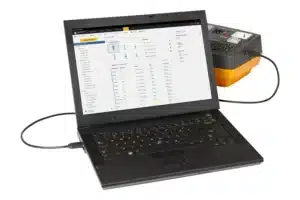
What Is Axon Builder?
Axon Builder is a specialized SCADA/HMI (Supervisory Control and Data Acquisition / Human-Machine Interface) software developed by Axon Group (Colombia). Unlike general-purpose industrial SCADA platforms designed to cover every sector, Axon Builder was built with a specific focus: electrical power systems and substation automation.
This specialization defines everything about the software — its native support for power industry communication protocols (IEC 61850, ICCP, IEC 60870), its screen template library populated with bay diagrams, busbars, and interlocks rather than generic process equipment, and its signal naming conventions aligned with IEC 61850 data models.
Version 3.7.4.4 is among the current releases. Axon Builder is deployed across power utilities, electrical substations, distribution networks, and industrial facilities with significant electrical infrastructure in Latin America and internationally.
The software is used by:
- Power utility engineers designing substation SCADA systems
- Electrical automation engineers integrating IEDs (Intelligent Electronic Devices) and protection relays
- System integrators delivering turnkey substation automation solutions
- Control room operators monitoring and controlling electrical networks
- Engineering contractors building SCADA projects for utility clients
Why a Specialized Electrical SCADA?
General-purpose SCADA platforms (Ignition, WinCC, InTouch, iFIX) can theoretically be configured for electrical substation applications. In practice, electrical substation projects have requirements that general SCADA platforms handle poorly without significant customization:
IEC 61850 native support — the international standard for substation communication (MMS, GOOSE, SCL import) requires either deep native implementation or expensive third-party add-ons in general SCADA tools.
Electrical single-line diagram (SLD) symbology — standard IEC 60617 symbols for circuit breakers, disconnectors, busbars, transformers, current transformers (CTs), and voltage transformers (VTs) are not available in general SCADA symbol libraries.
Bay-level automation logic — interlocking logic for switchgear operations, zone-based responsibility management, and protection coordination require specialized configuration tools.
Telecontrol protocol support — protocols like ICCP (Inter-Control Center Communications Protocol), IEC 60870-5-101/104, and DNP3 are power-industry specific and require dedicated drivers.
Sequence of Events (SOE) — microsecond-resolution event timestamping for protection relay operations requires purpose-built data management.
Axon Builder provides all of these capabilities as built-in features rather than add-on modules, making it significantly more productive for electrical projects than adapting a general SCADA platform.
Architecture
Client/Server Model
Axon Builder is built on a client/server architecture that scales from a single-station installation to a multi-user distributed system:
- Server component — handles all real-time data acquisition from field devices, data processing, alarm management, historical storage, and protocol gateway functions
- Client component — provides the visualization and control interface; multiple simultaneous clients can connect to one server
- Clients can run on the same machine as the server (standalone) or on separate networked workstations (distributed)
- Web-based thin clients allow operator access without local software installation
This architecture supports everything from a small substation with a single operator workstation to a regional control center with dozens of concurrent operator sessions.
Multithreaded Processing
Axon Builder 3 uses a multithreaded architecture providing two core benefits:
Robustness — if one processing thread encounters an error, other threads continue operating. The SCADA system remains functional even when individual components encounter issues, which is critical for power system applications where interruptions in monitoring can have safety and operational consequences.
Performance — parallel processing threads handle data acquisition, alarm evaluation, historical logging, screen updates, and report generation simultaneously without blocking each other, enabling high data throughput even in complex projects.
Live Update Without Restart
A distinctive feature of Axon Builder 3: configuration changes can be applied to a running system with minimal or no service interruption. The server restarts only the minimum number of services affected by a configuration change — and in many cases, changes can be applied with no restart at all.
This is critical for operational power substations where extended SCADA downtime for configuration updates is operationally unacceptable.
Core Features
IEC 61850 Integration
IEC 61850 is the international standard for substation communication, defining data models and protocols for intelligent electronic devices (IEDs — protection relays, bay controllers, merging units). Axon Builder provides deep native IEC 61850 support:
MMS (Manufacturing Message Specification) — the primary client-server protocol for accessing IED data from SCADA systems. Axon Builder implements the MMS client, connecting to IEC 61850 servers in protection relays and bay controllers to read measurements, status, and control functions.
GOOSE (Generic Object Oriented Substation Event) — high-speed peer-to-peer messaging between IEDs at the bay level. Axon Builder can subscribe to GOOSE messages for fast status updates from switchgear.
SCL (Substation Configuration Language) Import — IEC 61850 systems are configured using SCL files (SCD, CID, IID formats). Axon Builder can import SCL files to automatically populate the signal database with the IED’s data model — eliminating manual signal entry.
Automatic Signal Renaming Wizard — one of Axon Builder’s most time-saving features:
- Takes raw IEC 61850 MMS addresses (structured names like
XCBR1.Pos.stVal) and translates them into human-readable signal names - Uses customizable rules defined in regular expression language
- Searches for matches between predefined name lists and the IED’s data model nomenclature
- Automatic match recommendation renames signals from the predefined list
- Rules available in an open format — can be extended or created from scratch to accommodate different naming conventions (utility-specific, country-specific, project-specific)
Supported Telecontrol Protocols
Axon Builder’s protocol gateway capability makes it a central hub for integrating diverse field devices and upstream control systems:
IED/Field Device Protocols:
- IEC 61850 (MMS, GOOSE)
- IEC 60870-5-101 (serial)
- IEC 60870-5-104 (TCP/IP)
- DNP3 (serial and TCP/IP)
- Modbus RTU and Modbus TCP
- Additional protocol support via gateway modules
Control Center Protocols:
- ICCP (Inter-Control Center Communications Protocol / IEC 60870-6 TASE.2) — the standard protocol for communication between power utility control centers and between control centers and substation SCADA systems. Axon Builder includes availability calculation for ICCP channels.
Hot-Standby Redundancy
For critical power infrastructure, single points of failure are unacceptable. Axon Builder implements Hot-Standby redundancy:
- Active/Standby server pair — the standby server mirrors the active server in real time
- Automatic failover — if the active server fails, the standby takes over automatically with no manual intervention
- Transparent to clients — operator workstations reconnect to the standby server without operator action
- Supports redundant network paths for high-availability deployments
- Essential for primary substations and control centers where SCADA unavailability has operational and safety implications
Smart Screen Wizard
Building HMI screens for electrical systems traditionally requires manually placing symbols, mapping each to the correct signal, and configuring animation behaviors (color changes for open/close state, alarm flashing, etc.) — a time-consuming task in large substations with many bays.
The Smart Screen Wizard automates this:
- Select a bay type template from the gallery (transformer bay, feeder bay, bus coupler, measurement bay, etc.)
- The wizard automatically creates the screen with all the standard symbols for that bay type
- Signals are mapped to animations and actions — either automatically (when signal names follow a standard convention) or manually for non-standard configurations
- Multiple bays can be generated in a single wizard session
The template gallery is extensible — engineering companies can create their own bay templates representing their standard screen designs and add them to the library, so every new project starts from a validated, pre-built template rather than from scratch.
Zone Management
Axon Builder implements responsibility zone management — dividing the supervised electrical system into defined zones, each with its own access control:
- Define zones corresponding to voltage levels, substations, feeders, or operational responsibility areas
- Assign operators to zones — limiting control actions to the zones each operator is responsible for
- Prevent cross-zone interference in control centers managing multiple substations
- Audit trail of all zone-specific operator actions
This is particularly important for regional control centers supervising dozens of substations across a distribution or transmission network.
Alarm, Event, and Trend Management
Real-time and historical data handling:
- Alarm management — prioritized alarm display, acknowledgment workflow, alarm suppression during maintenance, alarm statistics and analysis
- Sequence of Events (SOE) — high-resolution event logging with millisecond or microsecond timestamps for protection operations, switchgear operations, and system events
- Trend historian — configurable time-series storage for analog measurements (voltage, current, power, frequency) and status changes
- Event log — complete audit trail of operator actions, system events, and communication events
Custom Logic and Data Processing
Axon Builder allows engineers to define custom processing rules that go beyond simple data display:
- Calculated values derived from multiple measured signals (e.g., power factor from voltage and current measurements)
- Conditional logic for alarm generation beyond simple threshold comparisons
- Data quality handling and substitution rules
- Custom aggregation and statistical calculations
Rules are defined using predefined logic functions combined with custom-programmed logic where standard functions are insufficient.
Report Generation
Programmable report generation:
- Configure reports to generate automatically on schedules (hourly, daily, monthly, on-event)
- Define report content: measurement summaries, alarm statistics, event logs, energy totals
- Notifications: email or system alerts when reports are generated or when specific conditions are met
- Export formats for integration with utility management systems
Project Templates System
Axon Builder includes a project template system — a significant productivity feature for engineering companies managing multiple utility clients:
- Save any completed project configuration as a template
- Templates are stored in a resource directory accessible to all project engineers
- New projects for similar clients or installations start from the template — inheriting the color palette, symbol standards, screen layout conventions, signal list structure, and alarm configuration
- Templates enforce consistency across projects and between engineering team members
- Each client or installation type can have its own template (e.g., 132/33 kV substation template, 33/11 kV distribution substation template, industrial HV template)
For engineering contractors with multiple utility clients, this system dramatically reduces project setup time and ensures visual and functional consistency that simplifies operator training across sites.
Visualization and Control
Signal Visualization and Forcing
- Real-time display of all signal values with configurable refresh rates
- Color-coded status displays aligned with IEC 60617 electrical diagram conventions (typically: red = energized/closed, green = de-energized/open)
- Signal forcing — manually override a field signal value for testing or maintenance scenarios (with appropriate access control and audit logging)
- Command execution — send control commands to field devices (open/close circuit breakers, change setpoints) with configurable command sequences (select-before-operate or direct operate)
Multiple Visualization Clients
Multiple operator workstations can connect simultaneously, each showing the same real-time data from the server. Different clients can be configured with different views — overview screens for dispatchers, detailed bay screens for local operators, engineering diagnostic screens for maintenance engineers.
Axon Builder vs. Competing Electrical SCADA Platforms
| Feature | Axon Builder 3 | Siemens WinCC | GE iFIX | Ignition (Inductive Automation) |
|---|---|---|---|---|
| Electrical sector focus | ✅ Specialized | General + Electrical add-ons | General | General |
| IEC 61850 native | ✅ | Via add-on | Via add-on | Via module |
| ICCP / IEC 60870-6 | ✅ | Via add-on | Via add-on | Via module |
| IEC 60870-5-104 | ✅ | ✅ | ✅ | ✅ |
| Smart Screen Wizard (bays) | ✅ | ❌ | ❌ | ❌ |
| Auto signal renaming (IEC 61850) | ✅ | Manual | Manual | Manual |
| Hot-Standby redundancy | ✅ | ✅ | ✅ | ✅ |
| Live update without restart | ✅ | Limited | Limited | ✅ |
| Project templates system | ✅ | Limited | Limited | ✅ |
| Zone/responsibility management | ✅ | Via scripting | Via scripting | Via scripting |
| SOE (Sequence of Events) | ✅ | ✅ | ✅ | ✅ |
| Engineering learning curve | Lower (electrical focus) | Higher (general) | Moderate | Moderate |
| Primary market | Power utilities | All industries | All industries | All industries |
| Latin America support | ✅ Strong | Limited | Limited | Limited |
Choose Axon Builder when: Your project is an electrical substation, distribution network, or power utility control center. The native IEC 61850 tools, electrical-specific screen templates, and the Smart Screen Wizard will dramatically reduce engineering time compared to adapting a general SCADA platform. Local support in Latin America and Spanish-speaking markets is a further practical advantage.
Choose WinCC or Ignition when: Your facility combines electrical systems with general process automation (chemical processes, water treatment, manufacturing) and you need a single SCADA platform to cover all aspects, or when your organization has existing skills and licenses for these platforms.
System Requirements
| Component | Requirement |
|---|---|
| OS | Windows 10 / Windows Server 2016 or later |
| CPU | Intel Core i5 or equivalent |
| RAM | 8 GB minimum, 16 GB recommended for large projects |
| Storage | 50 GB minimum (more for historian data storage) |
| Network | 100 Mbps Ethernet minimum, 1 Gbps recommended |
| Display | 1920 × 1080 minimum for operator workstations |
For Hot-Standby configurations, two server machines with identical hardware specifications are required.
Frequently Asked Questions
What protocols does Axon Builder support for connecting to protection relays? Axon Builder natively supports IEC 61850 (MMS and GOOSE), IEC 60870-5-101, IEC 60870-5-104, and DNP3 — the four most common protocols used in modern protection relays and bay controllers. For legacy devices using proprietary protocols, the Axon Exchange gateway product (a companion product from Axon Group) can handle protocol conversion.
Can Axon Builder connect to upstream control centers via ICCP? Yes. Axon Builder includes ICCP (IEC 60870-6 TASE.2) support for exchanging real-time data with regional or national control centers. The software includes availability calculation for ICCP communication channels, enabling monitoring of channel health.
How does the Smart Screen Wizard handle non-standard bay configurations? The Smart Screen Wizard template gallery is fully extensible. If a standard bay template does not match your configuration, the wizard allows manual signal mapping within the wizard interface. For frequently recurring non-standard configurations, a custom template can be created and added to the gallery for future reuse.
Does Axon Builder support cybersecurity features? Yes. Axon Builder includes cybersecurity features appropriate for power utility environments: user authentication with role-based access control, audit logging of all operator actions, encrypted communications where protocols support it, and zone-based access management.
Is a trial version available? Yes. Axon Group makes a trial version available for download from their website at axongroup.com.co. The trial allows evaluation of the full feature set with project size or time limitations.
What is the Axon Builder project template and how does it differ from a project backup? A project template is a starting point for new projects — it contains the standard screen designs, color palette, signal naming conventions, and configuration structure for a particular installation type, but not the specific IED data for any live system. A project backup is a complete copy of a specific deployed project. Templates are used to accelerate new engineering work; backups are used for disaster recovery.
Summary
Axon Builder 3 SCADA/HMI is the SCADA platform purpose-built for electrical power systems — offering native IEC 61850 integration, electrical-specific HMI development tools, telecontrol protocol gateways, and Hot-Standby redundancy in a single package designed specifically for substation automation and power utility control.
Its Smart Screen Wizard and automatic signal renaming tools provide engineering productivity advantages that general SCADA platforms cannot match for electrical projects, while its client/server architecture and live-update capability address the operational availability requirements of critical power infrastructure.
For licensing assistance or Axon Builder configuration support, contact our team via Telegram: t.me/DoCrackMe
Related articles: IEC 61850 Substation Automation — A Practical Guide for Engineers | Axon Builder vs Ignition for Electrical Substations — Feature Comparison | OPC Factory Server Integration with Electrical SCADA Systems