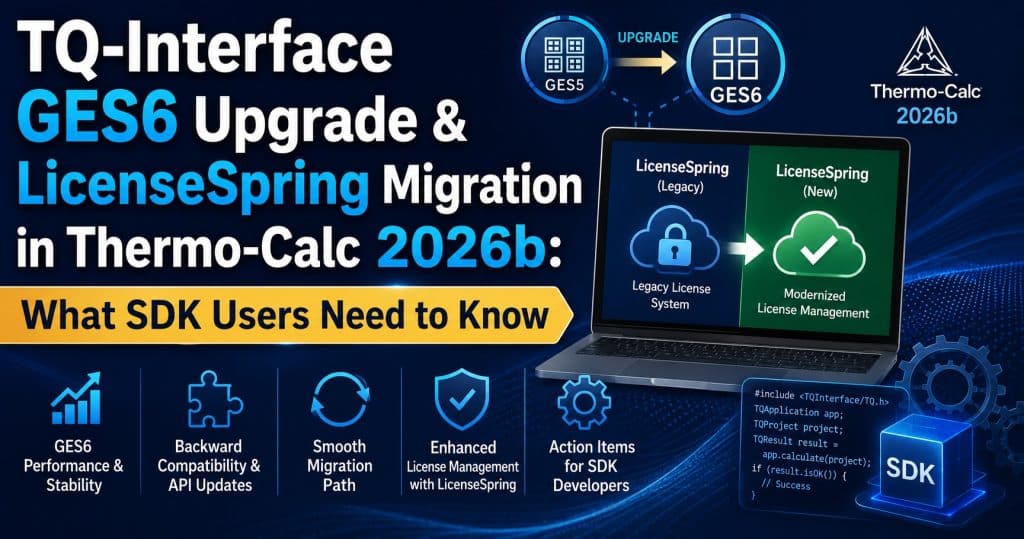
TQ-Interface GES6 Upgrade & LicenseSpring Migration in Thermo-Calc 2026b
Buried beneath the headline features of Thermo-Calc 2026b — the Property Navigator, faster loading, the renamed TCNI14 database — is a change that matters specifically to SDK developers and licensing administrators: TQ-Interface has been upgraded to Gibbs Energy System 6 (GES6), and Thermo-Calc has opened the door for SUNLL license holders to migrate to LicenseSpring, the company’s newer credential-based licensing system — ahead of a hard deadline at version 2027a.
If you build custom applications on top of TQ-Interface, or you manage Thermo-Calc licenses for a team still on legacy node-locked licensing, this is the update to plan around.
TQ-Interface Now Runs on GES6
TQ-Interface is Thermo-Calc’s lower-level SDK, used by developers who need direct programmatic access to thermodynamic and physical property calculations — typically for integration into custom simulation pipelines, in-house tools, or ICME workflows where TC-Python’s higher-level abstractions aren’t the right fit.
Previously, TQ-Interface was tied to GES5 (Gibbs Energy System version 5), which limited the physical properties accessible through the interface. With 2026b, TQ-Interface gains the option to run on GES6, the newer property model framework already used elsewhere in Thermo-Calc.
What GES6 unlocks
Switching to GES6 makes physical quantities available through TQ-Interface that previously required other parts of the software stack:
- Surface tension
- Elastic moduli — bulk modulus, shear modulus, and Young’s modulus
These properties are increasingly relevant as more databases (TCAL11, TCMG9, and others in the 2026b cycle) add elastic-property assessments for specific phases — without GES6 access, TQ-Interface users couldn’t pull those values programmatically even if the underlying database supported them.
How to switch — and why the default hasn’t changed
This is an opt-in change, not a forced migration. The SDK still defaults to GES5 for backward compatibility, so existing TQ-Interface integrations won’t break or behave differently after upgrading to 2026b.
To access GES6, developers use a new subroutine:
TQSET_GES_VERSION(version)
Valid values are 5 or 6. If your application needs surface tension or elastic moduli data, or you want to standardize on the same property model version used elsewhere in your Thermo-Calc workflow, switching is a one-line change. If your existing code doesn’t need those properties, there’s no requirement to touch anything.
LicenseSpring Migration: What SUNLL Users Need to Know
The second major change in this section of the release is licensing-related, and it has a real deadline attached.
Background: SUNLL and the shift to credential-based licensing
SUNLL (Single User Node Locked License) is Thermo-Calc’s legacy node-locked licensing model — tied to a specific machine’s hardware fingerprint rather than a portable user credential. Thermo-Calc has been migrating customers toward LicenseSpring, a user-credential-based system that simplifies license management, since introducing it for the broader product line in the 2025a release cycle.
With 2026b, that migration path is now explicitly extended to TQ-Interface users on SUNLL licenses. If you’ve been holding off because your TQ-Interface deployment specifically wasn’t yet eligible, that’s no longer the case.
What LicenseSpring changes in practice
Moving from SUNLL to LicenseSpring generally means:
- License validation tied to a user credential rather than a specific machine, simplifying re-deployment across new hardware or VMs
- Centralized license management rather than per-machine node-lock files
- Easier handling for development teams that rotate hardware or work across multiple machines (CI servers, build agents, developer workstations)
The 2027a deadline
Thermo-Calc has stated it intends to migrate all remaining users to LicenseSpring at the next release, version 2027a — and that this includes network licenses, not just single-user node-locked seats. In other words, this isn’t an optional, indefinite transition window. If your organization is still running SUNLL or network-licensed TQ-Interface deployments, 2026b is effectively the last release where migrating is purely proactive rather than mandatory.
How to migrate
Migration isn’t self-service through the software itself — Thermo-Calc has stated that users interested in moving to the new licensing system should contact them directly at info@thermocalc.com. If you manage licensing for a team, it’s worth initiating that conversation now rather than waiting until 2027a forces the issue, particularly if you have CI pipelines or automated build systems that depend on TQ-Interface license validation behaving predictably.
Why This Matters Together: SDK Stability Meets Licensing Change
It’s worth connecting these two changes, because they land in the same release for a reason. Thermo-Calc Software is clearly working toward a more unified SDK and licensing architecture: GES6 standardizes the property model framework across more of the product line, and LicenseSpring standardizes license validation the same way. Neither change is disruptive on its own — GES6 is opt-in, and LicenseSpring migration is currently voluntary — but both are clearly heading toward becoming the default, not the exception, by 2027a.
If you’re maintaining a TQ-Interface integration long-term, this is a good moment to:
- Audit whether your code would benefit from GES6 properties (surface tension, elastic moduli)
- Confirm your current licensing model (SUNLL, network, or already on LicenseSpring)
- Start the LicenseSpring migration conversation with Thermo-Calc if you’re still on legacy licensing, rather than waiting for the 2027a forced cutover
How This Fits Into the Rest of the 2026b Release
This update is part of the broader Thermo-Calc 2026b release, which also introduced the Property Navigator, 2.2x faster project loading, the hydrogen-enabled TCNI14 database, and AM Module evaporation modeling. For the full breakdown of everything shipped in this release, see our complete Thermo-Calc 2026b Release: New Features & 9 Databases overview.
💬 Need help understanding which license tier covers TQ-Interface, or want guidance on migrating away from SUNLL before the 2027a deadline? → Message us on Telegram — free consultation, usually a reply within a few hours.
Licensing and Upgrade Notes
- GES6 access in TQ-Interface requires no separate license — it’s a software-level toggle (
TQSET_GES_VERSION) available to existing TQ-Interface license holders. - LicenseSpring migration for SUNLL users is currently optional but will become mandatory at version 2027a, including for network licenses.
- If you’re planning a license renewal, upgrade, or need to budget for a licensing-model change ahead of 2027a, use our Thermo-Calc license price calculator for an instant estimate by version and user count.
Conclusion
The TQ-Interface GES6 upgrade and the extension of LicenseSpring migration to SUNLL users are easy to overlook next to flashier features like the Property Navigator, but they signal where Thermo-Calc’s SDK and licensing architecture is headed. GES6 quietly unlocks surface tension and elastic moduli for programmatic access, while the 2027a LicenseSpring deadline gives legacy license holders a clear — and finite — window to migrate proactively. For SDK developers and license administrators, 2026b is the release to start planning around both.
Need a Thermo-Calc 2026b License?
DoCrack.me provides genuine Thermo-Calc licenses with flexible payment options (USDT TRC-20, alternative methods). Contact us via Telegram @DoCrackMe for enterprise licensing, pricing, and consultation services.
Need a License Price Calculation? Use this tool.
Get a license — free consultation
Pricing depends on version and number of users. Message us on Telegram and we’ll reply with an exact quote — no commitment required.
|
✓
20+ years experience
Software engineers with a long track record
|
⚡
Delivered within 24h
Your license is sent within one business day
|
↩
Money-back guarantee
If the license doesn’t work, we refund in full
|
Usually reply within a few hours — free consultation, no upfront payment