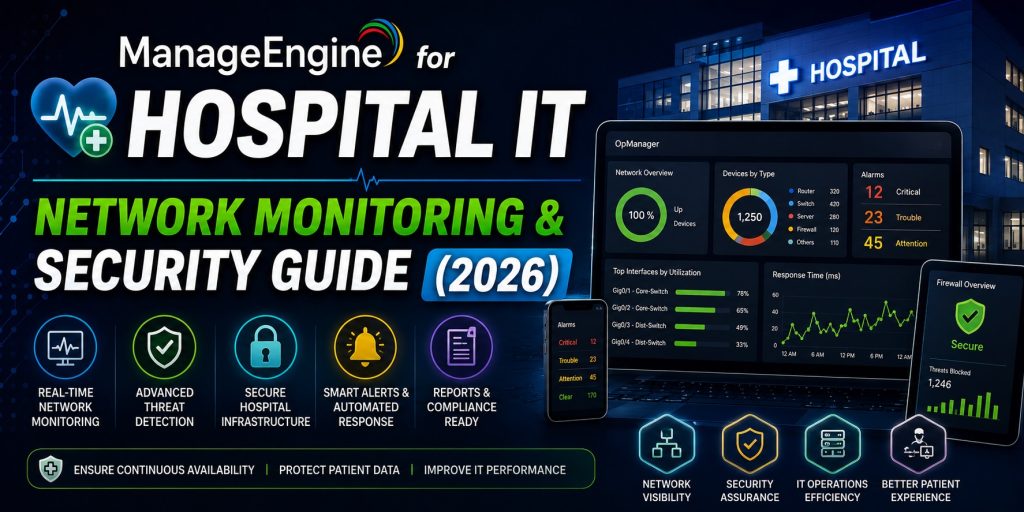
Hospitals and healthcare systems are among the most demanding IT environments in existence. Clinical networks carry an extraordinary mix of traffic — from electronic health records (EHR) and DICOM imaging studies to infusion pump telemetry, nurse call systems, and video conferencing — across infrastructure that must remain operational around the clock. A network outage in an ICU is not an inconvenience: it is a patient safety event.
Healthcare is also, by a significant margin, the most ransomware-targeted industry on earth. The 2020 Universal Health Services attack disrupted 400 US hospitals simultaneously. The 2020 Düsseldorf University Hospital attack — where network failure contributed to a patient death — marked ransomware’s first potential fatality. In 2024, Change Healthcare’s ransomware incident disrupted claims processing for thousands of US providers for weeks.
ManageEngine addresses both dimensions of this challenge: the operational complexity of managing heterogeneous healthcare infrastructure, and the security posture required to defend it. This guide explains exactly how to deploy ManageEngine across a hospital environment — from the network layer to clinical workstations and connected medical devices.
Deploying ManageEngine in a healthcare environment?
Our team has experience with clinical network deployments and can help you scope the right product bundle.
📱 Telegram: t.me/DoCrackMe
Why Healthcare IT Is Fundamentally Different
Healthcare IT teams face a convergence of challenges that no other sector experiences simultaneously:
24/7 uptime with zero tolerance for maintenance windows
Clinical systems cannot be taken offline for scheduled maintenance. Patch deployment, firmware updates, and configuration changes must happen during low-census periods — typically between 02:00 and 06:00 — and must be reversible without disrupting active clinical workflows. ManageEngine’s scheduled deployment windows and rollback capabilities are essential for this constraint.
Internet of Medical Things (IoMT) proliferation
A modern hospital may have 10–15 networked devices per bed — infusion pumps, ventilators, patient monitors, ECG machines, bedside terminals, RFID asset trackers, smart medication dispensers, and more. Most of these devices run embedded operating systems (often Windows XP Embedded or Windows 7) that cannot be updated, cannot run agents, and were never designed with network security in mind. They represent an enormous and largely invisible attack surface.
Regulatory obligations
Healthcare organizations operate under strict regulatory frameworks that impose specific technical controls and audit requirements:
- HIPAA (US): The Security Rule requires access controls, audit logs, automatic logoff, encryption, and integrity controls for electronic Protected Health Information (ePHI)
- GDPR (EU): Special category health data requires heightened protection, breach notification within 72 hours, and demonstrable technical safeguards
- NHS DSPT (UK): NHS Digital’s Data Security and Protection Toolkit mandates specific cybersecurity standards for organizations handling NHS patient data
- ISO 27001 / IEC 62443: Increasingly required for medical device manufacturers and healthcare technology suppliers
Ransomware targeting
Healthcare organizations pay ransoms more often than any other sector because clinical operations cannot function without patient data. This makes them highly profitable targets for ransomware groups, who have specifically developed tools designed to encrypt EHR systems and PACS (Picture Archiving and Communication Systems).
ManageEngine Solutions for Healthcare IT
1. ManageEngine OpManager — Clinical Network Monitoring
OpManager provides the real-time network visibility that clinical IT teams need to maintain uptime across a complex, multi-site healthcare environment.
Healthcare-specific applications:
- Clinical network topology mapping: OpManager automatically discovers and maps every switch, router, firewall, and VLAN across your hospital network — including the medical device VLANs that are often poorly documented. When a nurse station reports that bedside monitors have gone offline, your team knows in seconds exactly which switch is the root cause.
- Monitoring VoIP nurse call systems: Nurse call systems running over VoIP are monitored for jitter, packet loss, and latency. Degradation in call quality is flagged before staff start using mobile phones as a workaround.
- PACS and RIS server monitoring: Radiology workflows depend entirely on PACS server availability. OpManager monitors PACS and RIS server CPU, RAM, disk I/O, and network connectivity — alerting before storage fills or performance degrades to the point of impacting radiologist throughput.
- WAN link monitoring across sites: For hospital systems with multiple facilities sharing a central EHR, OpManager monitors the inter-site WAN links and alerts on latency or packet loss that would affect EHR response times at branch locations.
- Bandwidth analysis: Identify which devices or applications are consuming disproportionate bandwidth — including medical imaging studies (DICOM files can be hundreds of megabytes) and video telemedicine sessions.
- Uptime SLA reporting: Generate monthly availability reports for clinical network segments to demonstrate compliance with internal SLAs and provide documentation for accreditation bodies.
→ OpManager Product Page & Licensing
2. ManageEngine Endpoint Central — Clinical Workstation Management
Every hospital has hundreds or thousands of clinical workstations — nursing stations, physician workstations, radiology reading stations, pharmacy terminals, registration desks. Endpoint Central manages all of them from a single console, without requiring an engineer to be physically present in each ward.
Healthcare-specific applications:
- Off-hours patch deployment: OS patches and third-party application updates are scheduled for low-census periods (typically 02:00–05:00). Endpoint Central’s deployment policy engine ensures that workstations are patched without interrupting shift-change documentation or active clinical use.
- USB device control: Unauthorized USB drives are one of the most common malware entry points in healthcare. Endpoint Central enforces policy-based USB control: block all unknown devices, allow read-only access to authorized drives, and log every connection attempt. This single control eliminates a significant portion of clinical workstation infection vectors.
- Remote desktop for helpdesk: When a physician at a distant ward reports that their EHR client has crashed, your helpdesk engineer remotely accesses the workstation and resolves the issue in minutes — without the delay (and patient care disruption) of walking across the hospital.
- EHR and clinical software deployment: Deploy, update, and roll back EHR clients, PACS viewers, VPN clients, and other clinical software centrally — with full version control and deployment reporting.
- Application control (Security Edition): Define an approved software allowlist for clinical workstations. Any unauthorized executable — including ransomware — is blocked from running, even if it bypasses endpoint AV.
- BitLocker management: Enforce full-disk encryption on all clinical laptops and workstations. Centrally manage recovery keys. This is a HIPAA technical safeguard requirement for portable devices that may contain ePHI.
→ Endpoint Central Product Page & Licensing
3. Vulnerability Manager Plus — IoMT and Endpoint Risk Assessment
Vulnerability Manager Plus continuously scans all networked systems for known vulnerabilities, misconfigurations, and end-of-life software — producing a prioritized risk register rather than a raw CVE list.
Healthcare-specific applications:
- Clinical workstation vulnerability scanning: Identify Windows workstations running outdated browsers, unpatched Java runtimes, or obsolete versions of clinical software that carry known CVEs. Prioritize remediation by severity and the sensitivity of the workstation’s function.
- End-of-life OS detection: Many clinical environments still run Windows 7 or even Windows XP on specialized workstations (e.g., connected to legacy medical equipment). Vulnerability Manager Plus identifies these systems and flags them as high-risk so they can be network-segmented even if they cannot be updated.
- Misconfiguration scanning: Detect common misconfigurations such as open administrative shares, weak RDP settings, disabled firewalls, and default credentials — exactly the entry points ransomware operators exploit.
- Compliance reporting: Generate reports mapped to HIPAA Security Rule technical safeguards, NIST CSF controls, and CIS Benchmarks for healthcare — significantly reducing the manual effort required for risk assessments and security audits.
4. Ransomware Protection Plus — Last Line of Defense for Patient Data
Ransomware Protection Plus uses behavioral analysis — not signatures — to detect ransomware activity the moment it begins. This matters critically in healthcare because:
- Healthcare ransomware is targeted and novel: Groups like LockBit, BlackCat (ALPHV), and Rhysida specifically develop healthcare variants. Signature-based AV has a detection lag of hours to days for new variants. Behavioral detection triggers the moment file mass-encryption begins, regardless of whether the malware is known.
- Automatic isolation: An infected workstation is automatically isolated from the network within seconds of detection — before the encryption can spread laterally to EHR servers or shared drives containing patient records.
- File recovery without paying ransom: Shadow-copied backups of targeted files allow recovery without decryption keys, removing the extortion leverage that forces healthcare organizations to pay.
5. ServiceDesk Plus — Clinical IT Helpdesk
ServiceDesk Plus brings ITIL-compliant ticket management to hospital IT operations, with workflow capabilities specifically useful in clinical environments:
- Priority escalation for clinical areas: Tickets from ICU, ED, or OR are automatically assigned Critical priority and routed to on-call engineers, bypassing the standard queue
- Asset management for biomedical equipment: Track IT-connected medical devices — manufacturer, model, firmware version, network location, maintenance schedule, and assigned clinical department — in a single CMDB
- Change management for EHR updates: EHR version updates trigger a formal change management workflow with clinical informatics, risk assessment, and rollback planning built in
- SLA tracking for clinical commitments: Report on ticket resolution times by department to demonstrate IT responsiveness to clinical leadership
6. ADSelfService Plus — Password Resets for Clinical Staff
Clinical staff — particularly nurses on night shifts — regularly lock themselves out of systems at the worst possible moments. ADSelfService Plus enables self-service password resets and account unlocks from any device, including smartphones, without calling the helpdesk:
- Resets via mobile app, email OTP, security questions, or biometric verification
- Multi-factor authentication (MFA) for EHR access — a requirement under HIPAA’s technical safeguard provisions
- Single Sign-On (SSO) for clinical applications — one authentication event grants access to EHR, PACS, scheduling system, and other clinical tools
- Eliminates 30–60% of password-related helpdesk tickets — freeing IT staff for higher-priority clinical support
Ready to scope a ManageEngine deployment for your healthcare organization?
We provide product selection guidance, licensing, and deployment support for clinical environments.
📱 Telegram: t.me/DoCrackMe
Recommended ManageEngine Architecture for a Hospital
Small hospital (under 100 beds, single site)
A single ManageEngine server running OpManager and Endpoint Central on the same Windows Server host (minimum 16 GB RAM, 200 GB disk) is sufficient. OpManager monitors your switches, firewall, and Wi-Fi infrastructure; Endpoint Central manages all clinical workstations and handles patch deployment.
Mid-size hospital system (100–500 beds, 1–3 sites)
Separate OpManager and Endpoint Central onto dedicated servers. Add Vulnerability Manager Plus for continuous risk scanning and Ransomware Protection Plus on all clinical workstations. ServiceDesk Plus on a third server handles helpdesk, asset management, and change management. Deploy OpManager Probe on each satellite site for local monitoring with central visibility.
Large health system (500+ beds, multiple campuses)
Full ManageEngine ecosystem across dedicated servers with MS SQL backend for Endpoint Central and ServiceDesk Plus. OpManager in distributed architecture with Central Server plus campus-level Probes. ADSelfService Plus for organization-wide password management and MFA enforcement. ADManager Plus for automated provisioning and deprovisioning of clinical staff accounts. Formal disaster recovery runbooks for each ManageEngine component.
ManageEngine and HIPAA Technical Safeguard Requirements
| HIPAA Security Rule Requirement | ManageEngine Control | Product |
|---|---|---|
| Access Control (§164.312(a)(1)) | Role-based AD access governance | ADManager Plus |
| Automatic Logoff (§164.312(a)(2)(iii)) | Enforce screen lock policy via GPO deployment | Endpoint Central |
| Audit Controls (§164.312(b)) | AD change audit trail, 200+ AD reports | ADManager Plus |
| Integrity (§164.312(c)(1)) | File integrity monitoring, software allowlisting | Endpoint Central Security |
| Transmission Security (§164.312(e)(1)) | Enforce TLS on applications, detect unencrypted protocols | Vulnerability Manager Plus |
| Device and Media Controls (§164.310(d)(1)) | USB device control + BitLocker enforcement | Endpoint Central Security |
| Security Incident Procedures (§164.308(a)(6)) | Behavioral ransomware detection + automated isolation | Ransomware Protection Plus |
| Workstation Security (§164.310(c)) | Patch management, application control, vulnerability scanning | Endpoint Central + Vulnerability Manager Plus |
ManageEngine is not a HIPAA compliance platform — no software alone achieves compliance. However, it implements a significant portion of the technical safeguards required under the HIPAA Security Rule, and its audit reporting substantially reduces the manual effort required to demonstrate compliance during assessments.
Why ManageEngine Fits Healthcare Specifically
On-premises — data stays inside your network
Cloud-based IT management platforms — however capable — introduce a category of risk that is simply unacceptable for ePHI: patient data or system access credentials transiting to or residing on a third-party cloud. ManageEngine’s full product suite deploys entirely on-premises. No patient data, no system credentials, and no network topology information leaves your environment.
Agentless monitoring for IoMT devices
The majority of IoMT devices — infusion pumps, patient monitors, imaging equipment — cannot run agents and often cannot be updated. OpManager monitors these devices agentlessly via SNMP, ICMP, and where available SNMP traps — providing visibility into device availability and network behavior without requiring any software to be installed on the device itself.
Granular network segmentation visibility
Best practice in healthcare networking is to segment clinical networks into VLANs — separating IoMT devices, clinical workstations, guest Wi-Fi, and administrative systems. OpManager’s topology mapping and per-VLAN monitoring makes this segmentation visible and verifiable, rather than an assumption.
Competitive pricing for cash-constrained health systems
Healthcare IT budgets are chronically under-resourced relative to the complexity they manage. ManageEngine delivers enterprise-grade capabilities at pricing that health systems — particularly community hospitals, rural health networks, and clinic groups — can actually accommodate without displacing clinical capital. See our full competitive comparison for pricing context.
Frequently Asked Questions
Does ManageEngine support HIPAA compliance reporting?
ManageEngine products generate audit-ready reports covering AD access control, device inventory, patch compliance, software usage, and security events. These reports map to HIPAA Security Rule technical safeguard requirements and significantly reduce the documentation burden during HHS audits or OCR investigations. However, HIPAA compliance is an organizational and administrative obligation — no software product alone makes an organization compliant.
Can ManageEngine monitor medical devices like infusion pumps and ventilators?
OpManager can monitor any network-connected device that exposes SNMP or responds to ICMP. For medical devices that support SNMP — including many modern infusion pump gateways, ventilator communication hubs, and patient monitoring central stations — OpManager can track availability, interface status, and basic performance metrics. OpManager cannot monitor proprietary medical device protocols (HL7, DICOM at the application layer) — those require integration with clinical middleware platforms.
How does ManageEngine handle legacy clinical systems running Windows 7 or XP?
Endpoint Central can inventory and report on Windows 7 and XP systems and will install agent software on them. Patch deployment for EOL operating systems is limited because Microsoft no longer issues patches. The appropriate action for EOL clinical systems is to isolate them in a dedicated VLAN with strict firewall rules — and OpManager’s network monitoring can verify that segmentation is functioning as intended.
Is ManageEngine suitable for a small clinic or GP practice?
Yes. ManageEngine Endpoint Central Free Edition manages up to 25 devices at no cost — sufficient for small practices. The paid Standard Edition starts at low per-device pricing that is well within reach for practices of any size. OpManager Free monitors up to 3 devices. For a typical GP practice with 10–20 workstations, a modest Endpoint Central Standard license covers the core management and security requirements.
What happens if the ManageEngine server goes offline — do managed endpoints stop working?
Endpoint Central agents cache their current policy locally. If the server becomes unreachable, agents continue enforcing existing policies (USB control, application control, screen lock). They simply cannot receive new policy updates or patch deployments until connectivity is restored. Clinical workstations continue functioning normally — the management plane goes offline, not the endpoints themselves.
How long does a ManageEngine deployment take in a hospital environment?
A baseline deployment — OpManager discovering your network and Endpoint Central discovering and enrolling domain-joined workstations — typically completes within 1–3 working days. Full configuration (patch policies, USB control policies, alert thresholds, compliance reports) takes an additional 1–2 weeks depending on environment complexity and team bandwidth. Our team provides deployment guidance throughout the process. Contact us on Telegram to discuss your timeline: t.me/DoCrackMe