
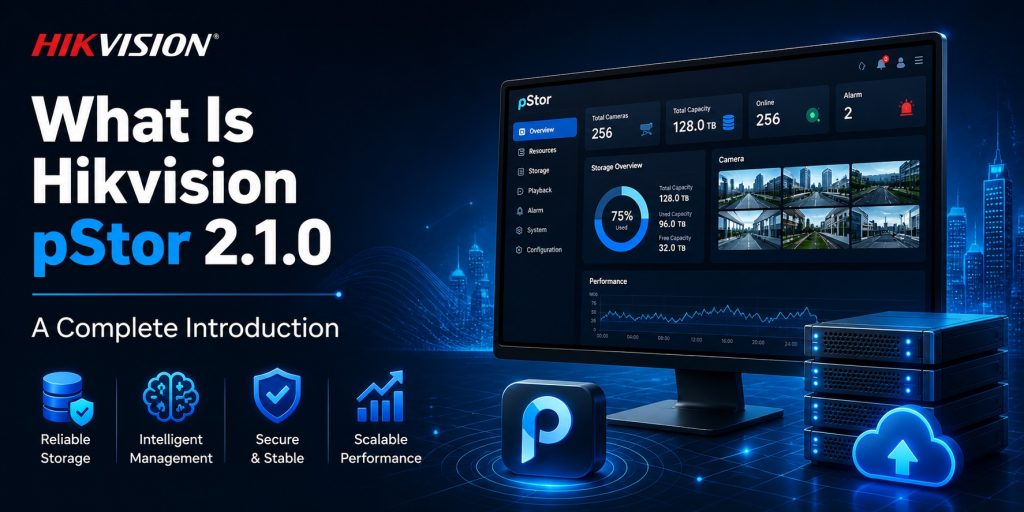
What Is Hikvision pStor 2.1.0? A Complete Introduction
Every enterprise security deployment eventually confronts the same challenge: where does all the video go, and how do you get it back when you need it? For small installations, a network video recorder handles this without much thought. But as deployments grow — dozens of cameras becoming hundreds, single sites becoming multi-site enterprise networks — traditional storage approaches begin to break down. pStor is Hikvision’s answer to this problem: a Windows-based intelligent video storage software designed to work natively with HikCentral Professional, providing enterprise-grade, scalable storage management at any scale.
Version 2.1.0 R1, released alongside HikCentral Professional 3.1.0 in 2026, is the most mature and capable release of this software to date. This guide covers everything you need to know — the architecture, key features, deployment scenarios, licensing model, and how pStor compares to traditional NVR-based storage approaches.
Why Traditional NVR Storage Falls Short at Scale
Understanding why pStor exists requires understanding the limitations that traditional storage approaches create as deployments grow beyond a certain threshold.
Fragmented storage islands. Each NVR manages its own local storage independently. When an operator needs to search for footage of a specific event, they must manually access each NVR in turn. In a deployment with 50 NVRs, this can take hours — time that is simply not available during an active incident response.
Difficult scalability. Adding storage capacity in a traditional NVR environment typically means purchasing a new NVR, running new cabling, and reconfiguring the system. This is expensive, time-consuming, and often requires taking parts of the system offline — an unacceptable disruption in security-critical environments.
Single points of failure. If an NVR fails, all recordings from every camera connected to it are inaccessible until the device is repaired or replaced. There is no automatic failover. There is no redundancy unless it has been explicitly built in through costly parallel hardware.
No unified management view. With multiple NVRs, there is no single dashboard showing the overall health of the storage infrastructure — which devices are running low on space, which hard drives are showing early signs of failure, or which cameras have stopped recording.
pStor addresses all of these problems through a fundamentally different architectural approach.
How pStor Works
pStor is a software application that runs on standard Windows servers. Once installed, security devices — IP cameras, access control readers, and other Hikvision endpoints — transmit their video streams and images directly to pStor. The software processes this data and distributes it intelligently across available storage resources: local hard drives, RAID arrays, NAS systems, or SAN storage.
A key architectural feature is direct streaming: video data travels directly from the camera to the storage device without passing through an intermediary forwarding server. This shorter data path reduces network load, reduces latency, and improves overall system efficiency — a meaningful advantage in large deployments where network bandwidth is a finite resource.
Administration is handled through a web-based management interface accessible via any modern browser on port 6060. All configuration, health monitoring, storage pool management, and reporting are performed through this interface. When integrated with HikCentral Professional, the status of all pStor nodes is also visible directly within the HCP management console, enabling true single-pane-of-glass operations.
Key Features of pStor 2.1.0
1. Broad Storage Hardware Compatibility
pStor works with a wide range of storage hardware, giving organizations the flexibility to use existing infrastructure or choose the most cost-effective option for their requirements:
- Local HDD storage — the simplest and most cost-effective option for smaller deployments
- RAID arrays — for deployments requiring data redundancy and disk failure tolerance
- NAS (Network Attached Storage) — for network-based storage with centralized management
- IP-SAN and FC-SAN — for enterprise deployments with high performance and large capacity requirements
This hardware-agnostic approach means organizations are not locked into proprietary Hikvision storage hardware. Existing server investments can be repurposed, significantly reducing the total cost of deployment.
2. Two Deployment Modes: Standalone and Cluster (1+N Architecture)
pStor supports two primary deployment modes, making it suitable for projects of any size:
Standalone mode deploys a single pStor instance on one server. Installation is straightforward — a single .EXE package — and configuration is fast. This mode is appropriate for small to medium deployments where a dedicated storage server is needed but the complexity and overhead of a cluster is not justified. Performance in standalone mode has been further optimized in version 2.1.0.
Cluster mode (1+N architecture) deploys multiple pStor instances as a unified storage cluster. One primary node coordinates the cluster, while N secondary nodes contribute storage capacity and processing power. Storage load is automatically distributed across all nodes. New nodes can be added to the cluster at any time without taking the system offline, enabling seamless horizontal scaling as storage requirements grow. This mode is designed for large-scale enterprise deployments with thousands of recording channels.
3. Automatic Failover and Continuous Recording
In cluster mode, if any pStor storage node fails, the system automatically redirects recording operations to the remaining healthy nodes. This automatic failover ensures that no video frames are lost during a hardware failure. For organizations where recording continuity is a regulatory requirement or an operational necessity — banks, airports, healthcare facilities, correctional institutions — this capability is non-negotiable.
4. SAC — Storage Access Component
pStor 2.1.0 includes the Storage Access Component (SAC), which enables centralized management of multiple pStor instances. SAC ensures that multiple pStor nodes operate simultaneously while also functioning as mutual backups for each other. It provides the coordination layer that makes the cluster behave as a single, unified storage system from the perspective of both administrators and connected applications. The SAC Installer is available as a separate download alongside the main pStor package.
5. Multi-NIC Binding for High-Throughput Scenarios
For deployments where the volume of incoming video data is very high, pStor supports binding multiple network interface cards (NICs) to increase aggregate network throughput. This prevents the network interface from becoming a bottleneck in storage write performance, ensuring that all cameras can record at full quality even during peak load conditions.
6. Picture Storage
In addition to video, pStor provides dedicated picture storage capabilities. The Picture Storage License supports an unlimited number of channels, making it a cost-effective way to store the large volumes of event images generated by systems such as facial recognition, ANPR/LPR, and intrusion detection. Video storage and picture storage are licensed and managed separately, giving organizations precise control over their storage expenditure.
7. Native Integration with HikCentral Professional
pStor is purpose-built to serve as the storage back-end for HikCentral Professional. This native integration delivers benefits that cannot be achieved through third-party storage integrations: streamlined configuration, optimized data exchange, unified alarm handling for storage health events, and the ability to manage all pStor nodes from within the HCP management console without switching between separate interfaces.
pStor 2.1.0 vs. Traditional NVR Storage: A Practical Comparison
The choice between pStor and traditional NVR-based storage is ultimately a function of project scale and management requirements.
When traditional NVR storage is the right choice
For small installations — up to approximately 32 or 64 cameras — NVRs remain a practical and cost-effective option. They are self-contained, easy to deploy, and require minimal IT expertise to operate. For single-site installations where centralized search, failover, and unified management are not required, an NVR serves the purpose well.
When pStor is the right choice
pStor becomes the appropriate solution when: the deployment involves hundreds or thousands of cameras; centralized, searchable storage across multiple sites is required; recording continuity in the event of hardware failure is critical; the organization is already using or planning to use HikCentral Professional; or the project wants to leverage existing Windows server hardware for storage rather than investing in dedicated NVR appliances.
Hybrid deployments
pStor and NVRs are not mutually exclusive. Many large enterprise deployments use a hybrid model: NVRs provide local storage at distributed sites (ensuring that recording continues even if WAN connectivity is interrupted), while a central pStor cluster at the data center provides long-term storage, centralized search, and unified management. HikCentral Professional manages both storage tiers seamlessly from a single interface.
Deployment Architecture Scenarios
Scenario 1: Single Site, Standalone
A corporate office campus with 150 cameras: one Windows server running pStor in standalone mode, connected to a local RAID array. Cameras stream directly to pStor. HikCentral Professional runs on the same or a separate server and uses pStor as its storage back-end. Security operators search and review all recordings from a single HCP interface without needing to know which physical storage device holds any particular footage.
Scenario 2: Large Enterprise, Cluster
An international airport with 3,000 cameras: three pStor servers operating in cluster mode — one primary node and two secondary nodes — with a SAC coordinating the cluster. Storage load is distributed automatically across all three nodes. If any node fails, the other two continue recording without interruption. The entire cluster is managed from within the HikCentral Professional console, providing a unified view of storage health, capacity, and event history.
Scenario 3: Multi-Site, Hybrid
A retail chain with 80 locations: each location has a local NVR for immediate on-site storage. A central pStor cluster at headquarters provides long-term archival storage and centralized search across all locations. HikCentral Professional presents all sites and all storage tiers through a single management interface, enabling the central security team to search footage from any location without knowing whether it is stored locally or in the central archive.
Industry Use Cases
Banking and Financial Services
Banks are typically required to retain surveillance footage for a defined period — often 90 days or more — to meet regulatory requirements. pStor’s cluster architecture with automatic failover and RAID support ensures that no footage is ever lost due to hardware failure. The picture storage license efficiently handles the large volumes of face recognition and ATM camera snapshots that modern banking security systems generate.
Retail Chains and Shopping Centers
Retail operators benefit from pStor’s centralized architecture, which allows a single security team to search footage from all store locations without maintaining separate NVR management sessions for each site. The direct streaming architecture reduces the network infrastructure cost compared to forwarding-server-based approaches.
Transportation — Airports, Ports, and Stations
Large transportation hubs generate enormous volumes of video data from thousands of cameras operating continuously. pStor’s cluster architecture scales to handle this data volume, while its automatic failover ensures that recording never stops even during hardware maintenance windows. Integration with HikCentral Professional provides investigators with fast, unified search across the entire camera network.
Healthcare
Hospitals and healthcare facilities must maintain recordings for long periods to support incident investigations and compliance requirements. pStor’s scalable storage pools and RAID support provide the long-term, reliable storage these requirements demand. The picture storage capability efficiently handles snapshots from access control events and visitor management systems.
Industrial and Manufacturing
Industrial environments require recording continuity to support incident investigation, insurance claims, and regulatory compliance. pStor’s automatic failover in cluster mode ensures that recordings are never interrupted by a single storage node failure. Its integration with HikCentral Professional gives safety and security managers fast access to footage from specific cameras at the time of an incident.
Smart City and Public Safety
City-scale surveillance deployments with thousands of street cameras require storage infrastructure that can scale as the camera network grows. pStor’s cluster architecture accommodates this growth organically: additional storage nodes are added without disrupting ongoing recording operations. Centralized management through HikCentral Professional gives command center operators a unified view of the entire recording infrastructure.
Download Details — pStor 2.1.0 R1
pStor v2.1.0 R1 is available from Hikvision’s official support portal as part of the HikCentral Professional v3.1.0 download package. File details:
- Version: pStor V2.1.0 R1
- File Size: 498 MB
- MD5:
5AFB5527FB2FD0B39D228E337C2076FF - Supported OS: Windows Server 2016 / 2019 / 2022 (recommended); Windows 10 64-bit
- Additional download: SAC Installer (required for cluster deployments)
For download assistance or installation guidance, contact us via our Telegram channel at t.me/DoCrackMe.
Licensing Overview
The pStor software itself is free to download and install. Recording functionality requires purchased licenses on a per-channel basis.
Video Storage License (per channel)
Each Video Storage license activates recording and retrieval for one camera channel through pStor. For a deployment with 300 cameras, 300 Video Storage licenses are required. This per-channel model allows organizations to precisely match their licensing expenditure to the actual number of cameras in the system.
Picture Storage License (unlimited channels)
The Picture Storage license activates image storage functionality for an unlimited number of channels with a single license. This makes it highly cost-effective for deployments that generate large volumes of event snapshots from facial recognition, ANPR, or other analytics-driven cameras.
Relationship to HikCentral Professional Licensing
pStor licenses are separate from HikCentral Professional licenses. Both are required for a complete deployment. HCP licenses cover the management platform and access to its features; pStor licenses cover the storage recording channels. When planning a project budget, both license costs should be accounted for. For guidance on selecting the right combination, contact us at t.me/DoCrackMe.
Installation Best Practices
Power supply reliability. pStor is sensitive to power supply stability. Hikvision recommends equipping server rooms with two independent power lines and ensuring that all pStor servers are protected by UPS systems. An unexpected power interruption during a write operation can corrupt storage data.
Network capacity planning. Calculate the total inbound data rate from all connected cameras before finalizing your network infrastructure. For high camera counts or high-resolution streams, consider whether Multi-NIC binding is necessary to achieve adequate throughput without network saturation.
Storage capacity calculation. Calculate required storage capacity based on camera count, resolution, frame rate, compression format (H.264 vs. H.265), and retention period. H.265 encoding reduces storage requirements by approximately 50% compared to H.264 at equivalent quality — a significant cost saving in large deployments.
Plan for cluster from the start. Even if your initial deployment requires only a single pStor node, designing the architecture with future cluster expansion in mind makes adding nodes later far simpler. Pre-configure the network and storage infrastructure to support additional nodes before they are actually needed.
RAID configuration. For deployments where recording continuity is critical, RAID 5 or RAID 6 provides protection against single or dual disk failures respectively. RAID protection at the disk level, combined with automatic failover at the cluster level, provides two independent layers of resilience against hardware failure.
Frequently Asked Questions (FAQ)
Can pStor be used without HikCentral Professional?
Yes. pStor can be deployed as a standalone storage solution independent of HikCentral Professional. It is managed through its own web interface and can accept streams directly from compatible Hikvision cameras. However, the combination of pStor with HikCentral Professional delivers significantly more value — unified search, centralized alarm management, and single-interface administration — making the integrated deployment the strongly recommended approach for enterprise projects.
Does pStor support cloud deployment on AWS or Azure?
No. pStor does not currently support deployment on public cloud platforms such as AWS, Azure, or Google Cloud. It is designed for on-premises deployment on physical servers or virtual machines within a local or private network. For organizations that require cloud-based video archival, alternative architectures using Hikvision’s cloud services should be explored.
What is the difference between pStor and Hikvision’s old Storage Server?
Hikvision’s older Storage Server product, which was used alongside iVMS-4200, has been discontinued. Hikvision officially recommends migrating to the HikCentral Professional + pStor combination as the replacement architecture. pStor offers significantly more functionality than the legacy Storage Server, including cluster mode, automatic failover, SAC management, and native integration with the full HCP feature set.
How many cameras can a single pStor instance handle?
The capacity of a standalone pStor instance depends on the server’s hardware specifications — CPU performance, available RAM, network throughput, and disk I/O bandwidth — as well as the bitrate of the connected cameras. Hikvision’s System Requirement and Performance documentation provides specific configuration guidelines for different channel counts. For deployments exceeding the capacity of a single server, cluster mode provides near-unlimited scalability through horizontal expansion.
Does pStor support RAID?
Yes. pStor supports RAID arrays as a storage back-end. RAID 5 and RAID 6 are commonly used in enterprise pStor deployments to provide disk-level redundancy. When combined with pStor’s cluster-level automatic failover, RAID provides two independent layers of protection against data loss from hardware failure.
Can pStor run on a virtual machine?
Yes, pStor can be installed on virtual machines. For production deployments, physical servers are generally preferred for storage workloads due to more predictable I/O performance. If deploying on a VM, ensure that adequate disk I/O throughput and network bandwidth are available at the hypervisor level to support the expected recording load without saturation.
Is there a free trial available for pStor?
pStor itself is freely downloadable. The trial experience is most meaningful when evaluated in conjunction with HikCentral Professional, which offers a free trial license for evaluation purposes. Contact us at t.me/DoCrackMe for guidance on setting up an evaluation environment.
What is the SAC component and do I need it?
The Storage Access Component (SAC) is required for cluster deployments where multiple pStor nodes need to be managed centrally. SAC coordinates communication between nodes, manages failover operations, and provides the unified management layer that makes a cluster of pStor instances appear as a single storage system. For standalone single-node deployments, SAC is not required.
Get a license — free consultation
Pricing depends on version and number of users. Message us on Telegram and we’ll reply with an exact quote — no commitment required.
|
✓
20+ years experience
Software engineers with a long track record
|
⚡
Delivered within 24h
Your license is sent within one business day
|
↩
Money-back guarantee
If the license doesn’t work, we refund in full
|
Usually reply within a few hours — free consultation, no upfront payment




